
Introduction
Publishing great tech videos isn’t enough to grow a successful YouTube channel. Many beginner creators spend hours researching, recording, and editing videos, yet struggle to get views. In most cases, the problem isn’t the content—it’s poor YouTube SEO.
YouTube is the world’s second-largest search engine, processing billions of searches every month. If your videos aren’t optimized for search, recommendations, and viewer engagement, they can remain invisible even when they offer valuable information.
The good news is that you don’t need a large subscriber base or expensive equipment to rank your videos. With the right YouTube SEO strategy, even a new tech channel can attract more views, increase watch time, and grow steadily over time.
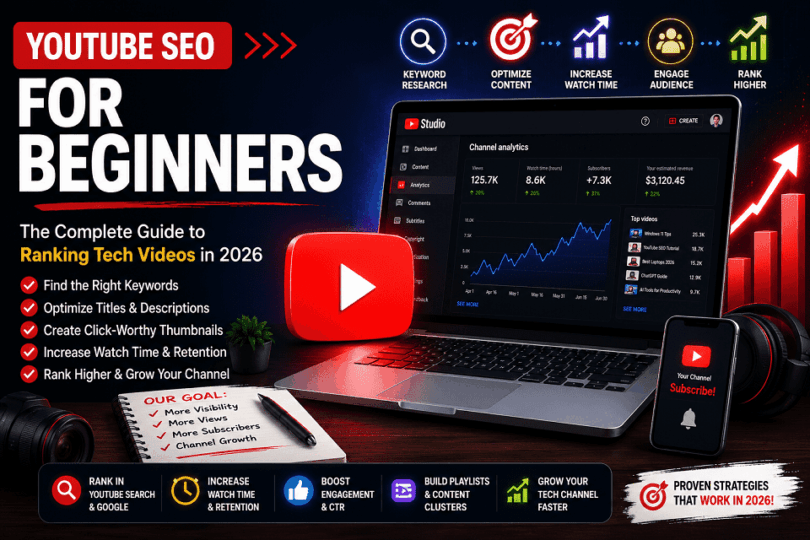
In this beginner-friendly guide, you’ll learn how YouTube SEO works, how to find the right keywords, optimize your titles, descriptions, thumbnails, and playlists, improve audience retention, and use proven strategies to help your tech videos rank higher in YouTube and Google search results.
Whether you create smartphone reviews, laptop comparisons, software tutorials, AI tool guides, or gadget unboxing videos, this guide will help you build a stronger foundation for long-term YouTube growth.
Common Myths
| Myth | Reality |
| Tags are the most important ranking factor. | Titles, thumbnails, and viewer satisfaction have a much bigger impact. |
| Longer videos always rank higher. | Videos that satisfy viewers tend to perform better, regardless of length. |
| More keywords mean better rankings. | Natural optimization is more effective than keyword stuffing. |
| Subscribers guarantee more views. | Search intent and viewer engagement matter more. |
TL;DR: YouTube SEO for Beginners
YouTube SEO is the process of optimizing your videos, titles, descriptions, thumbnails, keywords, playlists, and audience engagement to help your content rank higher in YouTube search, Google search results, and recommended videos.
If you’re short on time, remember these key points:
- Research the right keywords before recording your video to match what viewers are searching for.
- Write keyword-rich titles and descriptions that clearly explain your video’s topic.
- Create compelling thumbnails to improve your click-through rate (CTR).
- Increase watch time and audience retention by delivering value quickly and keeping viewers engaged.
- Use playlists, chapters, captions, and end screens to improve video discoverability and session time.
- Track your performance in YouTube Analytics and refine your SEO strategy based on real data.
- Focus on helping viewers first. Videos that satisfy user intent are more likely to rank well over time.
Bottom line: Consistently applying these YouTube SEO best practices can help beginner tech creators increase visibility, attract more viewers, and grow their channels faster.
What Is YouTube SEO?
YouTube SEO (Search Engine Optimization) is the process of optimizing your videos, titles, descriptions, thumbnails, keywords, captions, playlists, and viewer engagement signals to help your content rank higher in YouTube search results, Google Search, and YouTube’s recommended videos.
Unlike traditional SEO, YouTube SEO focuses on helping the platform understand your video’s topic while encouraging viewers to click, watch longer, and interact with your content. The better your video satisfies user intent, the more likely YouTube is to recommend it to a wider audience.
Simple Definition
In simple terms, YouTube SEO helps people find your videos. It combines keyword optimization with engaging content to improve visibility in search results and recommendations.
For example, if someone searches for “best budget gaming laptop 2026”, YouTube analyzes your video’s title, description, captions, watch time, audience retention, and engagement to determine whether it deserves a higher ranking.
Why YouTube SEO Matters
Creating high-quality videos is only part of building a successful YouTube channel. Without proper optimization, even informative tech videos may struggle to reach the right audience.
Here are some of the biggest benefits of YouTube SEO:
- Increases your video’s visibility in YouTube Search and Google Search.
- Helps attract viewers who are actively searching for your content.
- Improves click-through rate (CTR) with optimized titles and thumbnails.
- Boosts watch time and audience retention through better content organization.
- Increases the chances of appearing in YouTube recommendations and suggested videos.
- Supports long-term channel growth by generating evergreen traffic.
For beginner tech creators, YouTube SEO is one of the most effective ways to compete with larger channels because optimized videos can continue attracting views long after they are published.
YouTube SEO vs Google SEO
Although YouTube and Google are both search engines, they use different ranking signals to evaluate content.
| Feature | YouTube SEO | Google SEO |
| Content Type | Videos | Web pages |
| Primary Goal | Help viewers discover engaging videos | Deliver the most relevant web pages |
| Main Ranking Signals | Watch time, audience retention, CTR, engagement, keywords | Content quality, backlinks, relevance, page experience |
| User Behavior | Video views and viewing duration | Clicks, dwell time, and overall user experience |
| Optimization Focus | Titles, thumbnails, descriptions, captions, playlists | Content, technical SEO, internal links, backlinks, Core Web Vitals |
The two strategies also complement each other. Well-optimized YouTube videos can appear in Google Search results, while embedding videos in blog posts can improve user engagement and strengthen your overall content strategy.
How Does YouTube SEO Work?
YouTube SEO works by helping YouTube understand your video’s topic, quality, and relevance. The platform evaluates factors such as keywords, click-through rate (CTR), watch time, audience retention, engagement, captions, and user satisfaction to determine which videos should appear in search results, suggested videos, and viewers’ home feeds.

When you publish a video, YouTube analyzes information such as your title, description, tags, captions, and thumbnail to understand its topic. As viewers interact with your content, the platform also measures engagement signals like watch time, audience retention, likes, comments, shares, and subscriptions. These signals help YouTube determine whether your video satisfies user intent and deserves greater visibility.
Understanding how YouTube SEO works allows you to optimize every stage of your video’s lifecycle—from keyword research and publishing to audience engagement and long-term channel growth.
Understanding the YouTube Algorithm
The YouTube algorithm is a recommendation system that decides which videos to show in search results, suggested videos, the Home feed, and other sections of the platform. Its primary goal is to connect viewers with videos they are most likely to watch and enjoy.
The algorithm does not simply rank videos with the most keywords. Instead, it analyzes hundreds of signals to understand your video’s topic, predict viewer interest, and measure how satisfied people are after watching it.
Some of the most important signals include:
- Keyword relevance: Does your title, description, and spoken content match what users are searching for?
- Click-through rate (CTR): Do viewers click your video when they see it?
- Watch time: How many minutes do viewers spend watching your video?
- Audience retention: How much of your video do viewers watch before leaving?
- Engagement: Do viewers like, comment, share, or subscribe after watching?
- Viewer satisfaction: Do viewers continue watching YouTube after your video, or leave the platform?
For example, imagine two videos targeting the keyword “Best Budget Gaming Laptop 2026.” Both use similar keywords and descriptions. One video keeps viewers engaged for eight minutes, while the other loses most viewers after the first minute. Even though both videos target the same keyword, YouTube is more likely to recommend the first video because it provides a better viewing experience.
This is why successful YouTube SEO combines keyword optimization with high-quality content. Keywords help YouTube understand your video, while viewer engagement helps prove that your content deserves a higher ranking.
Key takeaway: The YouTube algorithm rewards videos that satisfy viewer intent. Creating valuable content that keeps people watching is just as important as optimizing your metadata.
Search vs Suggested Videos
YouTube helps viewers discover videos in different ways, but YouTube Search and Suggested Videos are two of the most important traffic sources. Understanding the difference helps you create content that performs well in both.
YouTube Search
YouTube Search works much like a traditional search engine. When someone types a query such as “best budget smartphone 2026”, YouTube displays videos that best match the user’s search intent.
To improve your chances of ranking in YouTube Search:
- Research keywords before creating your video.
- Include your primary keyword naturally in the title and description.
- Add relevant keywords in your captions and spoken content.
- Create videos that directly answer the viewer’s question.
Search traffic is ideal for tutorials, product reviews, comparisons, how-to guides, and evergreen tech content because users are actively looking for specific information.
Suggested Videos
Suggested Videos appear alongside the video a viewer is currently watching and in the Up Next section. Instead of relying mainly on keywords, YouTube recommends videos based on viewer behavior and content relevance.
To increase your chances of appearing as a Suggested Video:
- Create engaging videos that keep viewers watching.
- Design compelling thumbnails that encourage clicks.
- Use clear, descriptive titles that match the video’s content.
- Build related videos around the same topic to encourage binge-watching.
- Organize videos into playlists to increase session time.
For example, someone watching “How to Build a Gaming PC” may be shown videos such as “Best Budget Graphics Cards” or “Gaming PC Setup Guide” because they are closely related and likely to interest the same audience.
Which Traffic Source Is More Important?
Both traffic sources are valuable, but they serve different purposes.
| YouTube Search | Suggested Videos |
| Viewers actively search for a topic. | YouTube recommends videos based on viewing behavior. |
| Strong keyword optimization improves visibility. | Strong viewer engagement increases recommendations. |
| Best for evergreen tutorials, reviews, and comparisons. | Best for increasing watch time, session duration, and channel growth. |
| Traffic depends on search demand. | Traffic can grow rapidly if viewers respond positively. |
The most successful tech creators optimize for both. Strong keyword research helps videos rank in search, while engaging content, high audience retention, and compelling thumbnails increase the likelihood of being recommended alongside other popular videos.
Successful YouTube SEO isn’t about optimizing one ranking factor. The best-performing videos combine keyword optimization, engaging content, high audience retention, and a positive viewing experience to satisfy both viewers and the YouTube algorithm.
The next section explains the most important YouTube ranking factors and how each one influences your video’s visibility.
YouTube SEO Ranking Factors Explained
Quick Answer: YouTube doesn’t rely on a single ranking factor to determine which videos appear in search results or recommendations. Instead, it evaluates multiple signals, including search intent, title relevance, thumbnail performance, audience retention, watch time, viewer engagement, and overall content quality to identify videos that best satisfy viewers.

Successful YouTube creators focus on optimizing both discoverability and viewer satisfaction. A compelling title and thumbnail encourage people to click, while valuable content, clear organization, and strong audience retention encourage them to continue watching. These signals work together to help YouTube identify videos that deserve greater visibility.
The table below summarizes the most important YouTube SEO ranking factors.
| Ranking Factor | Why It Matters |
| Search Intent | Helps YouTube match your video with relevant viewer queries. |
| Video Title | Clearly communicates the topic and encourages qualified clicks. |
| Thumbnail | Attracts attention and supports a stronger click-through rate. |
| Audience Retention | Indicates how effectively your video keeps viewers engaged. |
| Watch Time | Reflects the amount of time viewers spend watching your content. |
| Content Quality | Demonstrates expertise, accuracy, and usefulness. |
| Video Description | Provides additional context about the video’s topic. |
| Captions | Improve accessibility and help viewers follow the content. |
| Playlists and Internal Recommendations | Encourage viewers to continue watching related videos. |
| Viewer Engagement | Likes, comments, shares, and returning viewers indicate audience interest. |
Rather than trying to optimize one ranking factor, think of YouTube SEO as a complete system. Every improvement you make—from choosing the right keyword to creating a stronger thumbnail or improving audience retention—helps build a better experience for your viewers. Over time, these improvements work together to strengthen your channel’s visibility and long-term growth.
ProDigitalWeb Tip: Focus first on the factors that have the greatest impact on viewer experience, such as helpful content, engaging introductions, clear titles, and audience retention. Smaller optimization elements like tags and hashtags should support your strategy rather than become the main focus.
Search Intent and Relevance
Search intent is one of the most important factors in YouTube SEO. Before recommending a video, YouTube attempts to understand what a viewer is looking for and identify videos that best answer that query. The closer your content matches the viewer’s intent, the greater the opportunity to appear in search results and recommendations.
Begin by identifying the primary question your audience wants answered. A video titled “How to Speed Up Windows 11” should immediately explain practical optimization techniques rather than discussing unrelated Windows features. Matching the content to the title and thumbnail helps viewers find exactly what they expect.
Keywords still play an important role because they help YouTube understand your video’s topic. Include your primary keyword naturally in the title, description, spoken content, and, where appropriate, chapter titles. Instead of repeating the same phrase multiple times, use related terms that accurately describe your topic.
The table below highlights how search intent influences YouTube SEO.
| Search Intent Element | Best Practice |
| Video Topic | Focus on one clear question or problem. |
| Primary Keyword | Use it naturally in the title and description. |
| Viewer Intent | Deliver the information promised by the title. |
| Content Relevance | Keep the video focused on the main topic. |
When your title, thumbnail, and content all communicate the same message, viewers are more likely to stay engaged. This creates a better viewing experience and helps YouTube recognize that your video satisfies the intended search query.
Expert Tip: Before recording your video, ask yourself: “What specific question is my viewer trying to answer?” Build your content around that question instead of trying to target multiple unrelated topics in one video.
Viewer Engagement Signals
Once viewers click on your video, YouTube evaluates how they interact with it. Engagement signals help the platform understand whether your content keeps viewers interested and delivers the value they expected.
Click-through rate (CTR), audience retention, watch time, likes, comments, shares, and returning viewers all provide valuable feedback. A compelling title and thumbnail encourage qualified clicks, while useful content keeps viewers watching and motivates them to interact with your video.
Rather than focusing on a single metric, look for consistent patterns across your channel. For example, a high click-through rate combined with poor audience retention may indicate that your title attracts attention but the video doesn’t fully meet viewer expectations.
The table below summarizes the most important engagement signals.
| Engagement Signal | Why It Matters |
| Click-Through Rate (CTR) | Measures how effectively your title and thumbnail attract qualified clicks. |
| Audience Retention | Shows how long viewers stay engaged. |
| Watch Time | Reflects the total time viewers spend watching your content. |
| Likes and Comments | Indicate audience appreciation and interaction. |
| Shares | Suggest that viewers found the content valuable enough to recommend. |
| Returning Viewers | Demonstrate long-term audience loyalty. |
Strong engagement doesn’t come from asking viewers to like or comment repeatedly. It comes from creating videos that solve problems, answer questions, and provide genuine value from beginning to end.
Remember: Review your audience retention reports regularly. They often reveal exactly where viewers lose interest, giving you valuable insights for improving future videos.
Content Quality and Viewer Satisfaction
High-quality content remains the foundation of successful YouTube SEO. While optimization helps viewers discover your videos, content quality determines whether they continue watching, subscribe to your channel, and return for future uploads.
For technology creators, quality means more than good video production. It also includes accurate information, practical demonstrations, clear explanations, and a logical structure that makes complex topics easy to understand. A well-organized tutorial or honest product review often delivers more value than a highly edited video with little useful information.
Avoid creating videos that focus primarily on keywords instead of helping viewers. Modern YouTube SEO rewards content that satisfies search intent rather than videos filled with repeated keywords or exaggerated claims.
The table below highlights the characteristics of high-quality content.
| Quality Factor | Why It Matters |
| Accuracy | Builds trust and credibility. |
| Clear Structure | Makes videos easier to follow. |
| Practical Examples | Improves understanding of technical topics. |
| Honest Recommendations | Strengthens viewer confidence. |
| Valuable Insights | Encourage viewers to return for future content. |
Every video should leave viewers feeling that their time was well spent. When people consistently find your content useful, they are more likely to watch additional videos, subscribe, and recommend your channel to others.
ProDigitalWeb Tip: Before publishing, ask yourself whether your video fully answers the viewer’s question. If any important information is missing, strengthen the content before making it public.
Channel Authority and Consistency
Successful YouTube channels are built over time through consistent publishing and strong topical authority. Instead of covering unrelated subjects, focus on creating connected videos that establish your expertise within a specific technology niche.
For example, a channel dedicated to Windows tutorials should continue expanding its library with troubleshooting guides, performance tips, security advice, and feature updates. Organizing these videos into playlists and linking them with cards and end screens creates a content ecosystem that helps viewers continue learning.
Publishing consistently also helps you build a larger content library. Every new video creates another opportunity to appear in search results, answer viewer questions, and strengthen your authority on the topics you cover.
The table below summarizes the key elements of channel authority.
| Authority Factor | Best Practice |
| Consistent Publishing | Follow a realistic upload schedule. |
| Topical Authority | Create multiple videos around related subjects. |
| Playlists | Organize videos into logical learning series. |
| Content Clusters | Connect related videos through cards and end screens. |
| Continuous Improvement | Use YouTube Analytics to refine future content. |
Building authority doesn’t happen overnight. Every helpful video strengthens your channel’s reputation and gives viewers another reason to return. Over time, a consistent publishing strategy combined with high-quality content creates a solid foundation for sustainable YouTube growth.
Points to Ponder: Think beyond individual videos. Build content clusters around your core topics so every new upload strengthens your channel’s expertise and encourages viewers to explore more of your content.
Why Tech YouTube Channels Need SEO
Tech YouTube channels need SEO because the technology niche is highly competitive and constantly evolving. Effective YouTube SEO helps your videos reach the right audience, rank for relevant searches, increase watch time, and continue attracting views long after they are published.
Every day, thousands of tech videos are uploaded covering smartphones, laptops, artificial intelligence, software, cybersecurity, gadgets, and product reviews. Without proper optimization, even high-quality videos can struggle to appear in YouTube Search or be recommended to potential viewers.
Unlike entertainment videos that often rely on trends or viral moments, many tech videos have long-term search value. Tutorials, troubleshooting guides, software reviews, buying advice, and product comparisons can continue generating traffic for months or even years when optimized correctly.
YouTube SEO helps connect your content with people actively searching for solutions, product recommendations, and technology advice. By combining keyword research, compelling thumbnails, engaging content and strong audience retention, you can increase your video’s visibility while building a loyal audience over time.
In the following sections, you’ll learn why competition in the tech niche makes SEO essential, how evergreen videos create long-term traffic, and how a consistent optimization strategy supports sustainable channel growth.
Competition in the Tech Niche
The technology niche is one of the most competitive categories on YouTube. Every day, creators publish videos about smartphones, laptops, artificial intelligence, software, gaming, cybersecurity, gadgets, and emerging technologies. As a result, your videos compete not only with new creators but also with well-established channels that already have large audiences.
Popular topics such as iPhone reviews, Windows tutorials, AI tools, ChatGPT tips, and laptop comparisons often have hundreds or even thousands of competing videos. Simply uploading high-quality content is no longer enough to stand out.
This is where YouTube SEO makes a difference. Instead of competing only on subscriber count, SEO helps your videos reach viewers who are actively searching for answers. By targeting the right keywords, optimizing your titles and descriptions, creating compelling thumbnails, and delivering valuable content, you improve your chances of appearing in search results and recommendations.
New creators can also compete effectively by focusing on specific topics instead of broad, highly competitive keywords.
For example:
| Broad Topic | Better SEO-Focused Topic |
| AI Tools | Best AI Writing Tools for Students |
| Smartphone Reviews | Best Budget Android Phones Under $300 |
| Windows Tutorials | How to Fix Windows 11 Wi-Fi Problems |
| Laptop Reviews | Best Laptops for Video Editing Under $1,000 |
| Cybersecurity | How to Protect Your Google Account from Hackers |
These focused topics target users with clear search intent and often face less competition than broad subjects.
Rather than trying to compete with every large technology channel, build authority around a specific area of expertise. As your channel grows, you can gradually expand into broader technology topics while maintaining strong visibility in your chosen niche.
Expert Tip: Before creating a video, search your target keyword on YouTube. Study the top-ranking videos, identify what they cover, and look for ways to provide more up-to-date information, clearer explanations, practical demonstrations, or unique insights. Creating content that is genuinely more helpful gives your video a better chance of standing out.
Evergreen vs Trending Videos
Both evergreen and trending videos can help grow a tech YouTube channel, but they serve different purposes. A successful content strategy uses a combination of both to generate immediate views while building long-term search traffic.
What Are Evergreen Videos?
Evergreen videos remain useful long after they are published. They answer common questions, solve recurring problems, or explain concepts that people search for throughout the year.
Examples include:
- How to Speed Up a Windows 11 PC
- How to Protect Your Google Account
- Best Password Managers
- Wi-Fi Troubleshooting Guide
- How to Build a Gaming PC
These videos can continue attracting viewers for months or even years with occasional updates.
What Are Trending Videos?
Trending videos focus on recent news, product launches, software updates, or emerging technologies. They often receive a surge of traffic soon after publication but may lose relevance as newer information becomes available.
Examples include:
- iPhone 18 First Look
- Windows 12 New Features
- ChatGPT Latest Update Explained
- Samsung Galaxy S27 Review
- Apple WWDC 2026 Highlights
Publishing trending videos quickly helps capture interest while search demand is at its highest.
Evergreen vs Trending Content
| Evergreen Videos | Trending Videos |
| Generate long-term search traffic | Generate short-term traffic spikes |
| Remain useful for months or years | Usually have a shorter lifespan |
| Require periodic updates | Need fast publishing to stay relevant |
| Ideal for tutorials, guides, and troubleshooting | Ideal for news, launches, and first impressions |
| Build consistent organic traffic | Increase visibility during peak interest |
Which Type Should You Create?
The best strategy is to balance both.
Evergreen videos provide a steady stream of search traffic and continue generating views over time. Trending videos help your channel stay current and attract new viewers during periods of high interest.
For example, a tech creator might publish an “iPhone 18 First Look” video when the device launches and later create evergreen videos such as “iPhone 18 Tips and Tricks,” “Common iPhone 18 Problems and Fixes,” and “Best iPhone 18 Accessories.” Together, these videos create a content cluster that attracts both immediate and long-term traffic.
Pro Tip: Aim for a content mix of 70–80% evergreen videos and 20–30% trending videos. Evergreen content builds lasting authority, while trending content helps you reach new audiences and stay relevant. Adjust this balance based on your niche, audience, and publishing schedule.
Building Long-Term Traffic
One of the biggest advantages of YouTube SEO is its ability to generate traffic long after a video is published. Unlike social media posts that often disappear from users’ feeds within hours or days, well-optimized YouTube videos can continue attracting viewers through search results and recommendations for months or even years.
This is especially valuable for tech creators. Many viewers search for product comparisons, software tutorials, troubleshooting guides, buying advice, and how-to videos whenever they need help. If your content answers these questions clearly and remains accurate, it can become a reliable source of recurring traffic.
Long-term growth also comes from publishing related videos around a specific topic. For example, instead of creating a single video about Windows 11, you can build a series covering Windows 11 performance tips, common errors, security settings, hidden features, and troubleshooting. As viewers watch multiple videos from your channel, YouTube gains a better understanding of your expertise and is more likely to recommend your content to similar audiences.
Consistency plays an equally important role. Regularly publishing helpful videos, updating older content when major technology changes occur, and organizing related videos into playlists create a stronger foundation for sustainable channel growth. Over time, this approach builds trust with viewers and increases the likelihood of earning repeat visits and subscribers.
Rather than chasing every trending topic, focus on creating content that continues solving real problems. A library of well-optimized, evergreen tech videos can become a long-term source of organic traffic and support steady channel growth year after year.
YouTube SEO is a long-term strategy, not a one-time task. Every optimized video becomes a digital asset that can continue attracting viewers, building authority, and growing your channel well into the future.
How to Find the Right Keywords for Your Tech Videos
Finding the right keywords starts with understanding what your audience is searching for. The best keywords accurately describe your video’s topic, match the viewer’s search intent, and have enough search demand to attract consistent traffic without facing unnecessary competition.
Keyword research is the foundation of successful YouTube SEO. Even a well-produced video can struggle to gain visibility if it targets a topic that few people search for or competes with thousands of established videos. Choosing the right keyword helps YouTube understand your content and connect it with viewers who are actively looking for answers.
For tech creators, keyword research involves more than finding popular search terms. It means identifying topics that solve real problems, answer common questions, or help people make informed technology decisions. A video titled “How to Fix Windows 11 Wi-Fi Problems” is more likely to attract targeted viewers than a broad title such as “Windows 11 Tips.”
The most effective keywords balance search demand, relevance, and competition. Instead of chasing only high-volume keywords, look for opportunities where you can create content that is more useful, more up to date, or more comprehensive than existing videos.
In the following sections, you’ll learn how to understand search intent, discover keyword ideas using YouTube Search, analyze competing videos, identify valuable long-tail keywords, and use keyword research tools to uncover new content opportunities.
Understand Search Intent Before Choosing a Keyword
Successful YouTube SEO begins with understanding search intent. Search intent is the reason behind a user’s search. Before choosing a keyword, ask yourself one simple question: What is the viewer trying to accomplish?
People don’t search for keywords—they search for answers, solutions, recommendations, or tutorials. If your video satisfies that need better than competing videos, it has a much better chance of ranking in YouTube Search and attracting long-term views.
For example, someone searching for “best budget gaming laptop 2026” wants buying advice, while a person searching for “how to speed up Windows 11” is looking for a step-by-step solution. Although both queries belong to the technology niche, they require completely different types of videos.
The table below shows how search intent influences the type of content you should create.
| Search Query | Search Intent | Best Video Format |
| Best AI Tools for Students | Compare options before making a decision | Product comparison |
| How to Install Windows 11 | Learn how to complete a task | Step-by-step tutorial |
| iPhone 18 Review | Evaluate a product before buying | Hands-on review |
| ChatGPT vs Gemini | Compare two products or services | Comparison video |
| Why Is My Wi-Fi Slow? | Solve a technical problem | Troubleshooting guide |
When your video’s title, thumbnail, and content align with the viewer’s intent, people are more likely to click, watch for longer, and interact with your video. These positive engagement signals help YouTube recognize that your content is relevant, improving its chances of appearing in search results and recommendations.
Before recording any tech video, define the viewer’s goal first. Once you understand what your audience expects, selecting the right keyword and creating valuable content becomes much easier.
ProDigitalWeb Tip: Don’t choose a keyword simply because it has high search volume. Choose one that matches your expertise and allows you to create the most helpful video for that specific audience.
Use YouTube Search Suggestions to Discover Keywords
One of the easiest ways to find keyword ideas is by using YouTube Search Suggestions. When you begin typing a topic into YouTube’s search bar, the platform automatically displays a list of suggested searches. These suggestions are based on what people frequently search for, making them a valuable source of real user queries.
For example, if you type “Windows 11” into YouTube Search, you may see suggestions such as “Windows 11 tips and tricks,” “Windows 11 Wi-Fi fix,” or “Windows 11 performance settings.” Each suggestion represents a potential video topic backed by actual search interest.
Instead of choosing the first suggestion automatically, look for phrases that closely match your expertise and the type of content your audience wants. The goal is to create a video that answers a specific question better than the videos already ranking for that search.
You can also expand your keyword research by adding words such as how, best, fix, review, comparison, tutorial, or the current year after your main topic. This simple technique often reveals additional content opportunities and long-tail keywords that are easier to target.
After identifying a promising keyword, search for it on YouTube and study the top-ranking videos. Pay attention to their titles, thumbnails, video length, and the questions they answer. If you can produce a more accurate, up-to-date, or comprehensive video, you have a stronger opportunity to compete for that search term.
Pro Tip: Don’t stop with a single keyword. Record several related search suggestions before planning your video. These variations can inspire future videos, strengthen your content strategy, and help you build a topic cluster around your niche.
Analyze Top-Ranking Videos for Keyword Opportunities
Competitor analysis is one of the fastest ways to improve your YouTube keyword research. Instead of guessing which topics might perform well, study the videos that already rank for your target keyword. Their success can reveal what viewers expect and help you identify opportunities to create even better content.
Begin by searching your target keyword on YouTube. Review the first page of results and look for patterns rather than copying individual videos. Pay attention to the words used in titles, the style of thumbnails, the video length, and the type of information covered. These elements provide valuable clues about what YouTube and viewers consider relevant for that topic.
As you analyze competing videos, ask yourself whether you can offer something more valuable. Your advantage might come from publishing newer information, providing a clearer explanation, demonstrating the process step by step, or answering questions that other creators overlooked.
The table below highlights the key areas to evaluate during competitor research.
| What to Analyze | Why It Matters |
| Video Title | Reveals keyword placement and search intent. |
| Thumbnail | Shows how creators attract clicks. |
| Video Length | Indicates the level of detail viewers expect. |
| Content Structure | Helps identify important topics and missing information. |
| Viewer Comments | Reveals unanswered questions and common problems. |
| Publishing Date | Shows whether the topic needs updated content. |
Remember that competitor analysis is about finding opportunities, not copying successful videos. Your goal is to create content that is more accurate, more useful, or more up to date than what already exists. When your video delivers greater value, it has a stronger chance of earning clicks, increasing watch time, and ranking higher over time.
Note: Read the comments on top-ranking videos before creating your own. Viewers often ask follow-up questions or mention problems that weren’t covered. Answering those questions in your video can help you create content that better satisfies search intent and stands out from the competition.
Find Long-Tail Keywords with Lower Competition
Long-tail keywords are longer, more specific search phrases that target a narrow audience. Although they usually receive fewer searches than broad keywords, they often attract viewers who know exactly what they want. This makes them an excellent choice for new and growing tech YouTube channels.
For example, trying to rank for “Windows 11” is extremely difficult because the topic is broad and highly competitive. A more specific keyword such as “How to Fix Windows 11 Wi-Fi Problems” targets a clear search intent and gives your video a better opportunity to appear in search results.
The table below shows how broad keywords can be refined into more focused video topics.
| Broad Keyword | Long-Tail Keyword |
| Windows 11 | How to Fix Windows 11 Wi-Fi Problems |
| AI Tools | Best AI Tools for College Students |
| Gaming Laptop | Best Gaming Laptop Under $1,000 |
| ChatGPT | ChatGPT Tips for Beginners |
| Android Phone | Best Budget Android Phones in 2026 |
Long-tail keywords also help you create content that answers specific questions instead of covering an entire topic in one video. As you publish more focused videos, your channel begins to build authority within that subject area. Over time, this can improve your ability to rank for broader keywords as well.
When choosing a long-tail keyword, look for a phrase that has clear search intent, matches your expertise, and allows you to create a more helpful video than those already ranking. The objective is not simply to target a less competitive keyword but to provide the best answer for that specific search.
Editors Note: If a keyword feels too broad, add words such as how, best, review, comparison, under, for beginners, tips, or a specific year to create a more focused topic that matches what viewers are actually searching for.
Use Keyword Research Tools to Validate Your Ideas
Keyword research tools help you discover new content ideas, estimate search demand, and identify related keywords. However, they should support your research rather than replace it. The strongest video ideas usually come from understanding your audience first and then using tools to confirm your assumptions.
After identifying a potential topic through search intent, YouTube Search Suggestions, and competitor research, use keyword research tools to evaluate whether there is enough interest to justify creating the video. These tools can also uncover related search phrases that may inspire future content.
The table below compares some of the most popular keyword research tools for YouTube creators.
| Tool | Best For | Free Version |
| YouTube Search Suggestions | Discovering real user searches | Yes |
| Google Trends | Identifying trending technology topics | Yes |
| TubeBuddy | YouTube keyword research and channel optimization | Yes |
| vidIQ | Keyword analysis and competitor insights | Yes |
| KeywordTool.io | Finding long-tail keyword ideas | Limited |
| Google Keyword Planner | Discovering related search queries | Yes |
Remember that search volume is only one part of keyword research. A keyword with moderate search demand and clear user intent may deliver better long-term results than a highly competitive topic with thousands of existing videos.
As your channel grows, keep a record of the keywords that consistently generate views, watch time, and audience engagement. Reviewing your YouTube Analytics alongside keyword research tools will help you identify patterns and plan future videos based on real audience behavior rather than assumptions.
Insight: Start with YouTube Search Suggestions and Google Trends before investing in premium tools. As your channel expands, advanced tools such as TubeBuddy and vidIQ can help refine your keyword strategy, monitor competitors, and uncover additional growth opportunities.
Optimize Your YouTube Video Titles for Better Visibility
Your YouTube video title helps both viewers and YouTube understand what your content is about. An effective title includes the primary keyword naturally, matches the viewer’s search intent, and clearly communicates the value of the video without using misleading or clickbait language.
Your video title is one of the first elements people notice in search results, Suggested Videos, and the Home feed. A clear, relevant title encourages more people to click while helping YouTube categorize your content accurately.
Many creators assume that adding more keywords will improve rankings. In reality, YouTube favors titles that accurately describe the video and encourage genuine viewer engagement. A concise, descriptive title usually performs better than one filled with repeated keywords or exaggerated claims.
For tech creators, the best titles solve a specific problem or answer a common question. A title such as “How to Fix Windows 11 Wi-Fi Problems” immediately tells viewers what they will learn, while a vague title like “Amazing Windows Tricks” provides little context and is less likely to attract the right audience.
In the following sections, you’ll learn how to write keyword-focused titles, position your primary keyword naturally, avoid common optimization mistakes, and create titles that improve both discoverability and click-through rates.
Write Clear, Keyword-Focused Titles
A great YouTube title should do two things: help viewers understand what your video offers and help YouTube identify the topic accurately. The most effective titles are clear, specific, and closely aligned with the viewer’s search intent.
Begin by identifying the primary keyword for your video and incorporate it naturally into the title. Avoid forcing keywords into awkward phrases or repeating the same words multiple times. Your title should read naturally and accurately reflect the content of your video.
Clarity is often more effective than creativity. For example, a title such as “How to Fix Windows 11 Wi-Fi Problems” immediately tells viewers what problem the video solves. In contrast, a vague title like “You Won’t Believe This Windows Trick!” creates curiosity but doesn’t explain the topic or match a specific search query.
Keep your titles concise while providing enough detail to encourage clicks. Viewers should know what they will learn before they press the play button. A clear promise that the video fulfills can improve both click-through rate and viewer satisfaction.
The following examples illustrate the difference between strong and weak YouTube titles.
| Less Effective Title | Better Optimized Title |
| Windows Tips | 10 Windows 11 Tips to Improve PC Performance |
| AI Tools | Best AI Tools for Students in 2026 |
| Laptop Review | Dell XPS 14 Review: Performance, Battery Life, and Verdict |
| Wi-Fi Problem | How to Fix Windows 11 Wi-Fi Problems |
| Phone Comparison | iPhone 18 vs Samsung Galaxy S27: Which Should You Buy? |
Remember that your title sets expectations for the entire video. If the content delivers exactly what the title promises, viewers are more likely to watch longer, engage with your video, and return to your channel for future content.
Key Insights: Write your title after completing the video outline. Once you know exactly what value your video provides, it’s much easier to create a title that accurately reflects the content and attracts the right audience.
Place Your Primary Keyword Naturally
Your primary keyword helps YouTube understand the topic of your video, but where you place it matters just as much as whether you include it. The goal is to use the keyword naturally so that your title remains clear, readable, and appealing to viewers.
Whenever possible, include your primary keyword near the beginning of the title. Early placement makes the topic immediately clear and can help viewers quickly recognize that your video matches what they searched for. However, readability should always come before forcing a keyword into the first few words.
For example, if your primary keyword is YouTube SEO, a title such as “YouTube SEO Guide for Beginners: How to Rank Tech Videos in 2026” clearly communicates the topic while remaining easy to read. In contrast, a title like “YouTube SEO, YouTube SEO Tips, YouTube SEO Guide 2026” feels repetitive and provides little value to viewers.
The table below shows the difference between natural and forced keyword placement.
| Less Effective Title | Better Optimized Title |
| YouTube SEO Tips, YouTube SEO Guide 2026 | YouTube SEO Guide for Beginners: How to Rank Tech Videos in 2026 |
| Windows 11 Fix Wi-Fi Problem | How to Fix Windows 11 Wi-Fi Problems |
| Best AI Tools Students | Best AI Tools for Students in 2026 |
| Laptop Review Dell XPS | Dell XPS 14 Review: Performance, Battery Life, and Verdict |
Keep your title focused on one primary topic. If you try to target several unrelated keywords in a single title, it becomes difficult for both viewers and YouTube to understand the video’s purpose.
Remember that keywords are only one part of title optimization. A title that accurately matches the video’s content and the viewer’s search intent is more likely to earn qualified clicks and maintain strong audience retention.
Remember: Use one primary keyword in your title and support it naturally in your description and spoken content. A clear, reader-friendly title almost always performs better than one overloaded with keywords.
Avoid Common YouTube Title Mistakes
A well-written title can improve your video’s visibility and encourage more viewers to click. However, even high-quality videos may struggle if the title is confusing, misleading, or overloaded with keywords. The goal is to create titles that are accurate, easy to understand, and aligned with the viewer’s expectations.
One of the most common mistakes is keyword stuffing. Repeating the same keyword several times doesn’t improve YouTube SEO and often makes the title look unnatural. A clear, descriptive title is far more effective than one filled with repeated search terms.
Another mistake is using clickbait titles that promise something the video doesn’t deliver. While exaggerated headlines may attract initial clicks, disappointed viewers often leave quickly, reducing audience retention and overall viewer satisfaction.
Some creators also write titles that are too vague. A title such as “Amazing Tech Tricks!” gives viewers little idea of what the video covers. In contrast, a specific title like “10 Windows 11 Tips to Improve PC Performance” immediately communicates the video’s value.
The table below highlights several common title mistakes and better alternatives.
| Common Mistake | Better Approach |
| Repeating the same keyword multiple times | Use the primary keyword naturally once. |
| Writing vague or generic titles | Clearly describe what the viewer will learn. |
| Using misleading clickbait | Make a promise that the video actually delivers. |
| Trying to target multiple unrelated topics | Focus on one clear topic and one primary keyword. |
| Ignoring the viewer’s search intent | Write titles that answer a specific question or solve a problem. |
Before publishing your video, read the title from a viewer’s perspective. Ask yourself whether it clearly explains the topic, matches the content, and gives someone a good reason to click. If the answer is yes, you’ve created a much stronger foundation for both search visibility and viewer engagement.
Points to Ponder: If you can’t explain your video’s topic in one clear sentence, your title is probably trying to cover too much. Narrow the focus and make the value obvious to your audience.
Compare Effective and Ineffective YouTube Titles
The easiest way to improve your YouTube titles is to compare weak examples with stronger alternatives. Small changes in wording can make a title clearer, more relevant to search intent, and more appealing to viewers.
An effective title tells viewers exactly what they will learn while naturally including the primary keyword. It creates interest without exaggerating the video’s content or making unrealistic promises.
The examples below show how a simple rewrite can improve clarity and SEO.
| Less Effective Title | Better Optimized Title | Why It Works |
| Windows Tips | 10 Windows 11 Tips to Improve PC Performance | Specifies the topic and highlights the benefit. |
| AI Tools | Best AI Tools for Students in 2026 | Targets a specific audience with a clear purpose. |
| Laptop Review | Dell XPS 14 Review: Performance, Battery Life, and Verdict | Includes the product name and sets clear expectations. |
| Wi-Fi Problem | How to Fix Windows 11 Wi-Fi Problems | Matches a common search query and promises a solution. |
| ChatGPT | ChatGPT Tips for Beginners: 12 Features You Should Use | Defines the audience and explains the value. |
| Phone Comparison | iPhone 18 vs Samsung Galaxy S27: Which Should You Buy? | Clearly communicates a comparison and addresses buying intent. |
Notice that the stronger titles have three things in common. They identify a specific topic, match the viewer’s search intent, and explain the value of watching the video. They also avoid unnecessary words, repeated keywords, and vague phrases that leave viewers guessing.
When writing your own titles, focus on helping viewers understand the benefit of your video within a few seconds. If the title answers the question “Why should I watch this?”, you’re already moving in the right direction.
Key Note: Before publishing your video, compare your title with the top-ranking results for the same keyword. Ask yourself whether your title is clearer, more specific, or offers a stronger reason to click. If not, refine it until it stands out while accurately representing your content.
Write YouTube Descriptions That Help Videos Rank
A well-written YouTube description helps viewers understand your video’s content while giving YouTube additional context about its topic. The best descriptions use the primary keyword naturally, explain what the video covers, and include helpful information such as timestamps, related resources, and relevant links.
Many creators treat the video description as an afterthought, adding only a few sentences before publishing. However, the description is one of the first places YouTube looks to better understand your video’s subject and determine how it relates to users’ searches.
A good description should complement your title rather than repeat it word for word. It should summarize the video’s main points, naturally include relevant keywords, and provide viewers with useful information that encourages them to keep watching or explore related content.
For tech creators, descriptions are especially valuable because they can include software names, device models, troubleshooting steps, product links, timestamps, and additional resources. These details help viewers quickly find the information they need while giving YouTube a clearer understanding of your content.
In the following sections, you’ll learn how to write an effective opening paragraph, where to place your primary keyword, organize descriptions for better readability, and create descriptions that support both YouTube SEO and a better viewing experience.
Make the First 100 Characters Count
The opening of your YouTube description is the most important part because it gives viewers and YouTube an immediate understanding of your video’s topic. Instead of starting with generic phrases such as “Welcome to my channel” or “Don’t forget to subscribe,” begin by explaining what the video covers and the value it provides.
Include your primary keyword naturally within the opening sentence whenever it fits the context. This helps reinforce the video’s topic while assuring viewers that they have found content relevant to their search.
For example, if your video is about YouTube SEO, an opening such as “Learn practical YouTube SEO strategies to improve your video’s visibility and attract more viewers in 2026.” is far more informative than a generic channel introduction.
Compare the two examples below.
| Less Effective Opening | Better Optimized Opening |
| Welcome to my channel! In today’s video… | Learn how to use YouTube SEO to optimize your tech videos, improve visibility, and attract more viewers. |
| Please like and subscribe before watching. | Discover practical YouTube SEO techniques that can help beginner tech creators reach the right audience. |
After the opening, expand your description with a brief summary of the video’s main topics, timestamps where appropriate, and links to helpful resources. This creates a better experience for viewers while giving YouTube additional context about your content.
Insight: Write your opening for viewers first, then review it to ensure your primary keyword appears naturally. A clear description that explains the video’s value is more effective than one filled with repeated keywords.
Place Your Primary Keyword Naturally
Your YouTube description should reinforce your video’s topic, not repeat the same keyword unnecessarily. The primary keyword should appear where it fits naturally, helping both viewers and YouTube understand what the video is about.
A good approach is to mention the primary keyword early in the description and then use related words and phrases throughout the rest of the text. This creates a natural reading experience while providing additional context about your content.
For example, if your primary keyword is YouTube SEO, your description might also include related phrases such as video optimization, keyword research, click-through rate, audience retention, and YouTube algorithm. These supporting terms help explain the topic without repeating the same keyword over and over.
Compare the examples below.
| Less Effective Description | Better Optimized Description |
| YouTube SEO is the best YouTube SEO guide. Learn YouTube SEO with these YouTube SEO tips. | Learn practical YouTube SEO strategies to optimize your tech videos, improve click-through rates, increase audience retention, and reach more viewers. |
| Windows 11 Wi-Fi fix, Windows 11 Wi-Fi fix, Windows 11 Wi-Fi fix. | This video explains how to fix common Windows 11 Wi-Fi problems using simple troubleshooting steps that improve network performance and stability. |
Think of your description as a summary of your video rather than a list of keywords. If it reads naturally and clearly explains what viewers will learn, you’ve already taken an important step toward better optimization.
Key Insight: Use one primary keyword and several closely related terms that fit naturally within the description. Writing for people first usually creates stronger SEO than writing for search engines alone.
Add Helpful Links and Resources
A well-structured YouTube description does more than summarize your video. It also guides viewers to additional resources that help them learn more or continue their journey. Including relevant links improves the user experience and encourages viewers to spend more time engaging with your content.
For tech creators, helpful links can point viewers to related YouTube videos, playlists, blog articles, product reviews, software downloads, or official documentation. These resources provide additional value without distracting from the main topic of the video.
Only include links that are directly related to your content. For example, if your video explains YouTube SEO for beginners, you might link to your complete guide on starting a tech YouTube channel, a detailed article about keyword research, or a playlist covering YouTube growth strategies. Every link should help viewers achieve the goal that brought them to your video.
The table below shows how different types of links can support your audience.
| Link Type | Purpose |
| Related YouTube Video | Helps viewers explore the next topic. |
| YouTube Playlist | Encourages longer viewing sessions. |
| Blog Article | Provides additional explanations and resources. |
| Official Product or Software Page | Gives viewers access to accurate information or downloads. |
| Social Media or Community Page | Helps viewers stay connected with your latest content. |
Avoid filling your description with unrelated affiliate links or promotional content. Too many links can overwhelm viewers and reduce the usefulness of your description. Instead, choose a few high-quality resources that genuinely support the video’s topic.
For longer videos, consider combining helpful links with timestamps. This makes it easier for viewers to navigate your content while providing quick access to additional information when they need it.
Editor’s Note: Place your most important resource near the top of the description. Whether it’s a related video, playlist, or in-depth blog post, make sure it adds value and naturally complements the content your viewers are watching.
Use a Simple YouTube Description Template
Writing a YouTube description becomes much easier when you follow a consistent structure. Instead of starting from scratch for every video, use a simple framework that explains the video’s purpose, provides additional context, and guides viewers to related resources.
A well-organized description should introduce the topic, summarize the main points, and include only the links and information that help viewers continue learning.
The example below follows these principles.
| Section | Example Content |
| Opening Summary | Learn practical YouTube SEO techniques to optimize your tech videos, improve click-through rates, and attract more viewers. |
| Video Overview | In this video, you’ll learn keyword research, title optimization, description writing, thumbnail best practices, and audience retention strategies. |
| Timestamps (Optional) | 00:00 Introduction • 01:45 Keyword Research • 05:20 Title Optimization • 09:10 YouTube Descriptions |
| Helpful Resources | Related playlist, blog article, or official resources that support the topic. |
| Call to Action | If you found this video helpful, consider subscribing for more technology tutorials and YouTube growth tips. |
The exact format can vary depending on the type of video, but the principle remains the same. Begin with a clear summary, provide useful context, include relevant resources, and finish with a simple call to action. This structure improves readability and makes it easier for viewers to find the information they need.
Avoid creating long descriptions filled with repeated keywords or unnecessary promotional text. A concise, informative description that accurately reflects the video’s content is more valuable for both viewers and YouTube.
ProDigitalWeb Tip: Save your preferred description structure as a reusable template, but customize the opening summary, keywords, and resources for every video. Unique descriptions help each video stand on its own while maintaining a consistent publishing workflow.
Do YouTube Tags Still Matter in 2026?
Quick Answer: Yes, YouTube tags still matter, but their impact on rankings is limited. Tags help YouTube understand your video’s topic in certain situations, particularly when viewers use alternative spellings or common search variations. However, titles, descriptions, thumbnails, watch time, audience retention, and viewer satisfaction have a much greater influence on your video’s overall performance.
In the early days of YouTube, tags played a more significant role in helping the platform categorize videos. Today, YouTube relies far more on your title, description, captions, spoken words, thumbnail, and viewer engagement signals to understand what your content is about and whether it deserves to be recommended.
That doesn’t mean you should ignore tags completely. They can still provide additional context, especially for technical terms, product names, abbreviations, and keywords that users might spell differently. Used correctly, tags complement your overall YouTube SEO strategy rather than drive it.
For example, a video about Windows 11 Wi-Fi Troubleshooting might include tags for Windows 11, Wi-Fi Fix, Wireless Issues, Internet Problems, and common variations that viewers are likely to search. These tags support the video’s topic but do not replace a well-written title or description.
Instead of spending time creating dozens of tags, focus your effort on producing high-quality content, writing clear titles and descriptions, designing compelling thumbnails, and improving audience retention. Those factors have a much greater influence on long-term visibility than tags alone.
In the following sections, you’ll learn when tags are useful, how to choose them wisely, and the common mistakes that many beginner creators still make.
How Important Are YouTube Tags Today?
YouTube tags are no longer one of the primary factors that determine whether a video ranks well in search results. Over the years, YouTube has become much better at understanding videos through titles, descriptions, captions, spoken words, thumbnails, and viewer engagement. As a result, tags now play a supporting role rather than a leading one.
This doesn’t mean tags have become useless. They can still help YouTube understand certain videos, particularly when the topic includes technical terms, abbreviations, product model numbers, or words that viewers commonly misspell. In these situations, tags provide additional context that may help YouTube associate your video with relevant searches.
For example, a technology video about ChatGPT, Wi-Fi 7, or RTX 5090 may benefit from including common variations or abbreviations that viewers are likely to use. These tags supplement your title and description, but they should never replace well-written metadata or high-quality content.
The table below shows how the importance of YouTube tags compares with other optimization elements.
| Optimization Element | Current Importance |
| Video Title | Very High |
| Thumbnail | Very High |
| Watch Time | Very High |
| Audience Retention | Very High |
| Video Description | High |
| Captions | High |
| Tags | Supporting Role |
The most effective YouTube SEO strategy is to treat tags as a small part of a much larger optimization process. Invest most of your effort in creating valuable content, writing clear titles and descriptions, improving audience retention, and designing compelling thumbnails. Those elements have a much greater influence on your video’s long-term performance.
Pro Tip: If you have limited time, optimize your title, thumbnail, description, and video quality before refining your tags. Those areas are far more likely to improve your video’s visibility and viewer engagement.
How to Use YouTube Tags Effectively
Although YouTube tags play a smaller role than they once did, using them correctly can still provide additional context for your videos. The key is to keep your tags relevant, specific, and closely related to your content.
Start by including your primary topic or keyword as a tag. Then add a few closely related terms that viewers might use when searching for the same subject. If your video covers a technical product, software application, or device model, consider including common abbreviations or alternative spellings that people are likely to type into YouTube Search.
The examples below illustrate how to choose relevant tags.
| Video Topic | Relevant Tags |
| YouTube SEO Guide | YouTube SEO, YouTube SEO for Beginners, Video Optimization, YouTube Tips |
| Windows 11 Wi-Fi Fix | Windows 11, Wi-Fi Fix, Windows Network Problems, Internet Troubleshooting |
| ChatGPT Tutorial | ChatGPT, AI Chatbot, ChatGPT Guide, OpenAI Tutorial |
| Dell XPS 14 Review | Dell XPS 14, Dell Laptop Review, Windows Laptop, Ultrabook Review |
Avoid adding unrelated trending keywords simply because they are popular. Irrelevant tags can make your video’s metadata less accurate and do little to improve discoverability. It’s also unnecessary to create long lists of similar keywords that repeat the same idea in different ways.
A small number of well-chosen tags is usually more effective than dozens of loosely related terms. Think of tags as supporting information that reinforces your title and description rather than replacing them.
Pro Tip: If a keyword already appears naturally in your title and description, you don’t need to create multiple variations of the same tag. Focus on relevance instead of quantity.
Avoid Common YouTube Tag Mistakes
Many beginners spend too much time optimizing tags while overlooking the elements that have a much greater influence on YouTube SEO. Although tags can provide additional context, they should support your overall optimization strategy rather than become the primary focus.
One common mistake is adding unrelated or trending keywords simply to attract more views. If your video is about Windows 11 troubleshooting, adding tags related to the latest smartphone launch or a popular AI tool is unlikely to help viewers find the right content. Instead, it may reduce the relevance of your video’s metadata.
Another frequent mistake is repeating the same keyword in multiple forms. For example, using YouTube SEO, YouTube SEO Tips, YouTube SEO Guide, Best YouTube SEO, and Learn YouTube SEO as separate tags adds little value because they all describe the same topic. A few relevant tags are usually more effective than a long list of similar variations.
The table below highlights several mistakes and better alternatives.
| Common Mistake | Better Approach |
| Using unrelated trending tags | Choose tags that accurately describe the video’s topic. |
| Repeating the same keyword in multiple variations | Use a small number of relevant, unique tags. |
| Creating dozens of tags for every video | Focus on quality and relevance instead of quantity. |
| Spending more time on tags than titles or thumbnails | Prioritize elements that have a greater impact on visibility and viewer engagement. |
Think of tags as supporting metadata rather than a shortcut to higher rankings. Your time is better spent creating valuable content, writing clear titles and descriptions, designing compelling thumbnails, and improving audience retention.
Points to Ponder: Before adding a tag, ask yourself one question: Does this accurately describe my video? If the answer is no, leave it out.
Create YouTube Thumbnails That Increase Click-Through Rate (CTR)
A compelling YouTube thumbnail encourages more people to click on your video by clearly communicating its topic and value. The most effective thumbnails are simple, relevant, visually appealing, and accurately represent the content without relying on misleading clickbait.
Your thumbnail is often the first thing viewers notice when your video appears in YouTube Search, Suggested Videos, or the Home feed. Even if your video ranks well, a weak thumbnail can reduce clicks and limit its overall performance. A clear, engaging thumbnail gives viewers a reason to choose your video over similar options.
Successful tech creators treat thumbnails as an extension of their titles. Together, they should explain what the video is about and why it is worth watching. A title may answer the viewer’s question, while the thumbnail reinforces that message with a strong visual cue.
For technology videos, effective thumbnails often highlight a product, software interface, comparison, or problem being solved. Clean layouts, readable text, and high-quality images help viewers understand the topic at a glance without creating unnecessary visual clutter.
In the following sections, you’ll learn why click-through rate matters, how to design thumbnails that attract attention, and the common mistakes that reduce clicks and viewer trust.
Why Click-Through Rate (CTR) Matters
Click-through rate (CTR) measures how often people click your video after seeing its thumbnail and title in YouTube Search, Suggested Videos, or the Home feed. A higher CTR usually means your video attracts attention and matches what viewers expect to see.
Think of your thumbnail and title as a team. The thumbnail captures attention, while the title explains what viewers will gain by watching the video. When both work together, more people are likely to click.
However, attracting clicks is only the first step. If viewers leave your video after a few seconds because the content doesn’t meet their expectations, YouTube may become less likely to recommend it. This is why CTR should always be considered alongside watch time, audience retention, and overall viewer satisfaction.
For example, a thumbnail that promises “Fix Windows 11 Wi-Fi in 2 Minutes” should lead to a video that quickly explains the solution. When the title, thumbnail, and content all align with the viewer’s intent, people are more likely to keep watching and engage with your video.
The table below shows how different elements work together to improve video performance.
| Element | Primary Purpose |
| Thumbnail | Attracts attention and encourages clicks. |
| Title | Explains the topic and sets expectations. |
| Video Content | Delivers the promised value. |
| Audience Retention | Shows whether viewers stay engaged. |
| Viewer Satisfaction | Encourages YouTube to recommend the video to more people. |
Rather than focusing only on increasing CTR, aim to attract the right viewers—people who are genuinely interested in your content. A relevant click followed by a satisfying viewing experience is far more valuable than a large number of clicks that lead to early drop-offs.
Do not Forget: Design your thumbnail and write your title together. If they communicate the same message and accurately reflect your video’s content, you’ll attract more qualified clicks and build greater trust with your audience.
Design Thumbnails That Attract Clicks
A great YouTube thumbnail should capture attention within a few seconds while accurately representing your video’s content. Instead of trying to include every detail, focus on one clear message that encourages viewers to learn more.
Simplicity is often more effective than complexity. A cluttered thumbnail filled with multiple images, excessive text, or distracting graphics can make it difficult for viewers to understand the topic. A clean design with a clear focal point usually performs better, especially on mobile devices where thumbnails appear much smaller.
For technology videos, choose visuals that immediately communicate the subject. A product photo, software interface, comparison image, or problem being solved is often more effective than generic stock images. If you include text, keep it short and make sure it complements the title rather than repeating it word for word.
The table below summarizes the characteristics of effective thumbnails.
| Design Element | Best Practice |
| Main Subject | Highlight one clear focal point, such as a device, software screen, or comparison. |
| Text | Use only a few words that reinforce the video’s message. |
| Images | Use high-quality visuals that accurately represent the content. |
| Contrast | Make important elements easy to distinguish at smaller sizes. |
| Branding | Maintain a consistent style that viewers can recognize across your channel. |
Remember that your thumbnail and title should work together. If the thumbnail promises one thing and the title suggests something different, viewers may hesitate to click or leave quickly after the video begins. A consistent message builds trust and encourages qualified clicks.
As your channel grows, review your highest-performing videos to identify patterns in your thumbnail design. You may discover that certain layouts, colors, or visual styles consistently attract more viewers. Use those insights to refine future thumbnails while maintaining a recognizable brand identity.
Insight: Before publishing your video, shrink your thumbnail to the size it appears in YouTube Search. If you can immediately recognize the topic and read the key text, your design is more likely to stand out on both desktop and mobile devices.
Avoid Common Thumbnail Mistakes
A well-designed thumbnail encourages viewers to click, but a poorly designed one can reduce interest even if the video contains valuable information. Many creators focus on making thumbnails look dramatic instead of making them clear and relevant. The best thumbnails attract attention while accurately representing the video’s content.
One of the most common mistakes is overcrowding the thumbnail with too many elements. Multiple images, excessive text, bright effects, and unnecessary graphics compete for attention, making it difficult for viewers to understand the video’s purpose. A clean design with one clear focal point is usually far more effective.
Another frequent mistake is using misleading visuals that promise something the video doesn’t deliver. A thumbnail might generate curiosity and increase initial clicks, but disappointed viewers often leave quickly if the content doesn’t match their expectations. This can reduce audience retention and weaken viewer trust over time.
Many beginners also overlook mobile users. Since a large percentage of YouTube viewers watch videos on smartphones, thumbnails should remain clear and readable even at smaller sizes. If important text or images become difficult to recognize on a mobile screen, the thumbnail may lose its impact.
The table below highlights several common thumbnail mistakes and better alternatives.
| Common Mistake | Better Approach |
| Filling the thumbnail with too many images or text | Keep the design simple with one clear focal point. |
| Using blurry or low-resolution images | Use sharp, high-quality visuals that remain clear at smaller sizes. |
| Creating misleading clickbait thumbnails | Ensure the thumbnail accurately represents the video’s content. |
| Repeating the entire title on the thumbnail | Use a few words that complement the title instead of duplicating it. |
| Ignoring mobile readability | Check that important text and visuals remain clear on smaller screens. |
Before publishing your video, compare your thumbnail with other videos targeting the same topic. Ask yourself whether the main subject is immediately recognizable and whether the design clearly communicates the video’s value. A thumbnail that is simple, relevant, and easy to understand is more likely to attract the right viewers.
Pro Tip: If someone can’t understand your thumbnail within two or three seconds, simplify it. Removing unnecessary elements often creates a stronger visual impact than adding more design features.
Increase Watch Time and Improve Audience Retention
Watch time measures how long viewers spend watching your videos, while audience retention shows how much of each video they watch before leaving. Videos that keep viewers engaged and satisfy their search intent are more likely to be recommended across YouTube Search, Suggested Videos, and the Home feed.
Getting viewers to click on your video is only the beginning. Once they start watching, your content needs to hold their attention. If viewers quickly leave because the video doesn’t answer their question or takes too long to reach the main point, your opportunity to build engagement and long-term growth becomes much smaller.
For technology creators, audience retention often depends on delivering useful information quickly and keeping the video focused. Whether you’re reviewing a smartphone, explaining an AI tool, or troubleshooting a Windows problem, viewers expect clear answers, logical organization, and practical demonstrations.
Successful creators understand that YouTube rewards videos that provide a satisfying viewing experience. Instead of trying to increase watch time with unnecessary introductions or filler content, focus on creating videos that solve problems efficiently and encourage viewers to continue watching until the end.
In the following sections, you’ll learn why watch time matters, how to reduce early viewer drop-off, and practical techniques that encourage people to stay engaged throughout your videos.
Viewer Retention Formula
| Stage | Goal |
| First 30 seconds | Convince viewers to keep watching. |
| First 2 minutes | Deliver the promised value. |
| Middle of the video | Maintain interest with clear structure and pacing. |
| Final section | Summarize key points and guide viewers to the next related video. |
Why Watch Time Is Important

Watch time should never be viewed in isolation. A video that attracts many clicks but loses viewers after a few seconds sends a different signal than one that keeps people engaged until the end. This is why successful YouTube creators focus on delivering value throughout the entire video rather than simply encouraging viewers to click.
For technology channels, watch time often improves when videos answer questions quickly, explain concepts clearly, and avoid unnecessary introductions. Whether you’re reviewing a smartphone, comparing AI tools, or solving a Windows problem, viewers are more likely to continue watching when the content remains focused and practical.
The table below shows how different elements contribute to stronger watch time.
| Content Element | How It Helps |
| Clear introduction | Explains what viewers will learn. |
| Fast delivery of value | Keeps viewers interested from the beginning. |
| Logical structure | Makes complex topics easier to follow. |
| Practical demonstrations | Helps viewers understand technical concepts. |
| Strong conclusion | Reinforces key points and encourages continued viewing. |
Rather than trying to make videos longer, concentrate on making every minute useful. A focused eight-minute tutorial that solves a problem completely is often more valuable than a fifteen-minute video filled with unnecessary repetition.
Key Insights: Remove anything that doesn’t help viewers achieve their goal. Every section of your video should answer a question, explain a concept, or move the topic forward. Valuable content naturally encourages longer watch time.
Hook Viewers in the First 30 Seconds
The first 30 seconds of your video often determine whether viewers continue watching or move on to another video. During this time, they decide whether your content matches the promise made by your title and thumbnail. A strong opening builds confidence that your video is worth their time.
Begin by addressing the viewer’s problem or question as quickly as possible. Instead of spending the opening on lengthy introductions, channel branding, or requests to like and subscribe, explain what the video will cover and the value viewers will gain by watching.
For example, if your video is titled “How to Fix Windows 11 Wi-Fi Problems,” start by acknowledging the issue and briefly outlining the solution. This immediately reassures viewers that they have found the right video and encourages them to keep watching.
The table below compares common opening styles.
| Less Effective Opening | Better Opening |
| Long channel introduction before discussing the topic | Briefly introduce the problem and explain what viewers will learn. |
| Asking viewers to subscribe immediately | Deliver value first, then invite viewers to subscribe later in the video. |
| Slow introduction with unnecessary background information | Get to the main topic quickly and maintain a steady pace. |
| Starting without explaining the video’s purpose | Clearly state the problem, solution, or objective within the opening moments. |
A strong hook doesn’t require dramatic editing or sensational claims. It simply needs to answer one question: “Why should someone keep watching?” When viewers immediately see that your content is relevant and useful, they are more likely to stay engaged throughout the rest of the video.
Key Notes: Write your opening after completing your video script. Once you know exactly what value your video delivers, it’s much easier to create an introduction that captures attention and smoothly leads into the main content.
Reduce Early Viewer Drop-Off
Viewer drop-off occurs when people stop watching your video before reaching the information they came for. While some audience loss is normal, a large number of viewers leaving early often indicates that the video isn’t meeting their expectations or is taking too long to deliver value.
One of the most effective ways to reduce early drop-off is to match your content with the promise made in your title and thumbnail. If viewers click on a video expecting to learn how to solve a Windows 11 problem, they should begin seeing the solution almost immediately. Delaying the main topic with lengthy introductions or unrelated discussions can cause viewers to leave before the video reaches its most valuable content.
Pacing also plays an important role. Keep your explanations focused, remove unnecessary repetition, and transition smoothly between sections. Every part of the video should contribute to the viewer’s goal, whether that’s learning a new skill, comparing products, or solving a technical problem.
The table below highlights common reasons viewers leave early and practical ways to keep them engaged.
| Why Viewers Leave | Better Approach |
| The introduction is too long. | Get to the main topic quickly. |
| The title or thumbnail doesn’t match the content. | Deliver exactly what was promised. |
| The explanation is repetitive or off-topic. | Keep the content focused and concise. |
| The video lacks a clear structure. | Organize the content into logical sections. |
| Audio or video quality is distracting. | Use clear audio and visuals throughout the video. |
As you continue publishing videos, review your audience retention reports in YouTube Analytics to identify where viewers begin leaving. If several videos show a similar pattern, revise your introductions, pacing, or content structure. Small improvements made consistently can lead to stronger viewer engagement over time.
Best Practice: Before publishing, watch your video from a first-time viewer’s perspective. If you find yourself waiting too long for the main point, your audience will probably feel the same way. Edit out anything that delays the value.
Keep Viewers Engaged Until the End
Keeping viewers engaged throughout your video requires more than a strong introduction. Every section should provide useful information, build naturally on the previous one, and give viewers a reason to continue watching. When your content maintains momentum, people are more likely to reach the end of the video and explore more of your channel.
A clear structure plays a major role in audience retention. Divide your content into logical sections, introduce each topic before explaining it, and transition smoothly between ideas. This approach makes technical subjects easier to follow and encourages viewers to stay engaged instead of skipping ahead.
Variety also helps maintain interest. Alternate between explanations, demonstrations, screen recordings, product close-ups, graphics, or comparisons where appropriate. Small visual changes can make longer technology videos feel more dynamic without distracting from the main topic.
From Our Experience: Technology videos that solve one specific problem often achieve better audience retention than broad “tips and tricks” videos.
The table below highlights practical ways to maintain viewer engagement.
| Strategy | How It Helps |
| Organize content into clear sections | Makes the video easier to follow. |
| Deliver useful information consistently | Rewards viewers for continuing to watch. |
| Use demonstrations and visual examples | Simplifies complex technical concepts. |
| Transition smoothly between topics | Maintains momentum throughout the video. |
| End with a related recommendation | Encourages viewers to watch another video. |
The conclusion is just as important as the introduction. Instead of ending abruptly, summarize the key points, answer any remaining questions, and guide viewers to a related video or playlist that naturally continues the topic. This creates a better viewing experience while helping viewers discover more of your content.
Remember that the goal is not simply to create longer videos. The objective is to make every minute worthwhile. When viewers consistently find value from beginning to end, they are more likely to return to your channel, recommend your videos to others, and build lasting trust in your content.
Pro Tip: End every video with a natural next step. Recommend a related tutorial, review, or playlist that helps viewers continue learning instead of ending with a generic farewell.
Use Playlists, Chapters, and End Screens to Keep Viewers Engaged
Playlists, chapters, and end screens help viewers discover, navigate, and continue watching your content. When used effectively, these features improve the viewing experience, make videos easier to follow, and encourage people to explore more of your channel.
Creating valuable videos is only part of growing a successful YouTube channel. You also need to make it easy for viewers to find related content and continue learning after one video ends. Features such as playlists, chapters, and end screens help guide viewers naturally from one video to the next.
For technology channels, these tools are especially useful because many topics are connected. A viewer watching a Windows troubleshooting guide may also be interested in Windows performance tips, security settings, or hardware upgrade recommendations. Organizing related videos makes it easier for viewers to continue their journey without searching again.
Instead of treating these features as optional extras, think of them as part of your overall content strategy. They help organize your channel, improve navigation, and create a smoother viewing experience that benefits both your audience and your long-term channel growth.
In the following sections, you’ll learn how to organize videos into playlists, use chapters to improve navigation, and add end screens that encourage viewers to watch more of your content.
Use Video Chapters to Improve Navigation
Video chapters divide your content into clearly labeled sections, making it easier for viewers to find the information they need. Instead of scrolling through a long video, viewers can jump directly to the topic that interests them, creating a smoother and more satisfying viewing experience.
For technology videos, chapters are especially valuable because tutorials, product reviews, and troubleshooting guides often cover multiple topics. For example, a Windows 11 tutorial might include sections for installation, settings, performance optimization, security features, and troubleshooting. Clearly labeled chapters help viewers navigate these topics without losing context.
Chapters also improve the overall organization of your content. They give viewers a clear overview of what the video covers before they begin watching, making longer videos feel easier to follow. A well-structured video with descriptive chapter titles demonstrates professionalism and helps viewers quickly locate specific information when they return later.
The table below shows examples of effective chapter titles.
| Video Type | Example Chapters |
| Windows 11 Tutorial | Introduction • Installation • Performance Tips • Security Settings • Troubleshooting • Summary |
| Smartphone Review | Design • Display • Performance • Camera • Battery Life • Final Verdict |
| AI Tool Guide | Overview • Features • Live Demo • Best Use Cases • Limitations • Conclusion |
| Laptop Buying Guide | Buying Factors • Budget Options • Performance Comparison • Recommendations |
Choose chapter titles that are short, descriptive, and easy to understand. Avoid generic labels such as “Part 1” or “Section 2.” Instead, use titles that clearly describe what viewers will learn in each section.
Remember that chapters should improve navigation, not replace a logical video structure. Organize your content naturally, then create chapter titles that accurately reflect each section of the video.
Best Practice: Plan your chapters while outlining your video, not after recording it. A well-organized script naturally leads to clear chapter breaks and makes both recording and editing more efficient.
Organize Related Videos into Playlists
Playlists are more than a way to organize your videos. They help viewers discover related content, continue learning about a topic, and spend more time exploring your channel. For technology creators, playlists also make it easier to build content clusters around specific subjects.
For example, instead of publishing unrelated videos, you can group them into playlists such as Windows 11 Tutorials, YouTube SEO for Beginners, AI Tools and Guides, or Laptop Reviews. When viewers finish one video, they can easily move to the next related topic without searching your channel again.
A well-organized playlist creates a better viewing experience because it presents videos in a logical sequence. Beginners can start with the fundamentals, while experienced viewers can jump directly to advanced topics. This structure makes your channel easier to navigate and encourages viewers to return whenever they need additional information.
The table below shows how playlists can support different technology topics.
| Playlist | Example Videos |
| Windows 11 Tutorials | Installation • Performance Tips • Security Settings • Troubleshooting |
| YouTube SEO for Beginners | Keyword Research • Video Titles • Thumbnails • Audience Retention |
| AI Tools and Guides | ChatGPT • Gemini • AI Productivity Apps • AI Tutorials |
| Laptop Buying Guides | Budget Laptops • Gaming Laptops • Business Laptops • Buying Tips |
Review your playlists regularly as your channel grows. Add new videos to existing series, update playlist titles when needed, and arrange videos in a logical order that matches the viewer’s learning journey. A well-maintained playlist remains valuable long after individual videos are published.
Pro Tip: Create a playlist as soon as you publish the first video on a topic. As you add related videos over time, the playlist becomes a valuable resource that helps viewers continue learning and reinforces your expertise in that subject.
Use End Screens to Encourage More Views
End screens appear during the final seconds of your video and help guide viewers to their next action. Instead of allowing the viewing session to end, use end screens to recommend another relevant video, a related playlist, or encourage viewers to subscribe if they found your content helpful.
For technology channels, end screens work best when they continue the viewer’s learning journey. If someone has just watched a video about YouTube SEO for Beginners, recommend another video covering thumbnail optimization, audience retention, or keyword research. Keeping recommendations closely related increases the likelihood that viewers will continue exploring your content.
An effective end screen should support the topic of the video rather than promote unrelated content. Think about what viewers are most likely to need next and recommend a video that naturally answers their next question or builds on what they have just learned.
The table below shows examples of effective end-screen recommendations.
| Current Video | Recommended End Screen |
| YouTube SEO for Beginners | Keyword Research for YouTube Videos |
| Windows 11 Wi-Fi Fix | Windows 11 Performance Optimization |
| ChatGPT Tutorial | Advanced ChatGPT Tips and Tricks |
| Laptop Buying Guide | Best Budget Laptops in 2026 |
Keep the final moments of your video clear and focused. Briefly summarize the key takeaway, explain why the recommended video is helpful, and give viewers a simple reason to continue watching. Avoid ending abruptly or displaying too many competing elements that may distract from your primary recommendation.
Remember that the goal of an end screen is not simply to promote another video. It should provide a logical next step that helps viewers continue learning while strengthening the connection between related videos on your channel.
Key Insights: Recommend only one closely related video whenever possible. A clear next step is often more effective than presenting viewers with too many choices.
Use Cards to Recommend Related Content
YouTube Cards allow you to recommend related videos, playlists, or other approved resources while your video is still playing. When used thoughtfully, cards help viewers continue learning without interrupting the viewing experience.
For technology channels, cards work best when they appear at moments where viewers naturally need additional information. For example, if you’re explaining YouTube keyword research, you can add a card linking to your video about YouTube title optimization. Similarly, a Windows 11 troubleshooting video can include a card pointing to a related tutorial on improving PC performance.
The timing of a card is just as important as the content it promotes. Instead of displaying cards randomly, introduce them when they genuinely add value to the current discussion. A relevant recommendation feels helpful rather than distracting.
The table below shows examples of effective card placement.
| Current Video Section | Recommended Card |
| Explaining keyword research | Link to a video about writing SEO-friendly YouTube titles. |
| Reviewing a laptop | Recommend a detailed laptop buying guide. |
| Demonstrating Windows troubleshooting | Link to a related Windows performance optimization tutorial. |
| Introducing an AI tool | Recommend an advanced tutorial or comparison video. |
Avoid adding too many cards in a single video. Frequent interruptions can distract viewers from the main topic and reduce engagement. Instead, recommend only the most relevant content that naturally supports the viewer’s next step.
Cards work best as part of a connected content strategy. When each video leads viewers to another useful resource, your channel becomes easier to explore and encourages longer viewing sessions.
Remember: Add cards only when they help viewers continue learning. A well-timed recommendation is far more effective than placing multiple cards throughout the video without a clear purpose.
Channel Growth Workflow
| YouTube Feature | Best Time to Use | Primary Goal | ||
| Chapters | During the video | Help viewers navigate long videos. | ||
| Cards | While explaining a related topic | Recommend supporting content. | ||
| End Screens | Final 5–20 seconds | Encourage viewers to watch another video. | ||
| Playlists | Across your channel | Organize related videos into learning series. | ||
Optimize Captions, Hashtags, and Video File Names
Captions, hashtags, and video file names can provide additional context about your content, but they should support—not replace—strong titles, descriptions, thumbnails, and engaging videos. Among these elements, accurate captions typically provide the greatest value because they improve accessibility and help viewers follow your content.
Once you’ve optimized your title, description, thumbnail, and overall viewer experience, it’s worth refining the smaller details that complete your video’s metadata. While these elements usually have less impact than audience engagement signals, they contribute to a well-optimized and professional YouTube channel.
Captions make your videos more accessible to a wider audience and help viewers understand your content in situations where they cannot use sound. Hashtags can improve content organization when used appropriately, while descriptive video file names help maintain an organized publishing workflow before a video is uploaded.
Rather than spending excessive time optimizing minor metadata elements, focus on using them correctly and consistently. These features work best when they complement high-quality content instead of trying to compensate for weak titles, unclear thumbnails, or poor audience retention.
In the following sections, you’ll learn how to create accurate captions, use hashtags effectively, and organize your video files using clear, descriptive names before uploading them to YouTube.
Add Accurate Captions
Captions make your videos easier to understand and more accessible to a wider audience. They help viewers follow your content when watching without sound, improve accessibility for people with hearing impairments, and provide additional context about your video’s spoken content.
Although YouTube can generate captions automatically, they are not always accurate, especially when your video contains technical terms, software names, product model numbers, or specialized technology vocabulary. Reviewing and correcting automatically generated captions helps ensure that viewers receive clear and accurate information.
For technology creators, accurate captions are particularly important. Words such as ChatGPT, Wi-Fi 7, Windows 11, or RTX 5090 can sometimes be misinterpreted by automated captioning systems. Correcting these terms improves readability and creates a more professional viewing experience.
The table below highlights the advantages of using accurate captions.
| Benefit | Why It Matters |
| Better Accessibility | Makes videos easier to understand for a wider audience. |
| Improved Viewer Experience | Helps viewers follow the content in quiet or noisy environments. |
| Greater Accuracy | Ensures technical terms, product names, and software titles are displayed correctly. |
| Professional Presentation | Demonstrates attention to detail and improves content quality. |
Before publishing your video, review the captions and correct any errors in spelling, punctuation, or technical terminology. A few minutes spent refining captions can significantly improve the viewing experience, particularly for educational and technology-focused content.
Expert Tip: Upload or edit captions after processing is complete, especially for videos containing technical language. Accurate captions improve accessibility and help viewers understand your content without relying entirely on automatic transcription.
Use Hashtags Sparingly and Strategically
Hashtags help categorize your videos and make it easier for viewers to discover related content. However, they play a much smaller role in YouTube SEO than your title, description, thumbnail, and the overall quality of your video. Think of hashtags as supporting metadata rather than a primary optimization tool.
Choose hashtags that closely match your video’s topic and audience. For example, a tutorial about YouTube SEO might use hashtags related to YouTubeSEO, YouTubeTips, or TechTutorials. These hashtags reinforce the video’s subject without distracting from the main content.
Avoid adding long lists of hashtags or using popular but unrelated tags simply because they are trending. Irrelevant hashtags do not improve the viewer experience and may reduce the clarity of your video’s metadata. A few well-chosen hashtags are generally more effective than dozens of loosely related ones.
The table below shows examples of effective hashtag usage.
| Video Topic | Relevant Hashtags |
| YouTube SEO for Beginners | #YouTubeSEO #YouTubeTips #TechTutorial |
| Windows 11 Tutorial | #Windows11 #WindowsTips #PCTutorial |
| ChatGPT Guide | #ChatGPT #AITools #ArtificialIntelligence |
| Laptop Review | #LaptopReview #TechReview #LaptopGuide |
Before publishing your video, review your hashtags to ensure they accurately reflect the content. Every hashtag should support the viewer’s understanding of the topic rather than simply attempt to increase visibility.
Pro Tip: Limit yourself to a few highly relevant hashtags that clearly describe your video. Relevance is far more valuable than quantity, and your title and description should always remain your primary SEO focus.
Use Clear and Descriptive Video File Names
A clear video file name helps you organize your content before uploading it to YouTube. While there is no strong evidence that file names directly improve YouTube rankings, using descriptive names is a good publishing practice, especially as your video library grows.
Instead of saving videos with generic names such as video1.mp4, final_edit.mp4, or newvideo.mp4, choose file names that describe the video’s topic. This makes it easier to identify files, collaborate with team members, and locate older projects when you need to update or republish content.
For technology creators, descriptive file names can also support a consistent content management workflow. Including the main topic or product name helps keep your project files organized across editing software, cloud storage, and backups.
The table below shows examples of effective file names.
| Generic File Name | Descriptive File Name |
| video1.mp4 | youtube-seo-for-beginners-2026.mp4 |
| final_edit.mp4 | windows-11-wifi-troubleshooting.mp4 |
| newvideo.mp4 | chatgpt-productivity-tips.mp4 |
| review.mp4 | dell-xps-14-review-2026.mp4 |
Create a consistent naming convention for all your videos. Using lowercase letters, hyphens between words, and descriptive titles makes your files easier to manage and quickly identify, especially when working on multiple projects at the same time.
Points to Ponder: Use file names that match your project’s topic rather than the exact YouTube title. This keeps your workflow organized while making it easier to locate the correct source files months or even years later.
YouTube SEO Checklist
Before publishing your YouTube video, confirm that your title, thumbnail, description, keywords, and viewer experience are fully optimized. Following a consistent checklist helps you avoid common mistakes and improves the overall quality of every upload.
Use this checklist before clicking Publish.
| Task | Check |
| Chose a primary keyword that matches viewer search intent. | ☐ |
| Wrote a clear, keyword-focused video title. | ☐ |
| Designed a thumbnail that attracts attention and matches the title. | ☐ |
| Added a descriptive video description with the primary keyword naturally included. | ☐ |
| Reviewed the opening of the description to ensure it clearly explains the video’s value. | ☐ |
| Added relevant tags without keyword stuffing. | ☐ |
| Uploaded or corrected captions for accuracy. | ☐ |
| Used relevant hashtags where appropriate. | ☐ |
| Added descriptive chapter titles for longer videos. | ☐ |
| Included the video in a relevant playlist. | ☐ |
| Added cards to recommend related content where appropriate. | ☐ |
| Configured end screens to guide viewers to another related video or playlist. | ☐ |
| Confirmed the first 30 seconds quickly explain the video’s purpose. | ☐ |
| Removed unnecessary introductions, filler, and repeated information. | ☐ |
| Checked that audio, video, and screen recordings are clear. | ☐ |
| Reviewed the entire video to ensure it delivers on the promise made by the title and thumbnail. | ☐ |
| Added links to related videos, playlists, or supporting resources in the description. | ☐ |
| Verified that all information is accurate and up to date. | ☐ |
Following the same checklist for every upload creates a consistent publishing workflow and reduces the chance of overlooking important optimization steps. Over time, this habit helps improve the overall quality of your channel and provides viewers with a better experience.
Final Tip: YouTube SEO doesn’t end when you publish a video. Review your YouTube Analytics regularly, identify what keeps viewers engaged, and use those insights to improve your future videos. Consistent refinement is one of the most effective ways to grow a successful tech YouTube channel.
Common YouTube SEO Mistakes Beginners Should Avoid
Quick Answer: Many new YouTube creators focus on keywords, tags, or hashtags while overlooking the factors that have the greatest impact on long-term growth. Creating valuable content, matching viewer search intent, designing compelling thumbnails, and maintaining strong audience retention are far more important than trying to optimize every minor detail.
Even well-produced videos can struggle if they don’t meet viewer expectations. Fortunately, most YouTube SEO mistakes are easy to avoid once you understand what really influences video performance.
The table below highlights some of the most common mistakes and how to correct them.
| Common Mistake | Better Approach |
| Choosing broad, highly competitive keywords | Target specific keywords that match clear search intent. |
| Writing titles filled with repeated keywords | Write clear, natural titles that accurately describe the video. |
| Creating misleading thumbnails | Design thumbnails that match the video’s content and value. |
| Spending too much time optimizing tags | Focus first on titles, thumbnails, descriptions, and audience retention. |
| Ignoring the first 30 seconds of the video | Explain the video’s purpose and deliver value immediately. |
| Publishing videos without chapters or playlists | Organize related content to improve navigation and encourage continued viewing. |
| Using inaccurate automatic captions | Review and correct captions, especially for technical terminology. |
| Creating videos without a clear structure | Organize content into logical sections with smooth transitions. |
| Chasing every trending topic | Balance trending content with evergreen tutorials that generate long-term traffic. |
| Never reviewing YouTube Analytics | Use audience retention, watch time, and engagement data to improve future videos. |
Successful YouTube SEO is built on consistency rather than shortcuts. Every video should answer a specific question, solve a real problem, or help viewers make better technology decisions. When you consistently publish valuable content and refine your approach using audience feedback, your channel becomes more useful to viewers and better positioned for sustainable growth.
Key Insights: Before publishing, ask yourself one question: Would this video genuinely help someone searching for this topic? If the answer is yes, you’re already following one of the most important principles of YouTube SEO.
End Note:
The biggest YouTube SEO mistake isn’t failing to optimize your videos—it’s creating videos that don’t fully answer the viewer’s question. Every optimization technique works best when it’s supported by genuinely helpful content.
Best Free and Paid YouTube SEO Tools
Quick Answer: YouTube SEO tools can help you discover keyword ideas, analyze competitors, monitor channel performance, and identify opportunities to improve your videos. While they support your optimization efforts, they cannot replace high-quality content, a clear content strategy, or a strong understanding of your audience.
The right tool depends on your goals. Some tools focus on keyword research, while others help you optimize titles, analyze competitors, or measure audience engagement. For most beginners, free tools provide enough features to build a successful YouTube SEO strategy. As your channel grows, premium tools can help you save time and uncover deeper insights.
In the following sections, you’ll learn what each tool does, who it is best suited for, and how it fits into your overall YouTube SEO workflow.
Editorial Recommendation
| Tool | Best For | Free Version | Recommended For |
| TubeBuddy | Channel optimization and productivity | Yes | Beginners to advanced creators |
| vidIQ | Keyword research and competitor analysis | Yes | Growing channels |
| Google Trends | Trending topics and seasonal interest | Yes | Everyone |
| KeywordTool.io | Long-tail keyword ideas | Limited | Content planning |
| YouTube Analytics | Performance measurement and audience insights | Yes | Every creator |
Common YouTube SEO Mistakes Beginners Make
Quick Answer: The most common YouTube SEO mistakes include targeting the wrong keywords, writing weak titles, using misleading thumbnails, ignoring audience retention, and overlooking YouTube Analytics. Avoiding these mistakes helps your videos reach the right audience and improves your channel’s long-term growth.
Many beginners believe YouTube SEO is simply about adding keywords and tags. In reality, successful YouTube channels focus on creating valuable content that matches viewer search intent and keeps people engaged from the beginning to the end of the video.
Fortunately, most YouTube SEO mistakes are easy to correct once you understand what matters most. The table below highlights the mistakes that prevent many new creators from growing their channels.
| Common Mistake | Why It Hurts | Better Approach |
| Targeting broad, highly competitive keywords | Makes it difficult for new videos to compete. | Focus on specific keywords with clear search intent. |
| Writing vague or keyword-stuffed titles | Reduces clarity and discourages clicks. | Write natural, descriptive titles that explain the video’s value. |
| Using misleading thumbnails | Creates false expectations and reduces viewer trust. | Design thumbnails that accurately reflect the video’s content. |
| Delaying the main topic | Causes viewers to leave before reaching the valuable information. | Explain the video’s purpose and deliver value within the opening moments. |
| Ignoring audience retention | Makes it difficult to understand why viewers stop watching. | Review retention reports and improve future videos based on audience behavior. |
| Overusing tags and hashtags | Shifts attention away from more important optimization elements. | Prioritize titles, thumbnails, descriptions, and viewer engagement. |
| Publishing without playlists or end screens | Misses opportunities to guide viewers to related content. | Connect related videos to encourage continued viewing. |
| Relying entirely on automatic captions | May introduce errors, especially with technical terminology. | Review and edit captions for accuracy before publishing. |
| Chasing every trending topic | Produces inconsistent content and limits long-term growth. | Balance trending videos with evergreen tutorials and guides. |
| Never reviewing YouTube Analytics | Prevents continuous improvement based on real viewer data. | Regularly analyze performance and refine your content strategy. |
YouTube SEO is a long-term process, not a one-time task. Every video gives you an opportunity to learn what your audience enjoys, which topics perform well, and how you can improve your next upload. Small improvements made consistently often produce better results than trying to follow every new trend or shortcut.
ProDigitalWeb Tip: Focus on creating videos that answer one specific question exceptionally well. Clear, helpful content combined with consistent optimization is far more effective than trying to optimize every minor YouTube feature.
Avoid Keyword Stuffing
Keyword stuffing occurs when creators repeat the same keyword excessively in their video title, description, tags, or captions in the hope of improving rankings. While this was once considered an SEO tactic, modern YouTube SEO focuses on relevance, clarity, and viewer experience rather than keyword repetition.
A title or description overloaded with keywords can appear unnatural and make it difficult for viewers to understand what the video is actually about. Instead of improving visibility, it may reduce trust and discourage people from clicking.
For example, a title such as “YouTube SEO Tips, YouTube SEO Guide, Best YouTube SEO, Learn YouTube SEO” repeats the same phrase several times without clearly explaining the video’s purpose. A more effective title such as “YouTube SEO for Beginners: How to Rank Tech Videos in 2026” communicates the topic naturally while matching the viewer’s search intent.
The table below compares keyword stuffing with a reader-friendly approach.
| Keyword Stuffing | Better Approach |
| Repeat the same keyword multiple times in the title. | Include the primary keyword naturally once. |
| Fill the description with repeated keyword phrases. | Write a clear summary using related terms where appropriate. |
| Add dozens of similar tags. | Choose a small number of relevant tags that accurately describe the video. |
| Focus only on keywords. | Focus on solving the viewer’s problem with clear, helpful content. |
Instead of asking, “How many times should I use my keyword?”, ask “Does my title and description clearly explain what viewers will learn?” That simple shift in thinking leads to stronger content and a better experience for both viewers and YouTube.
Best Practice: Use your primary keyword naturally in the title, description, and spoken content where it fits. Then concentrate on creating a video that fully answers the viewer’s question instead of repeating the same phrase throughout your metadata.
Avoid Misleading Titles
Your video title should accurately represent what viewers will see after clicking. While curiosity can encourage people to watch, a title that exaggerates or makes promises the video cannot fulfill often leads to disappointment and early viewer drop-off.
An effective title sets clear expectations. If your video is about improving Windows 11 performance, the title should communicate that purpose directly rather than using vague or sensational language. Viewers are more likely to trust creators whose titles consistently match the content they deliver.
Misleading titles can also affect your channel’s long-term reputation. When viewers repeatedly click on videos that fail to meet their expectations, they may be less likely to watch future uploads or recommend your content to others. Building trust is far more valuable than gaining a short-term increase in clicks.
The table below compares misleading titles with more effective alternatives.
| Misleading Title | Better Alternative |
| Secret Windows Trick Microsoft Doesn’t Want You to Know! | 10 Windows 11 Tips to Improve PC Performance |
| This AI Tool Will Replace Every Job! | How AI Tools Are Changing the Workplace in 2026 |
| Fix Any Computer Problem in One Minute | How to Troubleshoot Common Windows 11 Problems |
| The Best Laptop Ever Made | Best Laptops for Students in 2026: Top Picks Compared |
A compelling title doesn’t need to exaggerate the truth. Focus on describing the problem your video solves, the question it answers, or the benefit viewers will gain. When your title, thumbnail, and content all communicate the same message, viewers are more likely to stay engaged and trust your recommendations.
Best Practice: Before publishing, compare your title with your video’s opening. If the first minute clearly delivers on the promise made by the title, you’re much more likely to earn viewer trust and improve long-term channel growth.
Don’t Ignore YouTube Analytics
Publishing a video is only the beginning of the YouTube SEO process. Once your video is live, YouTube Analytics provides valuable insights into how viewers discover your content, how long they watch, and where they lose interest. These insights help you improve future videos based on real audience behavior rather than assumptions.
Instead of focusing only on the number of views, review the metrics that reveal how viewers interact with your content. A video with fewer views but strong audience retention and engagement often provides better lessons for future content than a video that attracts many clicks but loses viewers quickly.
For technology channels, analytics can reveal which tutorials, product reviews, or troubleshooting guides generate the most engagement. They can also highlight where viewers skip sections, stop watching, or continue to another video. These patterns help you refine your content structure, improve pacing, and create videos that better match viewer expectations.
The table below highlights the most useful metrics to monitor.
| Metric | Why It Matters |
| Click-Through Rate (CTR) | Shows how effectively your title and thumbnail encourage viewers to click. |
| Audience Retention | Reveals how long viewers stay engaged and where they leave the video. |
| Watch Time | Indicates how much viewing time your content generates. |
| Traffic Sources | Shows where viewers are discovering your videos. |
| End Screen Clicks | Measures how often viewers continue to another video. |
| Returning Viewers | Indicates whether your content encourages people to come back to your channel. |
Review your analytics regularly and look for trends instead of judging a video by a single metric. If viewers consistently leave during the introduction, shorten your opening. If certain topics generate higher retention, consider creating additional videos around those subjects. Small, data-driven improvements made over time often produce better results than completely changing your content strategy after every upload.
Remember: Review your YouTube Analytics after every upload and compare the results across multiple videos. Look for recurring patterns in click-through rate, audience retention, and viewer engagement, then use those insights to improve your next video rather than trying to optimize everything at once.
Avoid Poor Thumbnail Design
Your thumbnail is often the first thing viewers notice before deciding whether to watch your video. Even a well-researched, high-quality tech video can receive fewer clicks if the thumbnail is unclear, cluttered, or fails to communicate the video’s value.
One of the most common mistakes beginners make is trying to include too much information in a single thumbnail. Multiple images, long text, and distracting graphics make it difficult for viewers to understand the topic at a glance. A clean design with one clear focal point is usually much more effective.
Another mistake is creating thumbnails that don’t match the title or the actual content of the video. If your thumbnail promises something different from what viewers receive, they may leave the video quickly, reducing audience retention and weakening viewer trust over time.
The table below highlights common thumbnail mistakes and better alternatives.
| Common Mistake | Better Approach |
| Using blurry or low-quality images | Use sharp, high-resolution visuals. |
| Filling the thumbnail with too much text | Limit text to a few clear, readable words. |
| Showing multiple unrelated images | Focus on one main subject or visual message. |
| Using a thumbnail that doesn’t match the title | Ensure the thumbnail and title communicate the same promise. |
| Making the design difficult to read on mobile devices | Check readability at a smaller size before publishing. |
Before publishing your video, compare your thumbnail with other videos targeting the same topic. Ask yourself whether someone can understand your video’s subject within a few seconds. If the answer is no, simplify the design until the message is clear.
Remember that your thumbnail should support your title, not compete with it. When both elements communicate the same message and accurately represent your content, viewers are more likely to click with confidence and continue watching.
Pro Tip: View your thumbnail at mobile size before publishing. If the main image and text remain clear on a small screen, you’re much more likely to attract qualified clicks across all devices.
Avoid Weak Video Hooks
The opening of your video plays a critical role in keeping viewers engaged. If the first few seconds fail to explain the topic or take too long to reach the main point, viewers may leave before discovering the value your video offers.
Many beginners start their videos with lengthy introductions, unnecessary branding, or general conversation before addressing the viewer’s question. While a brief introduction is perfectly acceptable, it should never delay the information promised by the title and thumbnail.
A strong hook immediately confirms that viewers have found the right video. It identifies the problem, explains what they will learn, and smoothly transitions into the main content. This approach builds confidence and encourages viewers to continue watching.
The table below compares weak hooks with stronger alternatives.
| Weak Hook | Better Approach |
| Long channel introduction before discussing the topic | Introduce the problem and explain what viewers will learn. |
| Asking viewers to subscribe before providing value | Deliver useful information first, then include a call to action later. |
| Starting with unrelated background information | Focus on the viewer’s question from the beginning. |
| Taking too long to explain the video’s purpose | Clearly state the objective within the opening moments. |
| Beginning without a clear direction | Outline the solution or key points before moving into the main content. |
Before publishing, watch the first 30 seconds of your video as if you were a first-time viewer. Ask yourself whether the opening clearly explains why the video is worth watching. If the answer is no, shorten the introduction, remove unnecessary content, and reach the main topic sooner.
A strong hook doesn’t rely on dramatic editing or exaggerated claims. It simply assures viewers that your video will deliver the information they came to find.
Editor’s Note: Write your opening after completing the rest of your script. Once you know exactly what value your video provides, it’s much easier to create an introduction that captures attention and keeps viewers watching.
YouTube SEO Tips for Tech Review Channels
Tech review channels can improve YouTube SEO by targeting product-specific keywords, publishing timely reviews, creating comparison videos, and providing honest, experience-based opinions. Reviews that answer real buyer questions and demonstrate products clearly are more likely to attract qualified viewers and build long-term trust.
Technology reviews are among the most competitive categories on YouTube. Every new smartphone, laptop, graphics card, AI tool, or software update generates thousands of videos within days of release. To stand out, your content should offer clear value, practical insights, and an honest evaluation instead of simply repeating product specifications.
Focus your reviews on the questions viewers are already asking. Many people search for information such as battery life, real-world performance, software experience, gaming capability, camera quality, or whether a product is worth buying. Answering these questions clearly helps your videos match search intent while improving viewer satisfaction.
The table below highlights proven SEO strategies for technology review channels.
| Strategy | Why It Works |
| Target product-specific keywords | Reaches viewers searching for a particular device or software. |
| Publish reviews soon after product launches | Captures interest while search demand is growing. |
| Include real-world testing | Builds credibility and helps viewers make informed decisions. |
| Create comparison videos | Answers common buying questions and targets comparison searches. |
| Update older reviews when major software changes occur | Keeps content relevant and useful over time. |
| Link related reviews and buying guides | Encourages viewers to continue exploring your channel. |
When creating a review, support your opinions with demonstrations, benchmark results, sample footage, or practical examples whenever possible. Showing how a product performs in everyday use is often more valuable than listing technical specifications alone.
Maintain consistency across your reviews by using a similar structure. For example, cover design, build quality, performance, battery life, software experience, advantages, limitations, and your final recommendation. A predictable format helps viewers find the information they need quickly and strengthens your channel’s identity.
Remember that trust is one of your greatest assets as a reviewer. Present both the strengths and the limitations of every product, explain who it is best suited for, and avoid making exaggerated claims. Honest, balanced reviews are more likely to earn returning viewers and establish your channel as a reliable source of technology advice.
Note: Don’t stop with a single review. Create a complete content cluster around each product, including comparisons, troubleshooting guides, tips and tricks, hidden features, accessories, and long-term follow-up reviews. This approach strengthens your topical authority and provides multiple opportunities to attract viewers throughout the product’s life cycle.
Optimize Smartphone Review Videos
Smartphone reviews are among the most competitive types of technology content on YouTube. Every major phone launch attracts thousands of review videos, making it essential to target specific search queries and provide information viewers cannot easily find elsewhere.
Focus your review on the questions potential buyers ask before making a purchase. Topics such as camera quality, battery life, display performance, gaming experience, charging speed, software updates, and overall value often receive significant search interest. Addressing these topics clearly helps your video match viewer intent while improving engagement.
Use product-specific keywords naturally in your title, description, and thumbnail. Instead of generic titles such as “Best Smartphone Review,” create descriptive titles like “Samsung Galaxy S27 Review: Camera, Battery, and Performance Tested.”
| Best Practice | Why It Matters |
| Use the complete product name | Improves topic relevance and clarity. |
| Demonstrate real-world usage | Builds credibility and trust. |
| Show sample photos and videos | Helps viewers evaluate camera performance. |
| Include both advantages and limitations | Creates balanced, trustworthy reviews. |
Pro Tip: Publish follow-up videos after major software updates. Updated reviews often attract new viewers and extend the life of your original content.
Optimize Laptop Review Videos
Laptop buyers usually compare multiple models before making a decision. Your review should answer practical questions about performance, battery life, display quality, keyboard comfort, portability, and overall value instead of simply listing technical specifications.
Support your conclusions with real-world testing whenever possible. Performance benchmarks, battery tests, thermal performance, and everyday productivity demonstrations provide more value than reading specification sheets.
| Review Focus | Viewer Benefit |
| Performance testing | Shows real-world speed and responsiveness. |
| Battery life | Helps buyers understand daily usability. |
| Display quality | Assists viewers who prioritize media or creative work. |
| Value for money | Supports informed purchasing decisions. |
Pro Tip: Create comparison videos between similar laptops. Many viewers search for alternatives before making a purchase.
Optimize AI Tutorial Videos
AI tutorials perform best when they solve a specific problem or teach one practical skill. Instead of trying to explain every feature in a single video, focus on one task and guide viewers through it step by step.
Demonstrate each feature while explaining how it works in real-world situations. Screen recordings, live examples, and practical workflows make complex AI concepts easier to understand and encourage viewers to stay engaged.
| Tutorial Strategy | Why It Works |
| Solve one problem per video | Keeps the content focused. |
| Demonstrate every step | Improves understanding. |
| Use current AI features | Keeps tutorials relevant. |
| Link related tutorials | Encourages viewers to continue learning. |
Pro Tip: Update or create new tutorials whenever major AI features are released. Fresh content often attracts both new and returning viewers.
Optimize Software Review Videos
Software reviews should help viewers decide whether an application is worth using. Explain the software’s features, pricing, ease of use, strengths, limitations, and ideal use cases through practical demonstrations rather than promotional claims.
Many viewers search for alternatives before choosing software. Including comparisons with competing products can improve the usefulness of your review and answer common buying questions.
| Review Element | Why It Matters |
| Live demonstration | Shows how the software works. |
| Pros and cons | Builds credibility. |
| Pricing overview | Helps viewers evaluate value. |
| Alternative tools | Supports better decision-making. |
Insight: Revisit popular software reviews after major updates to keep your content accurate and relevant.
Create Effective Gadget Comparison Videos
Comparison videos target viewers who are close to making a buying decision. These viewers often search using terms such as “vs,” “comparison,” or “which is better.” Your goal is to provide a balanced evaluation that helps them choose the right product.
Compare products using consistent criteria such as design, performance, battery life, camera quality, pricing, software experience, and overall value. Present both strengths and weaknesses so viewers can decide which product best suits their needs.
| Comparison Factor | Purpose |
| Design and Build | Evaluates appearance and durability. |
| Performance | Compares speed and responsiveness. |
| Battery Life | Assesses daily usability. |
| Features | Highlights key differences. |
| Value | Helps viewers choose the right product for their budget. |
Key Insight: End every comparison by recommending the best option for different types of users instead of declaring one product the winner. This balanced approach builds credibility and helps viewers make informed decisions.
Tech Video Ideas by Search Intent
| Search Intent | Example Video |
| Learn | How to Use ChatGPT for Coding |
| Buy | Best Laptops Under $1,000 |
| Compare | iPhone 18 vs Samsung Galaxy S27 |
| Fix | How to Fix Windows 11 Wi-Fi Issues |
| Review | Dell XPS 14 Review |
How Long Does YouTube SEO Take to Work?
YouTube SEO does not produce instant results. Some videos begin attracting views within a few days, while others may take several weeks or months to gain momentum. The timeline depends on factors such as keyword competition, search demand, content quality, viewer engagement, and how well your video satisfies the audience’s search intent.
Many new creators expect every video to rank immediately after publishing. In reality, YouTube continuously evaluates how viewers interact with your content before recommending it more widely. A video with a clear title, engaging thumbnail, strong audience retention, and helpful content has a better chance of gaining visibility over time than one that relies only on keyword optimization.
For technology channels, the type of content also influences how quickly results appear. News about a newly released smartphone or software update may generate views within hours or days because interest is high. In contrast, evergreen tutorials such as “How to Fix Windows 11 Wi-Fi Problems” or “YouTube SEO for Beginners” often build traffic gradually and continue attracting viewers for months or even years.
The table below provides general expectations for different types of technology videos.
| Video Type | Typical Growth Pattern |
| Breaking Tech News | Rapid growth over hours or days, followed by a decline. |
| Product Launch Reviews | Strong interest during the first few weeks after release. |
| Software Tutorials | Steady growth as viewers continue searching for solutions. |
| Troubleshooting Guides | Consistent long-term traffic from search. |
| Evergreen Educational Videos | Gradual growth that can continue for months or years. |
Instead of judging a video’s success after only a few days, monitor its performance over several weeks. Review metrics such as click-through rate, audience retention, watch time, and traffic sources to understand how viewers are responding. Small improvements to your titles, thumbnails, or future content can often produce better long-term results than constantly changing published videos.
Remember that YouTube SEO is an ongoing process of creating valuable content, analyzing performance, and refining your strategy. Channels that publish consistently and improve with every upload are more likely to achieve sustainable growth than those searching for quick ranking shortcuts.
Best Practice: Give your videos enough time to find their audience before deciding whether they were successful. Keep publishing consistently, learn from YouTube Analytics, and focus on improving each new video rather than expecting overnight results.
What New YouTube Channels Should Expect
Starting a new YouTube channel can be challenging, but it doesn’t mean your videos can’t rank or attract viewers. Many successful channels begin by targeting specific topics with lower competition instead of trying to compete immediately with large, well-established creators.
In the early stages, your channel has limited performance data and a smaller audience. As you publish more videos, YouTube gains a better understanding of your content, the topics you cover, and the viewers most likely to enjoy your videos. Consistently creating helpful content allows your channel to build momentum over time.
For technology creators, focusing on niche topics is often more effective than targeting highly competitive keywords. Instead of creating a broad video such as “Best Smartphones,” consider more specific topics like “Best Budget Smartphones Under $300 in 2026” or “How to Fix Windows 11 Wi-Fi Problems.” These targeted videos are more likely to reach viewers searching for specific answers.
The table below compares common expectations with a more effective long-term approach.
| Common Expectation | Better Approach |
| Every new video should rank immediately. | Give each video time to gain traction and evaluate its performance over several weeks. |
| Compete with the biggest technology channels from day one. | Focus on underserved topics and specific search queries. |
| Publish only when a topic goes viral. | Build a library of evergreen tutorials, reviews, and troubleshooting guides. |
| Judge success by views alone. | Monitor audience retention, watch time, click-through rate, and returning viewers. |
Most successful channels grow gradually rather than overnight. Every video you publish gives YouTube more information about your channel and provides another opportunity to attract viewers through search, recommendations, and related content.
Pro Tip: During your first 50 videos, prioritize consistency and continuous improvement over viral success. A collection of helpful, well-optimized videos creates a stronger foundation for long-term channel growth than relying on a single breakout upload.
What Established YouTube Channels Should Expect
Established YouTube channels often benefit from a loyal audience, a larger content library, and greater brand recognition. These advantages can help new videos gain initial views more quickly, but they do not guarantee long-term success. Every upload still needs to meet viewer expectations and deliver meaningful value.
One of the biggest strengths of an established channel is its existing content ecosystem. Related videos, playlists, cards, and end screens make it easier for viewers to continue watching after finishing a video. This interconnected structure helps increase engagement and strengthens the channel’s topical authority.
For technology creators, established channels should continue expanding their expertise within their core topics. Instead of covering every new technology trend, focus on creating deeper content clusters around subjects such as Windows, artificial intelligence, cybersecurity, laptop reviews, or smartphone tutorials. This approach reinforces your authority and helps viewers recognize your channel as a trusted source of information.
The table below highlights how established channels can build on their strengths.
| Strength | Best Practice |
| Larger subscriber base | Continue producing valuable content instead of relying on subscribers alone. |
| Extensive video library | Connect related videos through playlists, cards, and end screens. |
| Higher brand recognition | Maintain consistent quality and publishing standards. |
| Strong audience insights | Use YouTube Analytics to identify successful topics and improve future videos. |
| Established topical authority | Expand existing content clusters before moving into unrelated topics. |
Even successful channels experience videos that perform better than others. Rather than assuming every upload will succeed, review audience feedback and YouTube Analytics regularly to identify what resonates with viewers. Continuous improvement remains essential, regardless of your channel’s size.
Key Note: As your channel grows, update and expand your best-performing videos with related content instead of constantly chasing new topics. Strengthening existing content clusters often produces more sustainable growth than covering unrelated trends.
Factors That Influence YouTube SEO Results
The time it takes for a YouTube video to gain visibility depends on several factors working together. No single element guarantees success. Instead, YouTube evaluates how well your content matches viewer intent and how audiences respond after they click on your video.
Some factors are under your control, while others, such as competition and search demand, are not. Focusing on the elements you can improve gives your videos the best opportunity to perform well over time.
The table below highlights the key factors that influence YouTube SEO results.
| Factor | Why It Matters |
| Keyword Competition | Less competitive topics are generally easier for new creators to target. |
| Search Intent | Videos that answer the viewer’s question clearly are more likely to satisfy the audience. |
| Title and Thumbnail | A compelling title and thumbnail encourage qualified clicks. |
| Audience Retention | Videos that keep viewers engaged are more likely to continue being recommended. |
| Watch Time | Valuable content encourages longer viewing sessions. |
| Content Quality | Accurate, well-structured, and helpful videos build viewer trust. |
| Upload Consistency | Regular publishing helps build a stronger content library and channel authority over time. |
| Content Clusters | Related videos, playlists, and internal recommendations strengthen topical authority and improve content discovery. |
Rather than trying to optimize every factor at once, focus on gradual improvement. Refine your titles, strengthen your thumbnails, improve the first 30 seconds of your videos, and use YouTube Analytics to understand what resonates with your audience. Small improvements made consistently often lead to stronger long-term results than making frequent, dramatic changes.
Remember that YouTube SEO is a continuous process. Every video provides new insights into your audience, helping you create more useful content and improve future uploads.
Expert Tip: Concentrate on the factors you can control—helpful content, clear optimization, and a consistent publishing strategy. Over time, these improvements work together to build a stronger channel and increase your chances of long-term success.
Frequently Asked Questions
What is YouTube SEO?
YouTube SEO is the process of optimizing your videos and channel so they are easier for viewers to discover through YouTube Search, Suggested Videos, and the Home feed. It includes researching keywords, writing clear titles and descriptions, designing compelling thumbnails, improving audience retention, organizing videos into playlists, and creating valuable content that satisfies viewer search intent. The goal is not simply to rank higher but to help the right audience find and enjoy your videos.
Is YouTube SEO Free?
Yes. You can improve your YouTube SEO without spending money. YouTube Studio provides free analytics, while tools such as Google Trends help you discover trending topics and keyword ideas. As your channel grows, premium tools can save time and provide additional insights, but they are not required to build a successful YouTube channel. High-quality content and a consistent publishing strategy remain far more important than paid software.
Do YouTube Tags Still Matter?
Yes, but their role is limited compared with titles, descriptions, thumbnails, and audience engagement. Tags can provide additional context, especially for technical terms, abbreviations, and common spelling variations. However, they should support your overall optimization strategy rather than become the primary focus. A few relevant tags are usually more effective than a long list of loosely related keywords.
How Many Keywords Should I Use?
Focus on one primary keyword that matches the main topic of your video. Support it naturally with related words and phrases in your title, description, and spoken content. Avoid repeating the same keyword multiple times, as modern YouTube SEO emphasizes relevance, context, and viewer experience over keyword density.
How Long Should a YouTube Title Be?
Aim for a concise, descriptive title that clearly explains your video’s topic. Most effective YouTube titles are between 50 and 60 characters, although there is no fixed requirement. Prioritize clarity and search intent over reaching a specific character count. A title that accurately describes your content is more valuable than one that is unnecessarily long or filled with keywords.
Can Small Channels Rank?
Yes. Small channels regularly rank for low-competition and highly specific search queries. Instead of competing for broad keywords, focus on niche topics that solve real problems for viewers. Publishing helpful content consistently and building topical authority over time gives smaller channels an excellent opportunity to grow through YouTube Search.
What Is the Best YouTube SEO Tool?
There is no single best tool for every creator. YouTube Analytics is essential for understanding audience behavior, while TubeBuddy and vidIQ help with keyword research and optimization. Google Trends is useful for identifying trending topics, and KeywordTool.io can generate additional keyword ideas. Choose the tools that best match your workflow and channel goals.
How Often Should I Upload?
Consistency is more important than frequency. Whether you publish one video each week or two videos each month, maintain a schedule that allows you to produce high-quality content. Regular uploads help you build a larger content library while giving viewers a reason to return to your channel.
Does Deleting Videos Hurt SEO?
Deleting a video removes its views, watch time, comments, and backlinks, so it should be done carefully. If a video is outdated or no longer aligns with your channel, consider updating it, improving its metadata, or setting it to private instead of deleting it. Evaluate each video’s performance and purpose before making a decision.
Can AI Help with YouTube SEO?
Yes. AI tools can help you generate keyword ideas, draft video descriptions, organize scripts, brainstorm titles, and identify content opportunities. However, AI should support your creative process rather than replace it. Your experience, demonstrations, and original insights are what make technology videos valuable and trustworthy.
Key Takeaways
The success of YouTube SEO depends on creating valuable content that satisfies viewers rather than trying to optimize every ranking signal. The most effective channels combine thoughtful keyword research, engaging videos, and continuous improvement to build long-term growth.
The table below summarizes the most important lessons from this guide.
| Key Area | Main Takeaway |
| Keyword Research | Target specific keywords that match viewer search intent instead of broad, highly competitive topics. |
| Video Titles | Write clear, descriptive titles that naturally include your primary keyword. |
| Thumbnails | Design simple, eye-catching thumbnails that accurately represent your video’s content. |
| Descriptions | Write informative descriptions that explain the video’s value and include relevant resources. |
| Watch Time | Deliver useful information quickly and keep viewers engaged throughout the video. |
| Audience Retention | Maintain a clear structure, steady pacing, and consistent value from beginning to end. |
| Playlists and End Screens | Connect related videos to encourage viewers to continue watching your content. |
| Captions | Review captions for accuracy, especially when covering technical topics. |
| YouTube Analytics | Monitor performance regularly and use audience insights to improve future videos. |
| Long-Term Growth | Publish consistently, build topical authority, and focus on helping your audience solve real problems. |
Every successful YouTube creator improves through practice, testing, and learning from their audience. Instead of trying to perfect every video, focus on making each upload slightly better than the last. Over time, these small improvements create a stronger channel, a more loyal audience, and sustainable long-term growth.
Final Thought: The most effective YouTube SEO strategy is simple—create videos that answer real questions, optimize them thoughtfully, and continue improving based on what your audience finds valuable.
Final Thoughts
Growing a successful YouTube channel doesn’t happen through a single optimization technique or viral video. It comes from consistently creating valuable content, understanding what your audience is searching for, and improving every upload based on real viewer feedback.
Throughout this guide, you’ve learned how to research keywords, write effective titles and descriptions, design compelling thumbnails, improve audience retention, organize your content, and measure performance with YouTube Analytics. Each of these elements contributes to a stronger YouTube SEO strategy, but they work best when combined into a consistent publishing process.
Don’t feel pressured to apply every strategy perfectly from the beginning. Instead, focus on making each new video better than the last. Improve your introductions, write clearer titles, design stronger thumbnails, and review your analytics after every upload. Small improvements made consistently often produce greater long-term results than chasing the latest trends or quick-growth tactics.
Remember that YouTube rewards content that genuinely helps viewers. Whether you’re creating technology tutorials, product reviews, AI guides, or troubleshooting videos, your goal should always be to answer real questions, solve practical problems, and provide an excellent viewing experience.
As your channel grows, continue building content around related topics instead of treating every video as a standalone project. Well-planned content clusters, playlists, and internal recommendations help viewers discover more of your videos while strengthening your channel’s topical authority.
The most successful creators never stop learning. Review your YouTube Analytics regularly, experiment with new ideas, listen to audience feedback, and refine your strategy over time. Consistency, patience, and continuous improvement remain the foundation of sustainable YouTube growth.
Final Takeaway: YouTube SEO is not about finding shortcuts to rank videos. It’s about helping the right audience discover valuable content, earning their trust, and giving them a reason to return to your channel again and again.
Author Bio:
Rajkumar R R is a technology blogger, SEO strategist, digital marketer, and educator with years of experience creating technology-focused content that helps readers solve real-world problems. He specializes in search engine optimization (SEO), artificial intelligence, Windows, cybersecurity, software reviews, and emerging technology trends.
About the Editor
Dharini R R is the Editor at ProDigitalWeb, where she reviews technology content for accuracy, clarity, readability, and SEO best practices. She specializes in editing in-depth technology guides, software reviews, AI content, cybersecurity articles, and digital marketing resources to ensure they are accurate, well-structured, and easy to understand.
Editorial Policy:
This guide is based on hands-on research, current YouTube best practices, official documentation, and practical SEO experience. The content is reviewed regularly to reflect significant updates to YouTube Search and recommendation systems.
Last Updated: July 1, 2026