
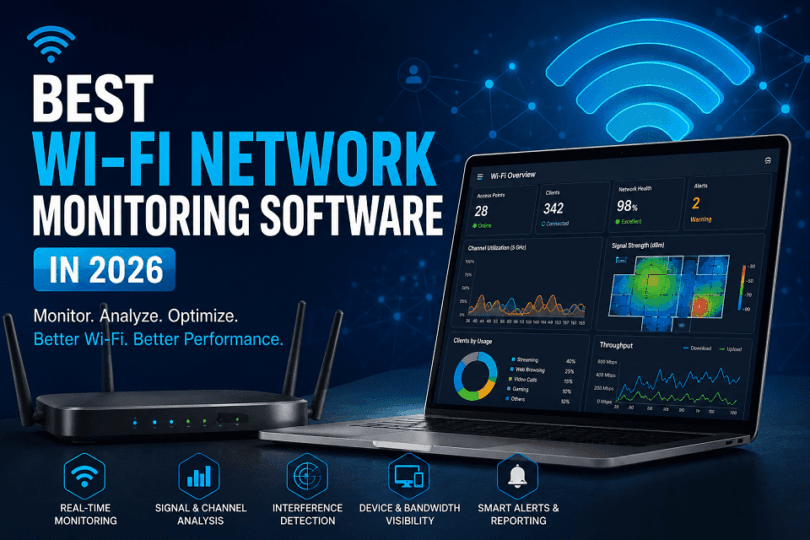

Introduction
Wi-Fi networks have become harder to manage in 2026. Modern homes and businesses now connect dozens of wireless devices every day. Phones, laptops, smart TVs, cameras, gaming systems, and IoT devices constantly compete for bandwidth.
This creates performance problems that many users struggle to diagnose.
Slow downloads, unstable video calls, buffering streams, roaming failures, and random disconnections can happen even on expensive routers. In many cases, the actual problem remains hidden behind signal interference, crowded channels, or overloaded access points.
Wi-Fi network monitoring software helps users identify these hidden problems before they affect the entire network.
These tools monitor wireless traffic, signal quality, connected devices, bandwidth usage, and network stability in real time. They also help users troubleshoot weak coverage areas, channel congestion, and unstable wireless performance.
Modern Wi-Fi environments are also becoming more complex because of Wi-Fi 6, Wi-Fi 6E, and Wi-Fi 7 technologies. Faster wireless speeds improve performance, but they also increase network management challenges.
Mesh networking, cloud applications, remote work setups, and smart home ecosystems continuously generate wireless traffic throughout the day. A single poorly configured device can reduce performance across multiple connected systems.
Basic router dashboards often provide very limited visibility into these problems. Most only display connected devices and simple speed statistics. They rarely explain why latency increases, why roaming fails, or why packet loss suddenly appears during periods of heavy traffic.
This is why advanced Wi-Fi monitoring tools have become increasingly important.
Many modern platforms can detect interference sources, monitor wireless coverage quality, analyze packet behavior, and track network performance continuously. Some tools also generate Wi-Fi heatmaps and real-time alerts that help users locate unstable areas faster.
In this guide, we compare the best Wi-Fi network monitoring software in 2026. We also explain how these tools work, which features matter most, and which platforms perform best for home networks, enterprise environments, troubleshooting, and wireless optimization.
What Is Wi-Fi Network Monitoring Software?
Wi-Fi network monitoring software helps users analyze wireless performance, detect network issues, monitor connected devices, and improve Wi-Fi stability in both home and enterprise environments.
These tools continuously track wireless activity and provide visibility into how a Wi-Fi network behaves in real time. They help identify performance bottlenecks that normal router dashboards often fail to detect.
Modern Wi-Fi monitoring software has become much more important because wireless environments now handle:
- Remote work traffic,
- Cloud applications,
- Smart home devices,
- High-density wi-fi connections.
This is even more important in Wi-Fi 6, Wi-Fi 6E, and Wi-Fi 7 environments where faster speeds and wider channels create more complex wireless behavior.
Why Wi-Fi Monitoring Software Matters
Many Wi-Fi problems remain invisible until users experience:
- Buffering video calls,
- Unstable gaming,
- Slow downloads,
- Random disconnections.
The actual issue may involve signal interference, overloaded channels, roaming failures, packet loss, or bandwidth congestion.
Wi-Fi network monitoring software helps users identify these issues early and improve wireless reliability before performance degrades further.
This makes the software useful for:
- Home Wi-Fi troubleshooting,
- Office network management,
- Enterprise wireless monitoring.
Wireless Diagnostics Help Identify Hidden Wi-Fi Problems
Wireless diagnostics are one of the core functions of Wi-Fi monitoring software.
These tools scan wireless activity and detect network issues that affect speed, latency, and stability. Instead of guessing why a network feels slow, administrators can view real performance data.
Advanced Wi-Fi diagnostics tools can identify:
- Unstable access points,
- Packet retransmissions,
- Roaming failures.
Some platforms also monitor:
- Device connection quality,
- Latency spikes,
- Network congestion trends.
This improves troubleshooting accuracy in both home and enterprise Wi-Fi environments.
Signal Analysis Improves Coverage and Stability
Signal analysis helps users understand how wireless signals behave across different areas.
Weak signal strength remains one of the biggest causes of poor Wi-Fi performance. Walls, interference, crowded channels, and long distances can reduce signal quality significantly.
Wi-Fi signal analysis tools measure:
- Signal strength,
- Noise levels,
- Channel quality.
Some advanced platforms also generate Wi-Fi heatmaps that visually display weak coverage zones and dead spots.
This feature becomes very useful in:
- Large homes,
- Hotels,
- Office buildings,
- Multi-floor wi-fi deployments.
Wi-Fi 6 and Wi-Fi 7 environments also benefit from signal analysis because newer wireless technologies use wider channels and more complex RF behavior.
Traffic Monitoring Provides Real-Time Bandwidth Visibility
Traffic monitoring helps users understand how network bandwidth is being used.
Modern networks constantly handle:
- Streaming traffic,
- Cloud synchronization,
- Gaming traffic,
- Video conferencing.
Without proper visibility, a single device may consume excessive bandwidth and reduce performance for everyone else.
Wi-Fi traffic monitoring software tracks:
- Upload usage,
- Download activity,
- Connected devices.
Some enterprise tools also provide:
- Application-Level Monitoring,
- Real-Time Traffic Analytics,
- Device Prioritization Visibility.
This helps businesses maintain stable wireless performance during high-traffic periods.
Interference Detection Helps Reduce Wi-Fi Congestion
Wireless interference is one of the most common causes of unstable Wi-Fi performance.
Nearby routers, Bluetooth devices, microwaves, IoT systems, and overlapping access points can all disrupt wireless signals.
Wi-Fi interference detection tools help identify:
- Crowded channels,
- Rf conflicts,
- Overlapping wireless networks.
Many monitoring platforms also recommend better channel configurations to reduce congestion automatically.
This becomes increasingly important in apartment buildings, airports, hotels, and dense office environments where dozens of Wi-Fi networks operate close together.
Wi-Fi Monitoring Software Supports Both Home and Enterprise Networks
Modern Wi-Fi monitoring platforms now support a wide range of network environments.
Home users often use these tools to:
- Improve coverage,
- Reduce lag,
- Troubleshoot unstable wi-fi.
Enterprise IT teams use them for:
- Wireless infrastructure monitoring,
- Access point optimization,
- Network health analysis.
Large organizations also rely on advanced monitoring platforms for:
- Multi-site Wi-Fi management,
- Real-time alerts,
- Roaming analytics.
As Wi-Fi 7 adoption increases, wireless monitoring will become even more important because next-generation networks introduce:
- 320 mhz channels,
- Multi-Link Operation,
- Ultra-high device density.
These technologies improve performance significantly, but they also increase monitoring complexity across modern wireless environments.
Why Wi-Fi Network Monitoring Matters More in 2026
Wi-Fi network monitoring software has become essential in 2026 because modern wireless networks now support remote work, smart devices, cloud applications, video conferencing, and low-latency real-time traffic simultaneously.
Wireless networks have changed dramatically over the last few years. Many homes now function as offices, streaming hubs, gaming setups, and smart-device environments at the same time.
This creates far more wireless traffic than older Wi-Fi networks were designed to handle.
At the same time, users expect stable performance everywhere. A weak signal in one room, a congested channel, or a poorly placed mesh node can now interrupt meetings, cloud access, and entertainment instantly.
This is one of the main reasons Wi-Fi network monitoring software has become much more important.
Remote Work Increased Wireless Dependency
Remote work transformed Wi-Fi into business infrastructure.
Video meetings, cloud collaboration platforms, VPN access, and large file synchronization now run continuously during working hours. Many households also support multiple users working online simultaneously.
Even small wireless problems can affect productivity quickly.
Users often experience unstable calls, upload delays, voice lag, or sudden disconnections without understanding the real cause. In many cases, the problem comes from signal congestion, roaming instability, or overloaded access points.
Wi-Fi monitoring software helps users identify these issues through real-time wireless diagnostics and traffic visibility.
Wi-Fi 7 Networks Are More Complex to Manage
Wi-Fi 7 introduces major improvements in wireless performance.
Technologies such as Multi-Link Operation and wider 320 MHz channels allow faster communication across multiple wireless bands. These features improve throughput and reduce latency, but they also increase wireless complexity.
Modern Wi-Fi 7 environments generate more dynamic traffic behavior than older wireless networks. Signal overlap, RF interference, and channel management become harder to diagnose manually.
Basic router interfaces usually cannot provide enough visibility into these conditions.
Wi-Fi monitoring tools help users analyze network behavior, signal quality, and roaming performance across modern Wi-Fi 6E and Wi-Fi 7 environments.
IoT Devices Are Creating Silent Network Congestion
Smart home devices continue to increase rapidly in 2026.
Security cameras, smart TVs, voice assistants, smart appliances, sensors, and automation systems constantly exchange wireless traffic in the background. Most users underestimate how much network airtime these devices consume together.
This creates hidden congestion across many wireless networks.
Even if internet speeds remain fast, connected devices may still experience lag, buffering, or unstable connectivity because wireless airtime becomes overloaded.
Wi-Fi monitoring software helps users detect congestion sources and understand how connected devices affect overall network stability.
Mesh Wi-Fi Systems Need Better Visibility
Mesh Wi-Fi systems improved wireless coverage, but they also made wireless environments more difficult to troubleshoot.
Modern mesh networks rely on continuous communication between nodes. If one node experiences interference or unstable backhaul performance, the entire wireless environment may become inconsistent.
This can cause roaming failures, unstable speeds, and signal drops across different rooms.
Wi-Fi monitoring tools provide deeper visibility into mesh behavior and help users identify weak coverage zones, overloaded nodes, and unstable signal transitions.
Latency-Sensitive Applications Require Stable Wireless Performance
Many modern applications depend heavily on low latency and consistent wireless stability.
Cloud gaming, video conferencing, remote desktops, and real-time collaboration platforms react badly to packet loss and unstable signal conditions. Even short wireless interruptions can cause lag spikes, frozen calls, delayed responses, or synchronization problems.
This makes real-time network visibility much more important than before.
Wi-Fi monitoring software helps users track latency spikes, traffic bottlenecks, and wireless instability before application performance degrades further.
Modern Wi-Fi Networks Need Continuous Monitoring
Wireless environments are no longer simple internet connections shared between a few devices.
Modern networks support:
- Cloud workloads,
- Smart ecosystems,
- Streaming traffic.
At the same time, Wi-Fi 6E and Wi-Fi 7 technologies continue increasing wireless density and traffic complexity.
As these environments grow larger and more demanding, troubleshooting based on guesswork becomes far less effective.
Wi-Fi network monitoring software provides the visibility needed to maintain stable wireless performance, improve troubleshooting accuracy, and reduce hidden connectivity problems across modern networks.
Key Features to Look for in Wi-Fi Network Monitoring Software
The best Wi-Fi network monitoring software should do far more than display connected devices and signal bars. Modern wireless environments require deeper visibility into network behavior, wireless stability, traffic patterns, and interference conditions.
As Wi-Fi 6E and Wi-Fi 7 adoption grows, wireless monitoring tools also need to handle more complex traffic environments with higher device density and faster real-time communication.
A strong Wi-Fi monitoring platform helps users identify hidden wireless problems before they affect network performance seriously.
Wi-Fi Heatmaps Improve Wireless Coverage Analysis
Wi-Fi heatmaps help users visualize how wireless signals behave across physical environments.
Instead of relying on guesswork, users can view signal strength distribution throughout homes, offices, hotels, campuses, or public spaces. This makes it easier to identify dead zones, unstable coverage areas, and weak signal regions that affect wireless performance.
Heatmaps also help optimize access point placement and improve roaming stability across larger environments.
This feature becomes highly valuable in mesh Wi-Fi systems and enterprise wireless deployments where multiple access points interact continuously.
Packet Analysis Helps Detect Advanced Wireless Problems
Packet analysis provides deeper visibility into wireless traffic behavior.
Modern Wi-Fi networks constantly process video calls, cloud synchronization, gaming traffic, remote work applications, and real-time communication data. Small disruptions at the packet level can create latency spikes, jitter, unstable connections, and packet retransmissions.
Wi-Fi monitoring software with packet analysis capabilities helps users diagnose these hidden problems more accurately.
Advanced monitoring tools can inspect wireless packet behavior in real time and identify abnormal traffic conditions affecting network stability. This is highly useful for enterprise troubleshooting, cloud gaming optimization, VoIP stability analysis, and latency-sensitive applications.
Channel Scanning Helps Reduce Congestion
Wireless congestion remains one of the most common causes of poor Wi-Fi performance.
In apartments, offices, hotels, and public environments, nearby routers often compete for the same wireless channels. This creates overlapping signals and unstable wireless behavior.
Wi-Fi channel scanning tools continuously analyze surrounding wireless activity and identify crowded frequency bands. Users can then move their network to cleaner channels for improved stability and lower interference.
Modern Wi-Fi monitoring software can scan 2.4 GHz, 5 GHz, and 6 GHz environments simultaneously. Some advanced platforms also recommend optimized channel configurations automatically based on live network conditions.
Device Discovery Improves Network Visibility
Most wireless networks now support dozens of connected devices throughout the day.
Smartphones, laptops, gaming systems, smart TVs, cameras, voice assistants, IoT products, and cloud-connected devices constantly generate wireless traffic in the background.
Device discovery features help users identify every connected system across the network. This improves network visibility and helps detect unknown devices, overloaded clients, unstable endpoints, and abnormal network activity.
Enterprise Wi-Fi monitoring tools may also provide deeper analytics about connection quality, roaming behavior, and bandwidth consumption for each connected device.
Interference Detection Helps Improve Wireless Stability
Wireless interference can reduce network quality significantly, even when internet speeds appear normal.
Bluetooth devices, neighboring routers, smart home systems, wireless cameras, microwave ovens, and overlapping access points can all disrupt wireless signals continuously.
Wi-Fi interference detection tools analyze RF conditions and identify sources of wireless instability. This helps users troubleshoot random disconnects, unstable latency, weak signal quality, and packet loss more effectively.
Interference detection becomes increasingly important in Wi-Fi 6E and Wi-Fi 7 environments because newer wireless standards depend on cleaner spectrum conditions for maximum performance.
Real-Time Alerts Improve Wireless Troubleshooting
Real-time monitoring alerts help users detect wireless problems immediately instead of discovering them after performance degrades.
Modern Wi-Fi network monitoring software can notify users about access point failures, abnormal traffic spikes, sudden latency increases, unstable signal conditions, and device disconnects in real time.
This allows faster troubleshooting and helps reduce prolonged wireless instability.
Enterprise environments benefit heavily from real-time alerts because even short network disruptions can affect productivity, cloud access, communication systems, and customer-facing services.
Bandwidth Analytics Help Identify Traffic Bottlenecks
Bandwidth analytics provide deeper visibility into how wireless traffic flows across the network.
Modern networks constantly process streaming traffic, cloud synchronization, gaming sessions, video conferencing, smart-device communication, and remote work applications simultaneously.
Without proper analytics, users often struggle to understand which devices or applications consume excessive bandwidth.
Wi-Fi monitoring software helps users analyze upload usage, download activity, traffic patterns, and long-term bandwidth behavior across the network. Some advanced platforms also provide application-level visibility for deeper traffic analysis.
This improves network optimization and helps maintain more stable wireless performance during high-demand usage periods.
The Best Wi-Fi Monitoring Software Combines Multiple Monitoring Capabilities
Modern wireless environments are too complex for simple router dashboards and basic troubleshooting methods.
The best Wi-Fi network monitoring software combines wireless diagnostics, signal analysis, traffic visibility, interference detection, packet analysis, and real-time monitoring into a unified platform.
This comprehensive visibility helps users maintain stable connectivity, reduce wireless congestion, improve troubleshooting accuracy, and optimize Wi-Fi performance across home networks, enterprise deployments, and next-generation Wi-Fi 7 environments.
Best Wi-Fi Network Monitoring Software in 2026
Choosing the best Wi-Fi network monitoring software depends on the type of wireless environment you manage. Some tools focus on simple Wi-Fi troubleshooting for homes and small offices, while others provide advanced enterprise monitoring, packet analysis, and large-scale wireless visibility.
Modern Wi-Fi environments have also become more demanding in 2026.
Remote work, cloud applications, smart home devices, Wi-Fi 7 routers, mesh networks, and high-density wireless traffic now place constant pressure on wireless infrastructure. Basic router dashboards often fail to provide enough visibility into these problems.
This is why dedicated Wi-Fi monitoring software has become increasingly important.
The best Wi-Fi monitoring tools help users detect wireless interference, analyze signal quality, monitor bandwidth usage, troubleshoot unstable connections, and optimize wireless coverage across modern networks.
Some platforms focus on wireless heatmaps and Wi-Fi diagnostics. Others specialize in enterprise infrastructure monitoring, packet analysis, real-time alerts, and cloud-managed network visibility.
The software covered in this guide includes:
- NetSpot
- Ekahau AI Pro
- PRTG Network Monitor
We also compare:
- Auvik
- SolarWinds Wi-Fi Analyzer
- ManageEngine OpManager
Advanced wireless analysis tools such as:
- Wireshark
- Acrylic Wi-Fi Analyzer
- inSSIDer
are also included for users who need deeper packet inspection, channel analysis, and interference troubleshooting.
Different tools serve different types of users.
Home users often need lightweight Wi-Fi analyzer software that improves coverage and reduces lag. Businesses may require centralized monitoring platforms with real-time alerts, traffic analytics, and multi-access-point visibility.
Enterprise IT teams usually need much deeper wireless diagnostics, including roaming analysis, RF interference monitoring, packet inspection, and infrastructure-wide performance visibility.
Wi-Fi 6E and Wi-Fi 7 environments have also increased monitoring complexity. Wider channels, 6 GHz spectrum usage, and Multi-Link Operation create faster wireless performance, but they also make troubleshooting more difficult without advanced monitoring tools.
In the following sections, we compare the best Wi-Fi network monitoring software in 2026 based on:
- Wireless diagnostics,
- Monitoring depth,
- Ease of use.
We also evaluate which platforms work best for home Wi-Fi troubleshooting, enterprise wireless monitoring, cloud-managed infrastructure, and advanced packet analysis.
NetSpot
NetSpot is one of the most user-friendly Wi-Fi network monitoring software platforms available in 2026. The tool focuses heavily on wireless diagnostics, signal analysis, Wi-Fi heatmaps, and coverage optimization for both home and business environments.
It is widely used by:
- Home users,
- Remote workers,
- It administrators.
Unlike many enterprise-focused monitoring platforms, NetSpot keeps the interface simple and easy to understand. Users can scan nearby wireless networks, analyze signal quality, detect interference, and troubleshoot unstable Wi-Fi connections without advanced networking expertise.
One of NetSpot’s biggest strengths is its wireless heatmap capability.
The software allows users to create visual Wi-Fi coverage maps across homes, offices, hotels, and commercial buildings. These heatmaps help identify weak signal areas, dead zones, unstable roaming regions, and interference-heavy environments affecting wireless performance.
This becomes extremely useful in:
- Large homes,
- Mesh wi-fi deployments,
- Multi-floor office environments.
NetSpot also performs well in modern Wi-Fi 6 and Wi-Fi 6E environments. The software can analyze:
- Channel congestion,
- Signal strength,
- Nearby wireless activity.
This helps users optimize router placement and improve overall wireless stability.
Another advantage is portability and ease of deployment.
Users can quickly install NetSpot on Windows or macOS systems and begin wireless scanning within minutes. The mobile version also helps users analyze Wi-Fi coverage while physically moving through buildings.
NetSpot is more focused on wireless troubleshooting than deep enterprise infrastructure monitoring. Organizations needing advanced packet inspection, centralized cloud dashboards, or enterprise-wide telemetry may prefer platforms such as PRTG or Auvik.
Still, for Wi-Fi diagnostics and wireless optimization, NetSpot remains one of the strongest overall tools available.
Supported Uses
NetSpot supports:
- Wi-Fi heatmap generation,
- Wireless signal analysis,
- Channel scanning,
- Interference detection,
- Network troubleshooting,
- Wi-Fi coverage optimization.
It works well for:
- Homes,
- Hotels,
- Offices,
- Small businesses,
- Remote work environments.
Best For
NetSpot is best for users who need simple but powerful Wi-Fi monitoring software for wireless troubleshooting, signal analysis, and coverage optimization without enterprise complexity.
Pros
NetSpot provides an excellent balance between usability and wireless diagnostics. The software offers strong heatmap functionality, reliable signal analysis, and simple deployment across multiple environments.
The interface also remains beginner-friendly compared to many enterprise Wi-Fi monitoring platforms.
Cons
NetSpot has limited enterprise infrastructure monitoring features compared to larger network management platforms.
It also lacks deeper packet analysis and advanced enterprise automation capabilities that larger organizations may require.
Verdict
NetSpot is one of the best Wi-Fi network monitoring software solutions for users who want reliable wireless diagnostics, heatmap analysis, and coverage optimization without a steep learning curve. It performs very well for home Wi-Fi troubleshooting, remote work environments, and small business wireless monitoring.
Ekahau AI Pro
Ekahau AI Pro is one of the most advanced enterprise Wi-Fi network monitoring and wireless site survey platforms available in 2026. The software is designed for large and complex wireless environments where network stability, roaming performance, and signal reliability are critical.
It is widely used by:
- Enterprise IT teams,
- Network engineers,
- Managed service providers.
Large offices, airports, hospitals, hotels, universities, and industrial environments often rely on Ekahau AI Pro for professional wireless analysis and infrastructure optimization.
Unlike beginner-focused Wi-Fi analyzer tools, Ekahau AI Pro focuses heavily on enterprise-grade RF analysis, wireless planning, and advanced diagnostics.
One of the platform’s biggest strengths is its Wi-Fi heatmap technology.
Ekahau AI Pro allows administrators to create highly detailed wireless coverage maps that analyze signal strength, interference zones, roaming behavior, and access point performance across large buildings.
This helps organizations identify:
- Dead zones,
- Unstable roaming regions,
- Overlapping channels,
- Weak coverage areas.
The software also supports predictive wireless modeling.
Network teams can simulate wireless coverage before deploying access points physically. This reduces deployment mistakes and helps improve long-term network stability.
Ekahau AI Pro performs extremely well in modern Wi-Fi 6E and Wi-Fi 7 environments.
The platform supports advanced wireless technologies such as:
- 6 GHz spectrum analysis,
- Multi-Link Operation environments,
- High-density wireless deployments.
This becomes important as modern enterprise networks continue supporting cloud applications, smart devices, hybrid work environments, and real-time communication platforms simultaneously.
Another major advantage is RF interference analysis.
Ekahau AI Pro helps administrators identify wireless congestion, signal overlap, roaming instability, and channel conflicts affecting network performance. The software also integrates with advanced spectrum analysis tools for deeper troubleshooting.
The platform is far more technical than lightweight Wi-Fi monitoring tools like NetSpot or inSSIDer.
Beginners may find the interface and wireless analysis features difficult initially. Smaller organizations may also consider the pricing expensive for simple wireless troubleshooting needs.
Still, for enterprise Wi-Fi monitoring and professional wireless analysis, Ekahau AI Pro remains one of the strongest platforms available today.
Supported Uses
Ekahau AI Pro supports:
- Enterprise Wi-Fi monitoring,
- Wireless site surveys,
- RF interference analysis,
- Heatmap generation,
- Roaming diagnostics,
- Access point optimization,
- Wi-Fi 6E and Wi-Fi 7 analysis.
It works well for:
- Airports,
- Hospitals,
- Hotels,
- Universities,
- Enterprise office environments.
Best For
Ekahau AI Pro is best for enterprise IT teams and network engineers who need advanced wireless diagnostics, large-scale Wi-Fi planning, and professional RF analysis across complex wireless deployments.
Pros
Ekahau AI Pro delivers exceptional heatmap analysis, enterprise-grade RF diagnostics, and advanced roaming visibility.
The platform also performs extremely well in high-density Wi-Fi 6E and Wi-Fi 7 environments where wireless complexity increases significantly.
Its predictive wireless planning capabilities help organizations optimize access point placement before deployment.
Cons
Ekahau AI Pro has a steeper learning curve than beginner-friendly Wi-Fi monitoring software.
The pricing may also feel expensive for small businesses and home users who only need simple wireless troubleshooting.
The platform focuses heavily on enterprise wireless analysis rather than lightweight everyday Wi-Fi monitoring.
Verdict
Ekahau AI Pro is one of the best enterprise Wi-Fi network monitoring software platforms in 2026 for organizations that require advanced wireless diagnostics, RF analysis, roaming optimization, and large-scale Wi-Fi visibility. It is highly effective for professional wireless environments where network reliability and performance monitoring are critical.
PRTG Network Monitor
PRTG Network Monitor is one of the most versatile network and Wi-Fi monitoring platforms available in 2026. The software focuses on centralized infrastructure monitoring, wireless visibility, bandwidth analytics, and real-time network diagnostics across business and enterprise environments.
Unlike lightweight Wi-Fi analyzer tools, PRTG monitors both wired and wireless infrastructure from a unified dashboard.
The platform is widely used by:
- Enterprise IT teams,
- Managed service providers,
- Schools,
- Hotels,
- Large office environments.
One of PRTG’s biggest strengths is its sensor-based monitoring system.
Administrators can monitor wireless access points, routers, switches, traffic behavior, signal quality, bandwidth usage, latency, and connected devices through customizable monitoring sensors.
This gives organizations much deeper visibility into network performance compared to standard router interfaces.
PRTG performs very well in high-density wireless environments where multiple access points and connected devices operate simultaneously.
The software also provides strong real-time monitoring capabilities.
Administrators receive alerts when:
- Access points fail,
- Bandwidth spikes occur,
- Latency increases,
- Devices become unstable.
This improves troubleshooting speed and helps IT teams identify wireless problems before users experience major connectivity issues.
Another major advantage is bandwidth analytics.
PRTG continuously analyzes traffic behavior and helps organizations identify overloaded devices, congestion problems, and abnormal network activity affecting wireless stability.
The platform also supports long-term performance tracking, which helps businesses understand how wireless environments behave during peak traffic periods.
PRTG scales well across different business sizes.
Smaller organizations can deploy basic wireless monitoring setups, while larger enterprises can expand into multi-site infrastructure monitoring environments with centralized visibility.
The software integrates well with cloud infrastructure, virtualization systems, and modern enterprise networking environments.
The interface may feel more technical than beginner-focused Wi-Fi monitoring software such as NetSpot or inSSIDer.
Home users looking for simple Wi-Fi troubleshooting may find the platform unnecessarily advanced for small wireless environments.
Still, for enterprise network visibility and centralized Wi-Fi monitoring, PRTG remains one of the strongest overall solutions available.
Supported Uses
PRTG Network Monitor supports:
- Wi-Fi monitoring,
- Bandwidth Analytics,
- Real-Time Network Monitoring,
- Wireless Access Point Monitoring,
- Traffic Analysis,
- Device Discovery,
- Infrastructure Monitoring,
- Latency Tracking.
It works well for:
- Enterprise Offices,
- Hotels,
- Educational Institutions,
- Distributed Business Environments,
- Managed Network Infrastructure.
Best For
PRTG Network Monitor is best for businesses and enterprise IT teams that need centralized wireless monitoring, real-time alerts, traffic analytics, and large-scale infrastructure visibility.
Pros
PRTG provides strong real-time monitoring, detailed bandwidth analytics, and scalable infrastructure visibility.
The platform also supports customizable dashboards and enterprise-grade alerting systems that improve troubleshooting speed across large environments.
Its sensor-based architecture gives administrators flexible monitoring control for both wired and wireless infrastructure.
Cons
PRTG can feel overwhelming for beginners and small home environments.
The setup process may require networking knowledge for advanced monitoring configurations.
The platform also focuses more on centralized infrastructure visibility than on lightweight Wi-Fi heatmap analysis.
Verdict
PRTG Network Monitor is one of the best Wi-Fi network monitoring software platforms for organizations that need scalable infrastructure visibility, enterprise-grade monitoring, and real-time wireless diagnostics. It performs extremely well in business environments where centralized network management and long-term performance monitoring are critical.
Auvik
Auvik is one of the most widely used cloud-based network monitoring platforms in 2026. The software focuses on centralized infrastructure visibility, automated network monitoring, wireless diagnostics, and remote network management across modern business environments.
The platform is highly popular among:
- Managed service providers,
- Enterprise IT teams,
- Multi-location businesses.
Unlike lightweight Wi-Fi analyzer tools, Auvik is designed for organizations that manage multiple devices, access points, switches, routers, and distributed wireless environments simultaneously.
One of Auvik’s biggest strengths is automation.
The platform automatically discovers connected devices and maps network infrastructure with minimal manual configuration. This gives administrators immediate visibility into wireless and wired environments without spending hours building network maps manually.
Auvik also performs very well in cloud-managed environments.
Administrators can monitor Wi-Fi performance, traffic activity, bandwidth consumption, device health, and network stability from a centralized cloud dashboard. This becomes highly useful for businesses managing remote offices, hybrid work environments, hotels, retail locations, and distributed enterprise networks.
The platform includes strong real-time monitoring capabilities.
Auvik continuously tracks:
- Network availability,
- Wireless device health,
- Traffic spikes,
- Unstable access points.
The alerting system helps administrators identify problems quickly before users experience major disruptions.
Another major advantage is usability.
Compared to many enterprise monitoring platforms, Auvik provides a cleaner and easier interface. The dashboards remain visually organized even in large network environments with multiple connected devices and remote sites.
Auvik also supports strong bandwidth analytics and traffic visibility.
Administrators can monitor traffic patterns, identify overloaded devices, and troubleshoot congestion problems affecting wireless performance. This improves network optimization across cloud-connected business environments.
The software focuses more on infrastructure visibility than deep RF analysis.
Organizations requiring advanced heatmaps, wireless spectrum analysis, or packet-level diagnostics may still prefer specialized platforms such as Ekahau AI Pro or Wireshark.
Pricing may also increase as organizations expand monitoring across larger environments.
Still, for centralized cloud-based Wi-Fi monitoring and automated infrastructure visibility, Auvik remains one of the strongest solutions available today.
Supported Uses
Auvik supports:
- Cloud-based network monitoring,
- Wireless infrastructure visibility,
- Automated device discovery,
- Bandwidth analytics,
- Remote network management,
- Real-time alerting,
- Traffic monitoring.
It works well for:
- Managed service providers,
- Enterprise offices,
- Retail environments,
- Hotels,
- Distributed business networks.
Best For
Auvik is best for organizations that need centralized cloud-based Wi-Fi monitoring, automated infrastructure management, and scalable network visibility across multiple locations.
Pros
Auvik provides strong automation, centralized monitoring, and excellent device discovery capabilities.
The platform also simplifies remote infrastructure management and helps administrators monitor wireless environments from a single cloud dashboard.
Its clean interface improves usability compared to many enterprise-focused monitoring systems.
Cons
Auvik is less focused on advanced RF analysis and enterprise-grade heatmapping.
Organizations needing deep packet inspection or detailed wireless spectrum analysis may require additional tools.
Pricing can also become expensive for very large deployments with extensive infrastructure monitoring requirements.
Verdict
Auvik is one of the best Wi-Fi network monitoring software platforms for businesses that need cloud-based infrastructure visibility, automation, and scalable wireless monitoring across distributed environments. It performs very well for managed service providers, enterprise IT teams, and modern cloud-connected business networks.
SolarWinds Wi-Fi Analyzer
SolarWinds Wi-Fi Analyzer is a powerful wireless monitoring and network diagnostics platform designed for business and enterprise environments. The software focuses on identifying wireless congestion, monitoring access point performance, analyzing traffic behavior, and improving overall network stability.
The platform is widely used by:
- Enterprise IT teams,
- Educational institutions,
- Hotels,
- Corporate office environments.
Unlike lightweight Wi-Fi analyzer tools, SolarWinds provides broader infrastructure visibility across both wireless and wired networks.
One of the platform’s biggest strengths is wireless troubleshooting.
SolarWinds continuously analyzes wireless conditions and helps administrators identify issues affecting network performance. This includes signal interference, unstable access points, overloaded channels, bandwidth spikes, and network congestion.
The software also provides strong real-time monitoring capabilities.
Administrators can monitor:
- Wi-Fi device health,
- Network traffic,
- Bandwidth consumption,
- Wireless stability.
This improves troubleshooting accuracy and helps organizations respond faster to connectivity problems.
Another major advantage is centralized visibility.
SolarWinds integrates well with broader network infrastructure environments and allows administrators to monitor multiple devices from centralized dashboards. This becomes highly useful in enterprise networks with:
- Multiple access points,
- Distributed wireless infrastructure,
- High device density.
The platform also performs well for bandwidth analytics.
Administrators can identify which devices or applications consume excessive network resources and analyze how traffic patterns affect wireless performance over time.
Real-time alerting is another strong feature.
SolarWinds can notify administrators when:
- Access points fail,
- Traffic spikes occur,
- Latency increases,
- Wireless instability appears.
This helps reduce downtime and improve response speed during network disruptions.
The platform performs well in modern Wi-Fi 6 and Wi-Fi 6E environments where wireless traffic continues increasing rapidly.
The software is more enterprise-focused than beginner-friendly Wi-Fi analyzer tools, such as inSSIDer or NetSpot.
Home users may find the interface more technical than necessary for simple wireless troubleshooting. Organizations without dedicated IT teams may also require additional setup and monitoring experience.
The platform also focuses more on infrastructure visibility than advanced RF heatmapping.
Still, for enterprise Wi-Fi diagnostics and centralized network monitoring, SolarWinds remains one of the strongest professional solutions available.
Supported Uses
Solarwinds Wi-Fi Analyzer supports:
- Wireless diagnostics,
- Bandwidth analytics,
- Network traffic monitoring,
- Access point monitoring,
- Interference detection,
- Real-time network alerts,
- Centralized infrastructure visibility.
It works well for:
- Enterprise offices,
- Hotels,
- Schools,
- Business networks,
- Distributed wireless environments.
Best For
SolarWinds Wi-Fi Analyzer is best for organizations that need centralized Wi-Fi monitoring, enterprise wireless troubleshooting, and real-time infrastructure visibility across business environments.
Pros
SolarWinds provides strong wireless diagnostics, reliable alerting systems, and centralized network visibility.
The platform also delivers detailed bandwidth analytics and real-time monitoring capabilities that help organizations identify network problems quickly.
Its integration with broader infrastructure monitoring environments improves visibility across large enterprise deployments.
Cons
SolarWinds can feel more technical than beginner-focused Wi-Fi monitoring software.
The platform may require additional configuration time for advanced enterprise monitoring environments.
It also provides less advanced heatmap functionality compared to specialized wireless survey platforms such as Ekahau AI Pro.
Verdict
SolarWinds Wi-Fi Analyzer is one of the best Wi-Fi network monitoring software platforms for enterprise environments that require centralized visibility, wireless troubleshooting, and real-time infrastructure diagnostics. It performs very well in business networks where stable wireless performance and proactive monitoring are critical.
ManageEngine OpManager
ManageEngine OpManager is a powerful network and Wi-Fi monitoring platform designed for businesses that need centralized infrastructure visibility and real-time network diagnostics. The software focuses on monitoring wireless performance, device health, bandwidth usage, and network stability across modern enterprise environments.
The platform is widely used by:
- Enterprise IT teams,
- Educational institutions,
- Healthcare organizations,
- Managed service providers.
Unlike lightweight Wi-Fi analyzer tools, ManageEngine OpManager provides broader infrastructure monitoring across both wired and wireless environments.
One of the platform’s biggest strengths is centralized monitoring.
Administrators can monitor routers, switches, servers, wireless access points, traffic activity, and connected devices from a unified dashboard. This improves visibility across large business environments and simplifies troubleshooting significantly.
The platform also performs well in distributed wireless environments where organizations manage multiple access points and remote office locations simultaneously.
ManageEngine OpManager includes strong real-time monitoring capabilities.
The software continuously tracks:
- Bandwidth usage,
- Device availability,
- Latency conditions,
- Wireless performance.
Administrators receive alerts when network instability, traffic spikes, access point failures, or abnormal bandwidth consumption occur. This helps organizations detect problems early before users experience major disruptions.
Another major advantage is performance analytics.
ManageEngine OpManager helps administrators analyze long-term network behavior and identify congestion trends affecting wireless performance. This improves capacity planning and helps businesses optimize infrastructure more effectively.
The platform also supports strong scalability.
Small businesses can deploy basic monitoring environments, while larger organizations can expand into enterprise-wide infrastructure monitoring with centralized visibility across multiple locations.
ManageEngine OpManager performs well in:
- Enterprise offices,
- Schools,
- Hospitals,
- Hotels,
- Cloud-connected business environments.
The software also integrates with broader IT management ecosystems, which improves operational visibility for larger organizations.
The platform focuses more on infrastructure monitoring than advanced RF analysis.
Organizations needing highly detailed wireless heatmaps, deep packet inspection, or advanced spectrum analysis may still prefer specialized tools such as Ekahau AI Pro or Wireshark.
The interface may also feel technical for beginners without networking experience.
Still, for centralized Wi-Fi monitoring and infrastructure visibility, ManageEngine OpManager remains one of the strongest enterprise monitoring platforms available in 2026.
Supported Uses
Manageengine opmanager supports:
- Wi-Fi monitoring,
- Infrastructure visibility,
- Traffic analysis,
- Bandwidth monitoring,
- Real-time alerts,
- Access point monitoring,
- Device discovery,
- Network performance analytics.
It works well for:
- Enterprise offices,
- Schools,
- Healthcare environments,
- Hotels,
- Distributed business networks.
Best For
ManageEngine OpManager is best for organizations that need centralized Wi-Fi monitoring, scalable infrastructure visibility, and real-time network performance management across large business environments.
Pros
ManageEngine OpManager provides strong centralized monitoring, detailed performance analytics, and scalable enterprise visibility.
The platform also offers reliable alerting systems and unified dashboards that improve troubleshooting efficiency across complex network environments.
Its scalability makes it suitable for both mid-sized organizations and larger enterprise deployments.
Cons
ManageEngine OpManager is less specialized in advanced RF analysis and wireless heatmapping compared to dedicated Wi-Fi survey tools.
The platform may also require additional setup time and networking knowledge for advanced monitoring environments.
Home users and smaller businesses may find the interface more complex than lightweight Wi-Fi analyzer software.
Verdict
ManageEngine OpManager is one of the best Wi-Fi network monitoring software platforms for businesses that need centralized infrastructure visibility, scalable monitoring, and real-time wireless diagnostics. It performs very well in enterprise environments where network reliability, traffic visibility, and proactive monitoring are critical.
Wireshark
Wireshark is one of the most respected packet analysis and network troubleshooting tools available in 2026. Unlike traditional Wi-Fi network monitoring software, Wireshark focuses heavily on deep packet inspection and low-level traffic analysis.
The platform is widely used by:
- Network engineers,
- Cybersecurity professionals,
- Enterprise it teams,
- Advanced network administrators.
Wireshark is designed for users who need detailed visibility into how network traffic behaves across wireless and wired environments.
One of the platform’s biggest strengths is packet-level analysis.
Wireshark captures live network packets and allows users to inspect traffic behavior in real time. This helps diagnose complex problems that standard Wi-Fi monitoring tools often cannot detect properly.
The software can identify:
- Packet retransmissions,
- Latency spikes,
- Protocol errors,
- Unstable wireless communication.
This makes Wireshark extremely useful for advanced troubleshooting environments.
Modern wireless networks continuously process cloud traffic, video conferencing, gaming sessions, remote work applications, streaming traffic, and IoT communication. Small disruptions at the packet level can create lag, jitter, packet loss, and unstable connectivity across the network.
Wireshark helps administrators analyze these problems with exceptional technical depth.
Another major advantage is protocol visibility.
The platform supports thousands of network protocols and allows administrators to inspect traffic behavior across modern enterprise and wireless environments. This gives cybersecurity teams and network engineers much deeper insight into abnormal traffic activity and communication failures.
Wireshark also performs well in Wi-Fi 6 and Wi-Fi 6E environments where traffic density and wireless complexity continue increasing rapidly.
The software is free and open source, which makes it highly popular among technical users and research environments.
Another strength is flexibility.
Wireshark supports:
- Wireless packet capture,
- Traffic filtering,
- Protocol inspection,
- Network forensics,
- Cybersecurity analysis.
The platform also integrates well with advanced troubleshooting workflows and enterprise diagnostic environments.
The biggest limitation is complexity.
Wireshark is not beginner-friendly. Users without networking knowledge may find the interface overwhelming because the software exposes highly detailed packet-level information continuously.
The platform also focuses more on traffic analysis than centralized Wi-Fi monitoring dashboards or wireless heatmaps.
Home users looking for simple Wi-Fi troubleshooting may prefer easier tools such as NetSpot or inSSIDer.
Still, for deep packet inspection and advanced wireless diagnostics, Wireshark remains one of the most powerful network analysis tools available today.
Supported Uses
Wireshark supports:
- Packet analysis,
- Wireless traffic inspection,
- Protocol analysis,
- Network troubleshooting,
- Cybersecurity diagnostics,
- Traffic filtering,
- Network forensics,
- Latency analysis.
It works well for:
- Enterprise environments,
- Cybersecurity teams,
- Advanced troubleshooting,
- Research environments,
- Network diagnostics.
Best For
Wireshark is best for advanced users who need deep packet inspection, protocol-level traffic analysis, and detailed network troubleshooting across wireless and enterprise environments.
Pros
Wireshark provides extremely detailed packet visibility and supports one of the largest protocol analysis ecosystems available.
The platform is also free, highly flexible, and widely trusted across cybersecurity and enterprise networking environments.
Its packet inspection capabilities make it highly effective for diagnosing complex latency, packet loss, and communication issues.
Cons
Wireshark has a steep learning curve and may overwhelm beginners unfamiliar with packet-level analysis.
The interface focuses heavily on technical diagnostics rather than simple wireless monitoring dashboards.
The software also lacks built-in wireless heatmapping and centralized infrastructure management features.
Verdict
Wireshark is one of the best advanced network analysis and Wi-Fi troubleshooting tools available in 2026 for users who need deep packet inspection, protocol analysis, and enterprise-grade traffic diagnostics. It is highly effective for cybersecurity analysis, advanced troubleshooting, and low-level network visibility across complex wireless environments.
Acrylic Wi‑Fi Analyzer
Acrylic Wi-Fi Analyzer is a specialized wireless monitoring and Wi-Fi analysis tool designed for users who need deeper visibility into wireless networks without deploying large enterprise monitoring platforms.
The software focuses heavily on:
- Signal analysis,
- Channel monitoring,
- Interference detection,
- Wireless diagnostics.
It works well for:
- Home users,
- Small businesses,
- IT professionals,
- Wireless troubleshooting environments.
One of Acrylic Wi-Fi Analyzer’s biggest strengths is its wireless scanning capability.
The platform continuously scans nearby Wi-Fi networks and provides detailed visibility into signal quality, channel usage, encryption standards, connected access points, and wireless congestion conditions.
This helps users identify unstable wireless environments much faster than standard router dashboards.
The software performs very well in apartments, hotels, office buildings, and urban environments where overlapping wireless signals create heavy congestion.
Another major advantage is channel analysis.
Acrylic Wi-Fi Analyzer helps users identify crowded wireless channels and unstable frequency environments affecting network performance. This improves wireless optimization and helps reduce latency, signal interference, and unstable connectivity problems.
The platform also supports packet capture and advanced wireless diagnostics.
Users can inspect wireless traffic behavior and analyze network stability across different Wi-Fi environments. This improves troubleshooting accuracy and helps users diagnose hidden wireless problems more effectively.
Acrylic Wi-Fi Analyzer performs well in modern Wi-Fi 6 environments where higher device density and increased traffic complexity create additional monitoring challenges.
The interface also remains easier to understand than highly technical packet analysis platforms such as Wireshark.
This gives users a good balance between:
- Advanced wireless visibility,
- Practical usability,
- Easier troubleshooting.
The platform focuses mainly on wireless analysis instead of centralized enterprise infrastructure monitoring.
Organizations requiring:
- Cloud-managed monitoring,
- Large-scale infrastructure visibility,
- Enterprise-wide telemetry
may still prefer platforms such as PRTG, Auvik, or ManageEngine OpManager.
The software also provides fewer enterprise automation capabilities compared to larger business-focused monitoring systems.
Still, for wireless troubleshooting and interference analysis, Acrylic Wi-Fi Analyzer remains one of the strongest Wi-Fi monitoring tools available in 2026.
Supported Uses
Acrylic Wi-Fi Analyzer supports:
- Wireless diagnostics,
- Channel analysis,
- Interference detection,
- Packet capture,
- Signal monitoring,
- Wi-Fi troubleshooting,
- Wireless traffic analysis.
It works well for:
- Apartments,
- Offices,
- Hotels,
- Home Wi-Fi environments,
- Small business networks.
Best For
Acrylic Wi-Fi Analyzer is best for users who need detailed wireless diagnostics, channel analysis, and interference troubleshooting without the complexity of large enterprise monitoring platforms.
Pros
Acrylic Wi-Fi Analyzer provides strong wireless scanning capabilities and detailed channel visibility.
The software also offers useful interference analysis and easier usability compared to highly technical packet inspection platforms.
Its signal analysis tools help users troubleshoot unstable wireless environments more effectively.
Cons
Acrylic Wi-Fi Analyzer focuses mainly on wireless diagnostics rather than full enterprise infrastructure monitoring.
The platform also provides fewer centralized management features compared to cloud-based enterprise monitoring systems.
Large organizations may require additional tools for broader network visibility and automation.
Verdict
Acrylic Wi-Fi Analyzer is one of the best Wi-Fi network monitoring software tools for users who need reliable wireless diagnostics, interference analysis, and channel monitoring across home and small business environments. It performs very well for troubleshooting unstable Wi-Fi networks and optimizing wireless performance in congested environments.
inSSIDer
inSSIDer is one of the most beginner-friendly Wi-Fi network monitoring and wireless troubleshooting tools available in 2026. The software focuses on helping users understand wireless signal quality, channel congestion, nearby network activity, and unstable Wi-Fi conditions without requiring advanced networking expertise.
The platform works well for:
- Home users,
- Remote workers,
- Gamers,
- Small office environments.
Unlike complex enterprise monitoring platforms, inSSIDer keeps wireless diagnostics simple and easy to understand.
One of the platform’s biggest strengths is usability.
The interface presents wireless information in a clean and readable format. Users can quickly view nearby Wi-Fi networks, signal strength levels, channel overlap, network congestion, and wireless interference conditions in real time.
This makes inSSIDer highly useful for people who want to troubleshoot slow or unstable Wi-Fi connections without learning advanced packet analysis.
The software performs very well in crowded wireless environments.
Apartment buildings, hotels, offices, and urban neighborhoods often contain dozens of overlapping wireless networks competing for the same channels. This creates congestion, unstable latency, and signal interference that reduce Wi-Fi performance significantly.
inSSIDer helps users identify these congestion problems quickly.
The platform also provides strong channel analysis features.
Users can detect crowded wireless channels and move their network to cleaner frequency ranges for improved performance and stability. This helps reduce:
- Buffering,
- Lag,
- Random disconnects,
- Unstable wireless speeds.
Another advantage is real-time signal visibility.
Users can walk through homes or offices while monitoring wireless signal behavior live. This helps identify weak coverage areas, dead zones, and unstable signal regions affecting wireless connectivity.
The software also supports modern wireless environments used in Wi-Fi 6 networks.
Compared to enterprise-focused monitoring tools such as PRTG or SolarWinds, inSSIDer focuses more on lightweight Wi-Fi diagnostics instead of centralized infrastructure visibility.
The platform also provides fewer advanced enterprise features, such as:
- Packet inspection,
- Cloud-managed dashboards,
- Enterprise telemetry,
- Large-scale automation.
Organizations managing multiple access points and distributed enterprise networks may require more advanced monitoring platforms.
Still, for everyday wireless troubleshooting and Wi-Fi optimization, inSSIDer remains one of the easiest tools to use.
Supported Uses
inSSIDer supports:
- Wi-Fi signal analysis,
- Channel monitoring,
- Wireless diagnostics,
- Congestion detection,
- Interference analysis,
- Network troubleshooting,
- Signal strength monitoring.
It works well for:
- Apartments,
- Home Wi-Fi networks,
- Gaming setups,
- Remote work environments,
- Small offices.
Best For
inSSIDer is best for users who need simple Wi-Fi monitoring software for wireless troubleshooting, channel optimization, and signal analysis without enterprise complexity.
Pros
inSSIDer provides an easy interface, strong channel visibility, and beginner-friendly wireless diagnostics.
The platform also helps users identify congestion problems quickly and improve wireless stability without advanced technical knowledge.
Its real-time signal monitoring capabilities work very well for everyday Wi-Fi troubleshooting.
Cons
inSSIDer provides limited enterprise infrastructure monitoring and fewer advanced packet analysis capabilities compared to larger monitoring platforms.
The software also lacks advanced heatmapping and enterprise-wide centralized visibility features.
Large organizations may outgrow the platform quickly if they require scalable infrastructure management.
inSSIDer is one of the best beginner-friendly Wi-Fi network monitoring software tools in 2026 for users who want simple wireless diagnostics, channel analysis, and Wi-Fi troubleshooting. It performs very well for home networks, remote work setups, and crowded wireless environments where stable connectivity matters daily.
What Are Wi-Fi Analyzer Tools?
Wi-Fi analyzer tools are specialized wireless diagnostic applications that help users analyze signal quality, channel usage, wireless interference, and Wi-Fi coverage across different environments.
Unlike full Wi-Fi monitoring platforms, these tools focus mainly on wireless signal analysis and RF visibility instead of continuous infrastructure monitoring.
Wi-Fi analyzer software helps users troubleshoot unstable wireless connections, improve signal coverage, reduce interference, and optimize overall Wi-Fi performance.
These tools are commonly used in homes, apartments, offices, hotels, gaming setups, and remote work environments where wireless stability matters daily.
Channel Analysis Helps Reduce Wi-Fi Congestion
One of the most important functions of Wi-Fi analyzer tools is channel analysis.
Wi-Fi networks operate across wireless channels inside the 2.4 GHz, 5 GHz, and 6 GHz spectrum bands. When multiple nearby routers use the same channels, wireless congestion increases rapidly.
This can cause slow speeds, buffering, unstable latency, and inconsistent wireless performance.
Wi-Fi analyzer tools scan surrounding wireless activity and help users identify crowded channels affecting network quality. Users can then switch to cleaner channels for improved stability and better wireless efficiency.
This becomes highly useful in dense wireless environments such as apartment buildings, hotels, and office spaces.
Signal Strength Visualization Improves Coverage
Signal strength visualization helps users understand how wireless signals behave across physical spaces.
Weak Wi-Fi coverage remains one of the biggest causes of unstable wireless performance. Walls, long distances, furniture, and overlapping wireless networks can all reduce signal quality significantly.
Wi-Fi analyzer tools visually display wireless signal behavior and help users identify weak coverage areas, unstable signal regions, and dead zones.
This improves router placement, mesh Wi-Fi positioning, and overall wireless optimization.
Many modern Wi-Fi analyzer tools also provide graphical wireless views that make troubleshooting easier for non-technical users.
Interference Detection Helps Troubleshoot Unstable Wi-Fi
Wireless interference can severely reduce Wi-Fi stability even when internet speeds remain fast.
Nearby routers, Bluetooth devices, smart home products, microwave ovens, and overlapping wireless signals can disrupt wireless communication continuously.
Wi-Fi analyzer tools help users detect these interference sources and understand how they affect wireless performance.
This improves troubleshooting accuracy and helps users reduce latency, signal instability, and connection drops more effectively.
Interference analysis becomes increasingly important in Wi-Fi 6E and Wi-Fi 7 environments because modern wireless standards depend heavily on cleaner spectrum conditions.
Spectrum Analysis Provides Deeper RF Visibility
Some advanced Wi-Fi analyzer tools also support spectrum analysis.
Spectrum analysis examines wireless frequency behavior across the RF environment and helps identify hidden interference sources and abnormal wireless activity that standard monitoring tools may miss.
This becomes highly useful in enterprise environments where large wireless deployments operate across crowded RF conditions.
Professional wireless engineers often rely on spectrum analysis for troubleshooting complex wireless stability problems in airports, hospitals, universities, and large office environments.
Heatmaps Help Visualize Wi-Fi Coverage
Many modern Wi-Fi analyzer tools include wireless heatmap functionality.
Heatmaps visually display Wi-Fi coverage across homes, offices, hotels, or enterprise environments. This helps users identify weak signal areas, unstable roaming zones, and poor wireless coverage regions much faster.
Heatmaps are highly useful for improving:
- Access point placement,
- Mesh wi-fi optimization,
- Enterprise wireless planning.
Platforms such as NetSpot and Ekahau AI Pro are widely known for strong heatmap and wireless survey capabilities.
Wi-Fi Analyzer Tools Are a Specialized Category
Wi-Fi analyzer tools are best understood as a specialized subset of Wi-Fi monitoring software.
They focus mainly on wireless diagnostics, signal analysis, RF visibility, and coverage optimization.
Full Wi-Fi monitoring platforms provide broader infrastructure visibility across:
- Access points,
- Connected devices,
- Bandwidth usage,
- Network traffic.
Many businesses now combine both approaches.
Organizations often use enterprise Wi-Fi monitoring platforms for centralized visibility while using Wi-Fi analyzer tools for detailed RF troubleshooting and wireless heatmap analysis.
As Wi-Fi 7 environments continue growing more complex, Wi-Fi analyzer tools will remain important for diagnosing signal-level wireless problems and spectrum-related performance issues.
Wi-Fi Monitoring Software vs Wi-Fi Analyzer Tools
Many users think Wi-Fi monitoring software and Wi-Fi analyzer tools are the same. In reality, both serve different purposes and solve different wireless problems.
Both tools help improve wireless performance, but the depth of monitoring and troubleshooting is very different.
Understanding this difference helps users choose the right solution for home networks, business environments, and enterprise Wi-Fi infrastructure.
What Wi-Fi Analyzer Tools Actually Do
Wi-Fi analyzer tools mainly focus on wireless diagnostics and signal visibility.
These tools scan nearby wireless networks and help users understand signal strength, channel congestion, interference conditions, and coverage quality. They are commonly used to troubleshoot weak Wi-Fi signals, unstable connectivity, and crowded wireless environments.
Most Wi-Fi analyzer software performs passive analysis.
This means the software observes wireless activity without continuously monitoring the entire network infrastructure. The tool scans surrounding Wi-Fi environments and identifies conditions affecting signal quality and wireless stability.
This works very well for diagnosing:
- Crowded channels,
- Dead zones,
- Overlapping wireless signals.
Wi-Fi analyzer tools are widely used in apartments, homes, gaming setups, hotels, and small office environments where users mainly need wireless troubleshooting and coverage optimization.
Platforms such as NetSpot, Acrylic Wi-Fi Analyzer, and inSSIDer focus heavily on signal analysis and wireless visibility.
What Wi-Fi Monitoring Software Does Differently
Wi-Fi monitoring software provides much broader network visibility.
Instead of only analyzing wireless signals, these platforms continuously monitor network health, device activity, bandwidth usage, traffic behavior, access point stability, and infrastructure performance.
This is known as active monitoring.
The software continuously tracks wireless environments in real time and alerts administrators when problems appear. This allows businesses to identify network instability before users experience major connectivity issues.
Modern Wi-Fi monitoring software helps administrators detect:
- Overloaded access points,
- Bandwidth spikes,
- Abnormal traffic behavior,
- Unstable roaming performance.
Many enterprise platforms also provide centralized dashboards, traffic analytics, device discovery, and long-term performance monitoring across large wireless environments.
Platforms such as PRTG Network Monitor, Auvik, and ManageEngine OpManager focus more on continuous infrastructure visibility than simple wireless scanning.
Enterprise Wi-Fi Environments Need Deeper Monitoring
Enterprise wireless environments are much more complex than normal home Wi-Fi networks.
Modern businesses now support cloud applications, remote work systems, smart devices, high-density wireless traffic, and multiple access points across large buildings.
Simple Wi-Fi analyzer tools often cannot provide enough visibility for these environments.
Enterprise Wi-Fi monitoring software helps administrators analyze roaming stability, traffic congestion, access point health, device behavior, and long-term wireless performance across the entire infrastructure.
Some platforms also support cloud-managed monitoring and multi-site visibility for distributed business environments.
This becomes increasingly important in Wi-Fi 6E and Wi-Fi 7 deployments, where wireless traffic density and spectrum complexity continue increasing rapidly.
The Troubleshooting Scope Is Very Different
Wi-Fi analyzer tools mainly focus on wireless signal troubleshooting.
Users typically use them to answer questions such as:
“Which channel is overloaded?”
“Where is the signal weak?”
“Is interference affecting my Wi-Fi performance?”
Wi-Fi monitoring software covers a much wider troubleshooting scope.
These platforms help identify infrastructure failures, unstable access points, abnormal bandwidth usage, network outages, and wireless performance degradation across larger environments.
Advanced monitoring platforms may also integrate with:
- Cloud infrastructure,
- Enterprise reporting systems,
- Cybersecurity monitoring environments.
This makes them better suited for long-term operational visibility and proactive network management.
Which One Is Better?
The better option depends entirely on the environment and monitoring needs.
Wi-Fi analyzer tools work very well for home users, wireless troubleshooting, signal optimization, and small office environments.
Wi-Fi monitoring software works better for businesses, enterprise environments, centralized monitoring, and continuous infrastructure visibility.
Many organizations now use both approaches together.
For example, an enterprise IT team may use centralized monitoring software for long-term infrastructure visibility while using separate Wi-Fi analyzer tools for detailed RF troubleshooting and wireless heatmap analysis.
As Wi-Fi 7 adoption continues to increase in 2026, combining both monitoring approaches will likely become more common across modern wireless environments.
Wi-Fi Monitoring Software vs Wi-Fi Analyzer Tools Comparison
| Feature | Wi-Fi Analyzer Tools | Wi-Fi Monitoring Software |
| Primary Focus | Signal analysis and wireless troubleshooting | Continuous network and infrastructure monitoring |
| Monitoring Type | Passive analysis | Active real-time monitoring |
| Main Purpose | Detect interference, weak signals, and channel congestion | Monitor network health, bandwidth, devices, and access points |
| Best For | Home Wi-Fi and small office troubleshooting | Enterprise and business network management |
| Heatmap Support | Common in many analyzer tools | Available only in some enterprise platforms |
| Real-Time Alerts | Usually limited | Strong real-time alerting systems |
| Traffic Analytics | Basic wireless visibility | Advanced bandwidth and traffic analysis |
| Device Discovery | Limited visibility | Deep infrastructure-wide visibility |
| Packet Analysis | Available in some advanced tools | Available in enterprise-focused platforms |
| Enterprise Scalability | Limited | High scalability for large environments |
| Multi-Site Monitoring | Rare | Common in enterprise monitoring platforms |
| Cloud Management | Usually unavailable | Common in modern monitoring platforms |
| Wi-Fi 6/7 Monitoring | Basic wireless diagnostics | Advanced infrastructure visibility |
| Examples | NetSpot, inSSIDer, Acrylic Wi-Fi Analyzer | PRTG, Auvik, ManageEngine OpManager |
| Learning Curve | Easier for beginners | More technical and enterprise-focused |
Quick Verdict
Wi-Fi analyzer tools work best for users who need wireless troubleshooting, signal analysis, and channel optimization.
Wi-Fi monitoring software works better for businesses and enterprise environments that require continuous visibility, real-time alerts, traffic analytics, and centralized infrastructure management.
Many modern organizations now use both tools together to improve wireless troubleshooting and long-term network visibility.
Best Wi-Fi Monitoring Software for Home Networks
Home Wi-Fi networks have become far more demanding in 2026. Many households now support remote work, cloud gaming, video streaming, smart TVs, security cameras, and dozens of connected smart devices simultaneously.
This creates constant wireless traffic throughout the day.
Even fast internet connections can feel unstable when signal interference, channel congestion, or weak coverage affects wireless performance. Many users struggle to identify the actual cause because standard router dashboards provide very limited troubleshooting information.
This is why dedicated Wi-Fi monitoring software has become increasingly useful for home environments.
The best home Wi-Fi monitoring tools help users analyze signal strength, identify dead zones, detect congestion, monitor bandwidth usage, and improve wireless stability without requiring advanced networking knowledge.
Home users usually need software that focuses on:
- Simple troubleshooting,
- Easy signal analysis,
- Wireless optimization.
Large enterprise monitoring platforms may feel unnecessarily complex for small home networks.
NetSpot Is One of the Best Overall Choices
NetSpot remains one of the strongest Wi-Fi monitoring tools for home users because it combines simple usability with powerful wireless diagnostics.
The platform helps users analyze:
- Signal strength,
- Wi-Fi coverage,
- Channel congestion.
Its heatmap functionality is highly useful for identifying weak signal areas across homes and apartments. Users can easily locate dead zones and optimize router placement for better wireless coverage.
NetSpot also works well for:
- Remote work setups,
- Streaming environments,
- Gaming rooms,
- Mesh Wi-Fi troubleshooting.
The interface remains beginner-friendly, which makes the software approachable for non-technical users.
inSSIDer Works Well for Simple Wireless Troubleshooting
inSSIDer is another strong option for home Wi-Fi environments.
The platform focuses heavily on:
- Signal visibility,
- Channel analysis,
- Congestion detection.
It helps users identify overlapping wireless channels and nearby interference sources that reduce Wi-Fi performance.
The software works very well in:
- Apartments,
- Crowded neighborhoods,
- Multi-router environments.
Its simple interface makes it useful for users who want fast troubleshooting without advanced enterprise features.
Acrylic Wi-Fi Analyzer Provides Deeper Wireless Visibility
Acrylic Wi-Fi Analyzer is a good option for users who want more advanced wireless diagnostics without deploying enterprise monitoring platforms.
The software provides detailed signal analysis, channel scanning, and interference visibility. It performs well in congested wireless environments where overlapping networks create unstable performance.
Home users with:
- Gaming setups,
- Mesh Wi-Fi systems,
- High device density
may benefit from the platform’s deeper wireless analysis capabilities.
Which Home Wi-Fi Monitoring Software Is Better?
The best choice depends on the level of troubleshooting needed.
NetSpot is usually the best overall option for most home users because it balances usability, heatmap analysis, and wireless diagnostics very well.
inSSIDer works better for users who mainly want simple channel analysis and wireless troubleshooting.
Acrylic Wi-Fi Analyzer is stronger for users who want deeper signal analysis and more advanced wireless visibility.
Quick Comparison for Home Wi-Fi Users
| Software | Best Use | Ease of Use | Best Feature |
| NetSpot | Overall home Wi-Fi optimization | Very Easy | Wi-Fi heatmaps |
| inSSIDer | Channel troubleshooting | Easy | Congestion analysis |
| Acrylic Wi-Fi Analyzer | Advanced home diagnostics | Moderate | Signal visibility |
Verdict
For most home networks in 2026, lightweight Wi-Fi monitoring software provides enough visibility to improve coverage, reduce lag, and troubleshoot unstable wireless performance.
Users who mainly want easy Wi-Fi optimization should start with NetSpot or inSSIDer. More advanced users who need deeper diagnostics may prefer Acrylic Wi-Fi Analyzer for additional wireless visibility and troubleshooting control.
Best Enterprise Wi-Fi Monitoring Tools
Enterprise Wi-Fi environments have become far more complex in 2026. Modern businesses now support remote work systems, cloud applications, IoT devices, video conferencing, smart infrastructure, and high-density wireless traffic across multiple locations.
This creates constant pressure on wireless infrastructure.
Large organizations cannot rely on simple router dashboards or lightweight Wi-Fi analyzer tools for these environments. Enterprise networks require continuous monitoring, centralized visibility, real-time alerts, bandwidth analytics, and advanced troubleshooting capabilities.
This is why enterprise Wi-Fi monitoring tools have become essential for business operations.
The best enterprise Wi-Fi monitoring software helps organizations:
- Monitor access points,
- Analyze wireless traffic,
- Detect congestion,
- Troubleshoot roaming failures,
- Improve network stability.
Some platforms also provide cloud-managed dashboards, automation, predictive analytics, and enterprise-wide infrastructure visibility.
PRTG Network Monitor Is One of the Best Enterprise Monitoring Platforms
PRTG Network Monitor remains one of the strongest enterprise Wi-Fi monitoring tools in 2026.
The platform provides centralized visibility across wireless and wired infrastructure, which makes it highly useful for:
- Enterprise offices,
- Hotels,
- Schools,
- Healthcare environments.
PRTG continuously monitors:
- Access points,
- Bandwidth usage,
- Traffic activity,
- Device health,
- Network latency.
Its real-time alerting system helps administrators detect wireless instability before users experience major disruptions.
The platform also scales well across large enterprise environments with multiple locations and high device density.
PRTG works best for organizations that need centralized infrastructure visibility and long-term network performance monitoring.
Auvik Performs Very Well for Cloud-Based Enterprise Monitoring
Auvik has become one of the most popular cloud-managed network monitoring platforms for enterprise environments.
The software focuses heavily on:
- Automation,
- Remote visibility,
- Infrastructure management,
- Real-time monitoring.
Auvik automatically discovers network devices and builds infrastructure visibility with minimal manual setup. This reduces operational overhead for enterprise IT teams and managed service providers.
The cloud-based dashboard allows administrators to monitor wireless environments across multiple business locations from a centralized interface.
Auvik performs very well for:
- Distributed enterprises,
- Hybrid work environments,
- Managed network services.
Organizations that manage remote offices and cloud-connected infrastructure often benefit heavily from its automation capabilities.
ManageEngine OpManager Provides Strong Infrastructure Visibility
ManageEngine OpManager is another strong enterprise Wi-Fi monitoring platform in 2026.
The software focuses on:
- Centralized network monitoring,
- Traffic analysis,
- Device visibility,
- Performance analytics.
Administrators can monitor routers, switches, servers, wireless access points, and connected devices from a unified dashboard.
The platform also provides strong bandwidth analytics and real-time monitoring capabilities that help organizations detect congestion problems and unstable wireless conditions quickly.
ManageEngine OpManager performs well in:
- Enterprise offices,
- Healthcare organizations,
- Educational institutions,
- Business campuses.
Its scalability also makes it suitable for organizations managing multiple network environments simultaneously.
SolarWinds Wi-Fi Analyzer Is Strong for Wireless Troubleshooting
SolarWinds Wi-Fi Analyzer focuses heavily on enterprise wireless diagnostics and network troubleshooting.
The platform helps organizations analyze:
- Channel congestion,
- Interference conditions,
- Bandwidth behavior,
- Wireless performance trends.
SolarWinds also provides strong real-time alerting and centralized visibility across business environments.
The software performs very well in enterprise environments where wireless stability directly affects operations, customer connectivity, and productivity.
Its infrastructure monitoring integration also improves visibility across larger business networks.
Ekahau AI Pro Leads in Enterprise RF Analysis
Ekahau AI Pro is one of the most advanced enterprise Wi-Fi analysis platforms available today.
Unlike broader monitoring systems, Ekahau focuses heavily on:
- RF analysis,
- Wireless heatmaps,
- Roaming diagnostics,
- Enterprise Wi-Fi planning.
Large organizations often use Ekahau AI Pro for wireless site surveys, signal optimization, and high-density Wi-Fi deployments.
The platform performs extremely well in:
- Hospitals,
- Airports,
- Universities,
- Large office environments.
It also supports advanced Wi-Fi 6E and Wi-Fi 7 analysis for next-generation wireless infrastructure.
Which Enterprise Wi-Fi Monitoring Tool Is Better?
The best enterprise Wi-Fi monitoring software depends on organizational needs.
PRTG works extremely well for centralized infrastructure monitoring and long-term performance visibility.
Auvik is stronger for cloud-managed environments and automated network visibility.
ManageEngine OpManager performs very well for scalable enterprise infrastructure monitoring.
SolarWinds focuses more on enterprise wireless diagnostics and troubleshooting.
Ekahau AI Pro leads in RF analysis, heatmaps, and professional wireless planning.
Enterprise Wi-Fi Monitoring Tool Comparison
| Software | Best For | Main Strength | Environment |
| PRTG Network Monitor | Centralized monitoring | Real-time infrastructure visibility | Enterprise networks |
| Auvik | Cloud-managed monitoring | Automation and remote visibility | Distributed businesses |
| ManageEngine OpManager | Infrastructure analytics | Scalable enterprise monitoring | Large organizations |
| SolarWinds Wi-Fi Analyzer | Wireless troubleshooting | Network diagnostics | Business environments |
| Ekahau AI Pro | RF analysis and heatmaps | Enterprise wireless planning | High-density deployments |
Verdict
Enterprise Wi-Fi environments now require much deeper monitoring than traditional wireless networks.
Organizations managing cloud applications, hybrid work environments, smart infrastructure, and Wi-Fi 7 deployments should invest in enterprise-grade Wi-Fi monitoring platforms that provide centralized visibility, proactive diagnostics, and long-term wireless performance analysis.
Common Wi-Fi Problems Monitoring Software Can Detect
Modern Wi-Fi problems are often difficult to diagnose without proper network visibility. Many users only notice symptoms such as slow internet, buffering, lag, or unstable connections, but the real issue usually happens deeper inside the wireless environment.
This is where Wi-Fi network monitoring software becomes extremely useful.
Modern monitoring tools can continuously analyze wireless behavior and identify hidden problems before they affect the entire network. This helps users improve wireless stability, reduce troubleshooting time, and optimize overall network performance.
Channel Congestion Can Reduce Wireless Performance
Channel congestion is one of the most common causes of slow and unstable Wi-Fi connections.
In apartments, offices, hotels, and crowded urban environments, multiple routers often compete for the same wireless channels. When too many networks overlap, wireless traffic becomes congested, and signal quality begins to degrade.
This can cause:
- Unstable speeds,
- Buffering,
- Increased latency,
- Random disconnects.
Wi-Fi monitoring software helps users identify overloaded channels and analyze nearby wireless activity. Many platforms also recommend cleaner channel configurations to improve wireless stability.
This becomes increasingly important in Wi-Fi 6 and Wi-Fi 7 environments, where high device density creates more wireless competition.
Packet Loss Can Cause Lag and Connection Instability
Packet loss happens when network data fails to reach its destination correctly.
Even small amounts of packet loss can affect:
- Video calls,
- Cloud gaming,
- Streaming,
- Remote work applications.
Users may experience lag spikes, frozen calls, delayed responses, or unstable connectivity without understanding the actual cause.
Wi-Fi monitoring software helps identify packet retransmissions, unstable traffic behavior, and abnormal latency conditions affecting network performance.
Advanced monitoring platforms and packet analysis tools such as Wireshark provide deeper visibility into packet-level network behavior.
This helps administrators troubleshoot complex wireless instability more accurately.
Dead Zones Create Weak Coverage Areas
Dead zones are physical areas where Wi-Fi signal strength becomes extremely weak or unstable.
Walls, long distances, furniture, mesh node placement, and building materials can all reduce wireless coverage significantly.
Users often notice:
- Weak signals,
- Unstable streaming,
- Disconnected devices,
- Slow wireless speeds
in specific rooms or floors.
Wi-Fi monitoring software with heatmap analysis helps users visualize signal strength across buildings and identify weak coverage regions more easily.
Platforms such as NetSpot and Ekahau AI Pro are highly effective for identifying dead zones and improving wireless coverage placement.
Wireless Interference Can Disrupt Stable Connectivity
Wireless interference can severely reduce Wi-Fi stability even when internet speeds remain fast.
Nearby routers, Bluetooth devices, microwave ovens, wireless cameras, and smart home products can all interfere with wireless signals continuously.
This often causes:
- Unstable latency,
- Random disconnects,
- Weak signal quality,
- Inconsistent speeds.
Wi-Fi monitoring software helps users analyze RF conditions and identify interference sources affecting wireless performance.
Interference detection becomes even more important in dense wireless environments, such as:
- Apartments,
- Offices,
- Airports,
Rogue Access Points Create Security and Stability Risks
Rogue access points are unauthorized wireless devices connected to a network environment.
These devices may appear because of:
- Misconfigured routers,
- Unauthorized hardware,
- Malicious activity.
Rogue access points can create:
- Security vulnerabilities,
- Network instability,
- Abnormal traffic behavior.
Enterprise Wi-Fi monitoring software helps administrators detect unknown wireless devices and identify suspicious network activity more quickly.
Large organizations often rely on continuous monitoring to reduce the risk of unauthorized wireless access across business environments.
Roaming Failures Affect Mesh and Enterprise Wi-Fi Networks
Roaming failures happen when devices cannot transition smoothly between wireless access points.
This problem is common in:
- Mesh Wi-Fi systems,
- Enterprise offices,
- Hotels,
- Campuses
Users may experience dropped calls, unstable connectivity, or temporary disconnections while moving between coverage areas.
Modern Wi-Fi monitoring software helps analyze roaming behavior, signal transitions, and access point handoffs across wireless environments.
This improves troubleshooting accuracy and helps administrators optimize roaming stability across larger deployments.
Roaming analysis has become increasingly important in Wi-Fi 6E and Wi-Fi 7 environments, where modern networks support larger numbers of connected devices simultaneously.
Wi-Fi Monitoring Software Helps Prevent Long-Term Network Problems
Many wireless problems start small and gradually worsen over time.
Without proper monitoring visibility, users often rely on trial-and-error troubleshooting that fails to identify the real issue.
Wi-Fi monitoring software helps users detect wireless instability early and improve:
- Signal quality,
- Network reliability,
- Troubleshooting speed.
As wireless environments continue becoming more crowded and complex in 2026, continuous Wi-Fi monitoring has become far more important for maintaining stable and reliable connectivity.
Wi-Fi 7 and the Future of Wireless Monitoring
Wi-Fi 7 is changing wireless networking far beyond simple speed improvements. The new standard introduces more complex wireless behavior that traditional monitoring tools may struggle to analyze properly.
This is why Wi-Fi monitoring software will become far more important in the next few years.
Modern Wi-Fi environments already support:
- Remote work,
- Cloud applications,
- Smart home ecosystems,
- Real-time collaboration,
- Cloud gaming.
Wi-Fi 7 increases performance dramatically, but it also increases monitoring complexity across home and enterprise networks.
Multi-Link Operation Changes Wireless Traffic Behavior
One of the biggest Wi-Fi 7 innovations is Multi-Link Operation, often called MLO.
Traditional Wi-Fi devices usually communicate through a single wireless band at a time. Wi-Fi 7 devices can communicate across multiple bands simultaneously.
This improves:
- Throughput,
- Latency,
- Connection stability.
But it also creates more dynamic wireless traffic behavior.
Network monitoring tools must now analyze how traffic moves across:
- 4 GHz,
- 5 GHz,
- 6 GHz bands
at the same time.
Older Wi-Fi analyzer tools were not designed for this type of multi-band traffic visibility.
Future Wi-Fi monitoring software will need much deeper packet analysis and RF visibility to understand how MLO environments behave under real-world traffic loads.
320 MHz Channels Increase Monitoring Complexity
Wi-Fi 7 also introduces wider 320 MHz channels.
These wider channels can deliver much higher throughput, but they also create more complex interference conditions. In dense wireless environments, wider channels increase the risk of overlapping spectrum usage and congestion problems.
This becomes highly important in:
- Apartments,
- Airports,
- Hotels,
- Enterprise offices.
Modern Wi-Fi monitoring software must analyze spectrum efficiency much more accurately than older wireless monitoring tools.
Administrators will increasingly depend on advanced:
- Channel analysis,
- Interference detection,
- Spectrum monitoring
to maintain stable wireless performance.
6 GHz Congestion Will Grow Rapidly
Wi-Fi 6E and Wi-Fi 7 expanded wireless communication heavily into the 6 GHz spectrum.
Initially, the 6 GHz band felt relatively clean because fewer devices operated there. But adoption is growing rapidly in 2026.
As more routers, smartphones, laptops, gaming systems, and enterprise access points begin using 6 GHz channels, congestion levels will increase significantly.
This creates new wireless monitoring challenges.
Future Wi-Fi monitoring software must continuously analyze:
- 6 GHz congestion,
- Channel overlap,
- Roaming behavior,
- Signal interference.
Wireless troubleshooting will become more difficult without dedicated monitoring visibility into these higher-frequency environments.
AI-Assisted RF Optimization Will Become More Common
Artificial intelligence is also beginning to influence wireless monitoring platforms.
Modern enterprise Wi-Fi monitoring systems already use machine learning algorithms to identify abnormal traffic patterns, unstable roaming behavior, and network congestion automatically.
Future AI-assisted monitoring platforms may:
- Predict wireless failures,
- Optimize channel selection,
- Automate RF tuning,
- Detect interference patterns
without requiring constant manual adjustments.
This could significantly reduce troubleshooting time across enterprise wireless environments.
AI-driven optimization may also help businesses manage high-density Wi-Fi 7 environments where manual RF management becomes increasingly difficult.
Wi-Fi Monitoring Will Become More Proactive
Older Wi-Fi troubleshooting methods were mostly reactive.
Users waited until buffering, lag, or unstable connections appeared before investigating the problem. Modern wireless environments are becoming too complex for this approach.
Future Wi-Fi monitoring software will focus more on proactive diagnostics and predictive monitoring.
Advanced platforms will continuously analyze:
- Traffic behavior,
- Roaming stability,
- Latency patterns,
- RF conditions
before visible performance problems occur.
This is becoming increasingly important for:
- Enterprise networks,
- Smart buildings,
- Cloud-managed infrastructure,
- Large mesh Wi-Fi environments.
Wi-Fi 7 Monitoring Requires Smarter Visibility
Wi-Fi 7 is not only about faster wireless speeds.
The standard introduces:
- More simultaneous connections,
- More dynamic traffic behavior,
- More spectrum complexity.
This creates a growing need for advanced Wi-Fi network monitoring software that can provide deeper wireless visibility across modern environments.
Many current monitoring platforms still focus mainly on traditional Wi-Fi diagnostics. Over the next few years, monitoring tools that support Multi-Link Operation analysis, 6 GHz visibility, AI-assisted RF optimization, and predictive wireless diagnostics will likely become much more important across both home and enterprise networks.
This shift gives ProDigitalWeb a strong opportunity to cover next-generation wireless monitoring topics long before many competitors fully address them.
Frequently Asked Questions
What is the best Wi-Fi monitoring software in 2026?
The best Wi-Fi monitoring software depends on the environment and monitoring needs.
For home Wi-Fi troubleshooting, NetSpot remains one of the best overall options because it combines heatmaps, signal analysis, and easy usability.
For enterprise monitoring, platforms such as PRTG Network Monitor and Auvik provide stronger centralized visibility and real-time infrastructure monitoring.
Organizations needing advanced RF analysis and enterprise wireless planning often prefer Ekahau AI Pro.
Can Wi-Fi monitoring software detect hackers?
Wi-Fi monitoring software can help detect suspicious wireless activity, but it is not a complete cybersecurity solution by itself.
Many monitoring platforms can identify:
- Unknown devices,
- Rogue access points,
- Abnormal traffic behavior.
Enterprise monitoring tools may also detect unusual bandwidth usage and unauthorized wireless connections across business environments.
Advanced packet analysis platforms such as Wireshark can provide deeper traffic visibility for cybersecurity investigations.
Still, dedicated network security tools remain important for full threat protection.
What is the difference between Wi-Fi monitoring and packet sniffing?
Wi-Fi monitoring software focuses on overall wireless visibility and network performance analysis.
These platforms monitor:
- Signal quality,
- Bandwidth usage,
- Connected devices,
- Access point stability.
Packet sniffing focuses on inspecting network packets in detail.
Packet analysis tools capture and analyze network traffic at a much deeper technical level. This helps administrators diagnose latency spikes, retransmissions, protocol issues, and abnormal traffic behavior.
Wi-Fi monitoring platforms provide broader infrastructure visibility, while packet sniffing tools provide deeper traffic-level diagnostics.
Is Wi-Fi analyzer software safe to use?
Yes. Legitimate Wi-Fi analyzer software is generally safe when downloaded from trusted developers and official websites.
These tools mainly analyze wireless signals, channel conditions, and network performance. They do not damage wireless networks or interfere with normal internet usage when used properly.
Users should still avoid downloading Wi-Fi monitoring tools from unknown sources because modified or fake software may introduce security risks.
Popular tools such as:
- NetSpot,
- inSSIDer,
- Acrylic Wi-Fi Analyzer
They are widely trusted for wireless diagnostics and troubleshooting.
Does Wi-Fi 7 require new monitoring tools?
Wi-Fi 7 increases wireless complexity significantly, so older monitoring tools may not provide enough visibility for next-generation wireless environments.
Wi-Fi 7 introduces:
- Multi-Link Operation,
- 320 MHz channels,
- Advanced 6 GHz usage,
- Higher device density.
These technologies create more dynamic wireless traffic behavior and more complex RF conditions.
Future Wi-Fi monitoring software will need stronger:
- Spectrum analysis,
- Packet visibility,
- Interference detection,
- Multi-band traffic analysis.
Modern enterprise platforms and advanced wireless monitoring tools will likely evolve rapidly as Wi-Fi 7 adoption increases in homes and businesses throughout 2026 and beyond.
Conclusion
Wi-Fi networks have become far more complex in 2026. Remote work, cloud applications, smart devices, mesh systems, streaming platforms, and Wi-Fi 7 infrastructure now generate constant wireless traffic across homes and businesses.
This makes stable wireless performance much harder to maintain without proper visibility.
Many users still rely only on router dashboards for troubleshooting. But modern wireless problems often involve hidden issues such as channel congestion, packet loss, interference, roaming instability, and overloaded access points.
These problems are difficult to diagnose without dedicated Wi-Fi monitoring software.
The best Wi-Fi network monitoring tools help users analyze signal quality, monitor bandwidth usage, identify interference, detect unstable wireless behavior, and improve overall network reliability.
Different tools also serve different needs.
Home users often benefit from lightweight Wi-Fi analyzer software such as NetSpot and inSSIDer for wireless troubleshooting and coverage optimization.
Businesses and enterprise environments usually require deeper monitoring platforms such as PRTG Network Monitor, Auvik, and ManageEngine OpManager for centralized infrastructure visibility and real-time diagnostics.
As Wi-Fi 7 adoption grows, wireless monitoring will become even more important.
Technologies such as Multi-Link Operation, wider 320 MHz channels, and expanding 6 GHz environments are increasing wireless complexity across modern networks. Future Wi-Fi monitoring platforms will likely depend more on AI-assisted RF optimization, predictive analytics, and deeper multi-band traffic visibility.
Choosing the right Wi-Fi monitoring software now depends on:
- Network size,
- Troubleshooting needs,
- Monitoring depth,
- Wireless complexity.
Users who invest in proper wireless monitoring tools can reduce downtime, improve coverage, troubleshoot problems faster, and maintain more stable connectivity across modern Wi-Fi environments.