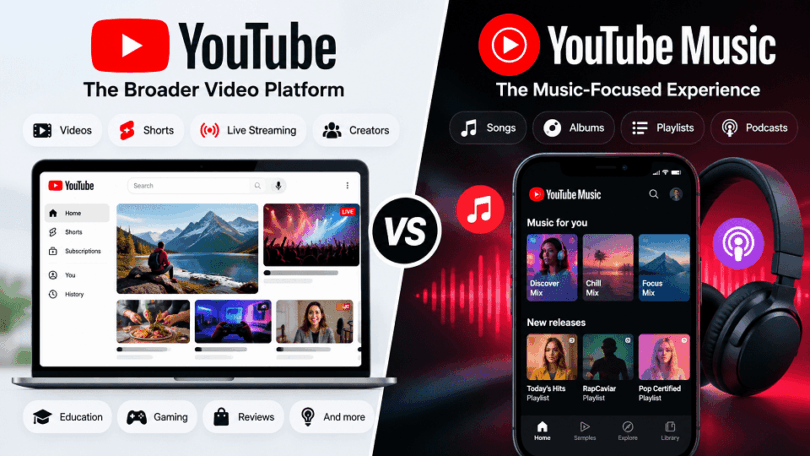

YouTube and YouTube Music are closely connected, but they serve different purposes. YouTube is the broader video platform for watching, publishing, discovering, and interacting with many types of content. YouTube Music focuses on music and podcasts, with an interface designed around listening, discovery, artists, albums, playlists, and music videos.
The overlap is what makes the comparison confusing. You can listen to music on YouTube, watch music videos on YouTube Music, and find podcasts in both. Your Google Account also connects the services, while YouTube Premium extends paid benefits across the YouTube and YouTube Music experiences.
This guide compares YouTube vs YouTube Music from both the viewer and creator side. It covers videos, Shorts, live streaming, music discovery, podcasts, creators, monetization, music distribution, offline listening, Premium memberships, and the situations where each service makes more sense.
YouTube vs YouTube Music at a Glance
The simplest distinction is this: YouTube is the broad video and creator platform. YouTube Music is the specialized music and podcast experience within that wider ecosystem.
| Feature | YouTube | YouTube Music |
| Primary purpose | Video viewing, publishing, discovery, and creator activity | Music and podcast listening, discovery, and libraries |
| Main content | Videos, Shorts, live streams, music, podcasts, tutorials, gaming, and more | Songs, albums, artists, music videos, playlists, and podcasts |
| Music discovery | Part of broader video discovery | Core part of the service |
| Playlists | Can contain almost any type of video | Focused on music and listening |
| Podcasts | Video-first and creator-focused ecosystem | Listening-focused podcast experience |
| Shorts | Core feature | Not a general Shorts platform |
| Live streaming | Major feature | Not a general live-streaming platform |
| Creator tools | YouTube Studio and broad publishing tools | Music/artist-focused ecosystem |
| Offline | Eligible videos with YouTube Premium | Music and supported podcasts with YouTube Music Premium |
| Best suited for | People who want broad video and creator content | People who mainly want music and podcasts |
What Is YouTube?
YouTube as a Video-Sharing Platform
YouTube allows users to upload, publish, share, and discover video content. Anyone with an eligible account can create a channel and publish content, subject to YouTube’s policies and requirements.
The platform supports both short and long-form content, along with live streaming and other forms of interactive content. This broad publishing model is one of the biggest differences between YouTube and YouTube Music.
Types of Content on YouTube
YouTube covers a much wider range of content than music alone. Users can find:
Long-form videos and tutorials
YouTube Shorts and live streams
Music videos, podcasts, educational content, gaming, reviews, and more
This broad content ecosystem makes YouTube a general-purpose video platform rather than a dedicated music service.
YouTube for Viewers
For viewers, YouTube provides tools for finding, watching, saving, and sharing content. Recommendations, search, subscriptions, playlists, and personalized feeds help users discover content based on their interests.
A user can use YouTube for entertainment, education, news, music, product research, tutorials, live events, and many other purposes.
YouTube for Content Creators
YouTube also functions as a publishing platform for individual creators and organizations. Creators can establish channels, upload videos, publish Shorts, livestream, interact with audiences, and use YouTube Studio to manage their content and understand channel performance.
Creators can build an audience around almost any subject that fits YouTube’s policies and content rules.
YouTube Shorts
YouTube Shorts are YouTube’s short-form video format. They sit inside the main YouTube ecosystem rather than inside YouTube Music. Viewers can discover Shorts through the Shorts feed, search, the YouTube homepage, channel pages, subscriptions, and other surfaces.
YouTube currently supports Shorts up to three minutes for eligible square or vertical videos uploaded under its current rules. Shorts can cover almost any subject, including comedy, education, product tips, music, news, and creator updates. That breadth is another reason YouTube cannot be reduced to a music service.
YouTube Live Streaming
Live streaming is another major part of YouTube. Creators can use live video for gaming, events, interviews, product launches, Q&As, education, music performances, and community interaction. Viewers can watch the stream in real time and interact through live chat.
Eligible channels can also monetize live streams through advertising, Super Chat and Super Stickers, channel memberships, and other applicable features. This creator and real-time video layer is part of YouTube’s broader platform, not the core purpose of YouTube Music.
YouTube for Artists and Music Publishers
YouTube has become an important platform for musicians, record labels, publishers, and other participants in the music industry.
Artists can use YouTube to publish music videos, performances, interviews, behind-the-scenes content, Shorts, and other material. Official artist and music-related features also connect YouTube’s video ecosystem with the broader music experience.
This is an important distinction in the YouTube vs YouTube Music comparison: publishing a music video on YouTube and distributing a music release through YouTube Music are related but different activities.
YouTube for Businesses and Brands
Businesses use YouTube to publish product demonstrations, tutorials, educational videos, advertisements, interviews, webinars, and other content.
A company can also use a YouTube channel to answer customer questions, demonstrate products, build an audience, and support its broader digital marketing strategy.
How YouTube Creators Make Money
Eligible creators can earn money through several YouTube monetization features. These can include advertising revenue, channel memberships, fan-funding features, shopping-related tools, and revenue associated with YouTube Premium viewers.
Eligibility and available monetization features depend on factors such as the creator’s location, channel status, content, and YouTube’s current requirements.
YouTube’s monetization model is therefore an important part of the platform itself. YouTube is not simply a place to consume video; it is also a publishing and business platform for creators, artists, and organizations.
How YouTube Creator Monetization Works
YouTube is also a business and publishing platform for creators. Eligible creators who join the YouTube Partner Program can access monetization features that vary by eligibility, location, content, and current YouTube policies.
Depending on the applicable program modules, creators can earn from Watch Page advertising, Shorts Feed advertising, YouTube Premium revenue, channel memberships, Super Chat, Super Stickers, Super Thanks, and eligible shopping features. Live streams can also generate revenue through ads and fan-funding features.
The important point for this comparison is that creator monetization belongs to the broader YouTube ecosystem. YouTube Music can contribute to music-related revenue, but it is not a replacement for YouTube’s complete creator publishing and monetization environment.
What Is YouTube Music?
YouTube Music as a Music Streaming Service
YouTube Music provides a streaming experience built around music rather than general video content. Users can search for songs and artists, listen to albums and playlists, discover new music, and receive personalized recommendations.
The service is available as a free, ad-supported experience, while YouTube Music Premium adds additional features such as ad-free listening, background playback, and offline downloads, subject to current availability and requirements.
Songs, Albums and Artists
Music is the core of YouTube Music. Users can search for individual songs, albums, artists, playlists, and other music-related content.
The platform brings different types of music content together in a music-focused interface. Depending on the release and availability, users may find official recordings, albums, singles, live performances, remixes, covers, and other music-related content.
Music Videos on YouTube Music
YouTube Music is not limited to audio.
Music videos are also part of the service, allowing users to switch between listening to a recording and watching its associated video when available.
This is one of the areas where YouTube and YouTube Music overlap most clearly. The difference is that YouTube Music presents music videos within a broader music-focused experience.
Music Discovery and Recommendations
Music discovery is one of the main reasons YouTube Music exists as a separate experience.
The service uses listening activity and other signals to personalize recommendations and help users discover artists, songs, albums, and playlists.
Users can also explore music through recommendations, charts, mixes, artist pages, and other discovery features.
Playlists and Personalized Mixes
YouTube Music allows users to create and manage music playlists and discover automatically generated or personalized mixes.
These features are designed around listening habits rather than the much broader range of content found on YouTube.
This makes the experience more focused for people who primarily use YouTube to listen to music.
Podcasts on YouTube Music
YouTube Music also supports podcasts as part of its audio-focused experience.
Users can discover and listen to podcasts alongside their music library and recommendations.
Podcast availability and features can vary by market, so current functionality should be checked before publication.
YouTube Music for Artists
YouTube Music is also part of the wider YouTube music ecosystem used by artists and the music industry.
Artists can have music available through YouTube Music alongside their broader presence on YouTube. Music releases, artist pages, music videos, and other content can therefore appear across the connected ecosystem.
This is different from simply uploading a regular video to YouTube. Music distribution and artist services can involve additional processes and industry partners.
Is YouTube Music Separate From YouTube?
YouTube Music is a separate app and user experience, but it is closely connected to YouTube.
Both services operate within the broader YouTube ecosystem and use the same underlying Google account environment. Music content can also overlap between the two platforms.
The main difference is purpose. YouTube is built around a broad range of video content and publishing, while YouTube Music is built around music and podcast discovery and listening.
This is why YouTube Music should not be viewed simply as a smaller version of YouTube. It is a more specialized experience built on top of the wider YouTube ecosystem.
YouTube vs YouTube Music: What’s the Difference?
1. Main Purpose and Platform Focus
The biggest difference between YouTube and YouTube Music is their primary purpose.
YouTube is a broad video platform. It supports video publishing and discovery across a huge range of categories. Users can watch or publish tutorials, reviews, educational videos, gaming content, Shorts, live streams, podcasts, music videos, and much more.
YouTube Music has a narrower focus. It is designed primarily for discovering and listening to music and podcasts. Its interface brings songs, albums, artists, playlists, music videos, and podcasts into a music-focused environment.
That does not mean YouTube Music contains only audio. Music videos are also part of the service. The difference is that YouTube Music organizes the experience around music and listening rather than general video discovery. YouTube describes Music as a place to discover music and podcasts, watch music videos, and stay connected with artists.
In simple terms:
YouTube is built around video. YouTube Music is built around music and podcasts.
2. Types of Content Available
YouTube has a much broader content ecosystem.
You can find:
Long-form videos and tutorials
Shorts and live streams
Music, podcasts, gaming, education, reviews, news, and other creator content
YouTube Music focuses on a more specific collection of content, including:
Songs and albums
Artists and music releases
Music videos
Playlists and personalized mixes
Podcasts and podcast episodes
YouTube Music can therefore contain some of the same content found on YouTube. The important difference is how that content is organized and presented.
For example, a music video may exist on YouTube as one video among millions of other videos. In YouTube Music, that same music content is presented within an environment built around artists, songs, albums, playlists, and music discovery.
3. Music and Video Experience
YouTube and YouTube Music overlap most clearly when it comes to music.
You can find songs and music videos on regular YouTube, but YouTube also surrounds that music with its broader video ecosystem. A search for an artist might return official music videos alongside interviews, live performances, fan videos, Shorts, reviews, reaction videos, and other related content.
YouTube Music takes a more focused approach. Its experience is organized around listening and discovering music. Users can browse songs, albums, artists, playlists, and music videos without navigating through the much broader range of YouTube content.
This difference matters depending on how you use the services.
If music is only one type of content you consume, regular YouTube can serve that purpose. If music is your primary reason for opening the app, YouTube Music provides a more specialized environment.
4. Music Discovery and Recommendations
Music discovery is one of YouTube Music’s central functions.
The service can provide personalized recommendations based on listening activity and other interactions. YouTube Music also offers customized stations, recommendations, popular releases, genres, playlists, and other discovery tools.
YouTube also recommends music, but music is only one part of its much larger recommendation system.
For example, YouTube can recommend:
Music videos
Tutorials
Interviews
Reviews
Podcasts
Other videos from channels you follow
YouTube Music narrows that discovery experience around music and podcasts.
It also includes features designed specifically for music discovery. Its current features include Samples, which presents personalized short music-video segments to help users discover songs and artists.
This is an important distinction: YouTube can help you discover music, while YouTube Music is specifically designed to help you discover music.
5. Search Experience
Search works differently because the two services have different purposes.
On YouTube, search is designed to find almost any type of video content. A single search can return tutorials, demonstrations, music videos, podcasts, Shorts, reviews, livestreams, and other videos.
YouTube Music provides a more music-focused search experience. Users can search for songs, artists, albums, playlists, and podcasts. The service also provides filters and a Sound Search feature that can identify songs when you play, sing, or hum them.
This makes the distinction particularly useful for music listeners.
If you search YouTube for a song, you may receive the song itself along with many different videos about that song or artist.
If you search YouTube Music, the results are structured around the music experience.
So the difference is not simply what you can search for, but how the platform interprets and organizes the search around its primary purpose.
6. Music Videos and Audio Listening
Both platforms can provide music videos, but the listening experience is different.
On YouTube, music videos are part of the broader video experience. You can watch the official video, then move on to an interview, live performance, tutorial, or completely unrelated video.
YouTube Music places music videos within its music-focused environment. The service also supports audio-only playback for music with YouTube Music Premium.
Audio-only playback can be useful when you want to listen to a song without loading its video. It can reduce unnecessary video data and keep the experience focused on listening.
YouTube Music therefore bridges two experiences:
music videos when you want to watch, and music-focused playback when you mainly want to listen.
That is one reason YouTube Music can feel different even when the underlying music content overlaps with YouTube.
7. Playlists, Libraries and Personalization
Both platforms support playlists, but YouTube Music places much more emphasis on organizing music.
In YouTube Music, the Library can include:
Playlists
Songs
Albums
Artists
Podcasts
Users can also sort and filter their music content and access downloaded content where applicable.
YouTube also supports playlists and saved content, but those collections can contain almost any type of video.
A YouTube playlist might contain technology tutorials, travel videos, music videos, interviews, or educational content.
A YouTube Music playlist is designed primarily around listening.
This distinction becomes important for people who have large libraries. YouTube is better understood as a broad content library, while YouTube Music organizes the same broader ecosystem into a more music-focused listening experience.
8. Podcasts
Podcasts are another area where YouTube and YouTube Music overlap.
YouTube supports podcasts as part of its broader video platform. A podcast can exist as a video series, with viewers watching episodes, interacting with the channel, and accessing other content from the same creator.
YouTube Music also supports podcasts within its music and audio-focused environment. Users can save podcast shows to their library and find new episodes through the podcast section.
The difference is again one of focus.
YouTube treats podcasts as part of its wider video ecosystem, while YouTube Music brings podcasts into an experience centered on music and listening.
Podcast features can vary by country and region, so specific functionality should be checked for the user’s market before relying on it.
9. Creators, Artists and Publishing
YouTube and YouTube Music also differ in how they fit into the publishing ecosystem.
YouTube is a major publishing platform for individual creators, businesses, artists, publishers, and organizations. Creators can build channels, upload videos, publish Shorts, livestream, interact with audiences, and use YouTube Studio to manage their content.
YouTube Music is more focused on the music side of that ecosystem. Artists and music-related content can appear through artist pages, music releases, albums, songs, and music videos.
This distinction is important for musicians.
Uploading a music video to YouTube is not exactly the same as distributing a music release through the YouTube Music experience.
The two are connected, but they serve different purposes. YouTube is the broader publishing and audience platform, while YouTube Music is the specialized music discovery and listening environment.
YouTube Music also connects artist and channel pages with music discovery. Current YouTube Music documentation describes artist and channel pages that can show details such as top songs and new releases.
10. Music Uploads vs Music Distribution
One of the most important distinctions for musicians is the difference between uploading music for personal use and distributing music publicly.
YouTube Music lets users upload their own audio files to their personal library. These uploads are private to the uploader. Other YouTube Music users cannot play those uploaded tracks, even if the uploader shares a playlist containing them. Personal uploads are therefore a library feature, not a public music-release system.
Public music distribution is different. An artist or label can upload a music video to a YouTube channel, but that alone does not fully deliver the audio release and metadata into YouTube’s music catalog. YouTube says music aggregators or distributors can deliver audio files and metadata to streaming services such as YouTube and YouTube Music. They may also handle industry-standard metadata, DDEX deliveries, licensing, analytics, and royalty reporting.
This distinction matters because a music video on YouTube and a distributed music release on YouTube Music can be connected without being the same publishing process. Artists who want their catalog represented properly across the music ecosystem may need a label, distributor, or eligible music service partner.
11. User Interface and Overall Experience
The interfaces reflect the different jobs of the two services. YouTube is built around a broad home feed, subscriptions, search, recommendations, channels, Shorts, live streams, and video playback. YouTube Music puts songs, albums, artists, playlists, mixes, music discovery, and podcasts closer to the center of the experience.
The difference is therefore not simply the number of features. It is the context in which those features are presented. YouTube is designed to move you between many kinds of video. YouTube Music is designed to keep you in a listening-oriented environment.
12. Background Playback and Offline Listening
Background playback is one of the practical differences between the free and paid experiences. YouTube Premium supports background playback on the main YouTube service, while YouTube Music Premium supports background playback for music and podcasts in the YouTube Music experience. Most podcasts can play in the background regardless of membership, subject to content and regional availability.
Offline access also depends on the service and membership. YouTube Premium is designed around downloading eligible YouTube videos. YouTube Music Premium is designed around downloading music, music videos, and supported podcasts for offline listening.
13. Free vs Paid Features
Both YouTube and YouTube Music can be used without a paid membership, but paid memberships add different benefits.
YouTube’s broader Premium membership provides benefits across YouTube and YouTube Music. Current YouTube documentation lists ad-free YouTube videos, video downloads, background playback, and YouTube Music Premium as part of YouTube Premium.
YouTube Music Premium focuses on the music experience. Its current benefits include ad-free music and music videos, background playback for music, offline music downloads, and audio-only music playback. Podcasts can have different advertising behavior.
The relationship can be summarized simply:
YouTube Premium therefore sits above the individual music experience in terms of ecosystem coverage. It extends benefits across YouTube and YouTube Music rather than focusing only on music.
YouTube vs YouTube Music for Music
Which Is Better for Listening to Music?
YouTube Music provides a more focused experience for people who mainly want to listen to music. Instead of treating a song as another video, it organizes music around artists, albums, songs, playlists, mixes, and recommendations.
This makes it easier to move from one song to an album, explore an artist’s catalog, build playlists, or discover related music without leaving a music-focused environment.
YouTube works differently. You can listen to a huge range of music, but music sits alongside every other type of video content on the platform. That can be an advantage when you want more than the official recording.
For example, a YouTube search for an artist can lead you to music videos, live performances, concerts, interviews, acoustic sessions, covers, remixes, fan uploads, Shorts, and other related videos.
YouTube Music may suit you better if you mainly want:
Music discovery, albums, artists, and playlists
A library organized around your listening habits
An audio-first music experience
YouTube may suit you better if you mainly want:
Music videos, live performances, and concert footage
Interviews, covers, remixes, and other music-related videos
Music alongside general video content
YouTube vs YouTube Music for Discovering New Music
Both platforms can introduce you to new music, but discovery works in different contexts.
YouTube’s recommendation system covers your broader viewing activity. Music recommendations can therefore appear alongside tutorials, entertainment, Shorts, podcasts, reviews, and other videos.
YouTube Music narrows that experience around listening. Recommendations, personalized mixes, artist pages, related songs, playlists, and other discovery features make music the center of the experience.
For someone actively looking for new artists or songs, that focused environment can make YouTube Music easier to explore. YouTube can be more useful when music discovery happens through videos, performances, creators, or other related content.
YouTube vs YouTube Music for Albums and Artists
You can find albums and artists through both services, but YouTube Music presents them in a structure that resembles a dedicated music-streaming service.
Artist pages can bring together songs, albums, releases, videos, and other music-related material. Albums are also presented as collections rather than requiring users to find individual video uploads.
Regular YouTube remains useful for exploring the wider world around an artist. An artist’s YouTube presence can include official music videos, Shorts, interviews, premieres, livestreams, performances, behind-the-scenes videos, and other content that does not fit neatly into an album or music library.
This creates a useful distinction:
YouTube Music helps you explore an artist’s music catalog, while YouTube can help you explore the broader video content surrounding that artist.
YouTube vs YouTube Music for Music Videos and Live Performances
This is one area where regular YouTube remains particularly useful.
YouTube’s broader video platform makes it easy to find official music videos alongside concerts, festival performances, acoustic sessions, television appearances, interviews, covers, and other music-related footage.
YouTube Music also includes music videos and connects them with the listening experience. For supported content, users can move between song and video experiences without treating them as completely unrelated pieces of content.
So, users who primarily watch music may prefer the breadth of YouTube, while users who want music videos integrated into a listening-focused experience may prefer YouTube Music.
YouTube vs YouTube Music for Playlists
Both services allow playlists, but they serve somewhat different purposes.
A regular YouTube playlist can contain almost anything: songs, music videos, tutorials, interviews, documentaries, Shorts, or other videos.
YouTube Music places playlists within a music-focused library. Users can create their own collections and also use personalized mixes and other playlists designed around listening and music discovery.
If your playlists are mainly collections of songs, YouTube Music provides more specialized organization. If you regularly mix music with other types of videos, YouTube offers greater flexibility.
YouTube vs YouTube Music for Audio-First Listening
The distinction becomes clearer when you want to listen rather than watch.
YouTube’s core experience remains video-focused. YouTube Music is designed to make music usable as an audio experience, while still retaining access to music videos where available.
Paid features make this difference more significant. YouTube Music Premium supports features such as background playback, audio-only music playback, and offline music downloads.
That makes YouTube Music better aligned with activities where you want music playing while your phone is locked or while you use other apps, subject to the applicable subscription features.
So, Which Should You Use for Music?
There is no need to treat the choice as an absolute winner.
Use YouTube Music when your main goal is to listen to songs, explore albums and artists, build a music library, discover new music, or use music-focused playlists.
Use YouTube when you want the wider visual world around music, including music videos, concerts, live performances, interviews, covers, and other creator content.
Many people can also use both. YouTube Music can handle the dedicated listening experience, while YouTube provides access to the much broader video ecosystem surrounding the same artists and music.
YouTube vs YouTube Music for Podcasts
Podcast Discovery
YouTube provides a broad discovery environment for podcasts. A podcast can be discovered through YouTube search, recommendations, the Watch page, the dedicated podcasts area, channel pages, and other video surfaces.
YouTube also provides podcast creators with discovery features such as recommendations to listeners with similar interests and improved search visibility.
YouTube Music takes a more focused approach. Its Home and Explore areas include podcast recommendations, popular shows, episodes, and other podcast content. Users can also save podcast shows to their Library and find new episodes through their saved content.
So the difference is mainly context:
YouTube: podcasts are part of a broad video and creator ecosystem.
YouTube Music: podcasts are presented alongside music within a listening-focused environment.
Podcast Listening
YouTube is well suited to viewers who want to watch podcast episodes. Video podcasts can include the full visual experience, including hosts, guests, demonstrations, interviews, graphics, and other visual elements.
YouTube Music is more useful when you want to treat a podcast primarily as something to listen to. The platform supports audio-focused podcast playback, while many podcasts can also be played in the background.
YouTube Music also lets users switch between audio and video for supported podcast content. Some podcasts added through RSS feeds have different functionality, so the experience can vary depending on how the podcast is distributed.
Background Playback
Background playback is an important difference, but podcasts require a special explanation.
YouTube Music currently allows most podcasts to play in the background regardless of membership status. YouTube Music Premium adds broader background-play benefits for music and podcasts, along with other Premium features.
This differs from music playback, where background listening is a YouTube Music Premium feature.
So users should not assume that the rules for music and podcasts are identical.
Podcast Downloads and Offline Listening
YouTube Music supports podcast downloads, and current YouTube documentation says podcasts can be downloaded regardless of membership status, although some episodes or shows may have restrictions. YouTube Music Premium provides additional offline features and allows music and podcast downloads, with downloaded Premium content subject to the service’s offline requirements.
YouTube also supports podcast downloads for eligible podcast content through the YouTube Music experience. YouTube says eligible podcasts can be included in YouTube Music, where most podcast content can be played in the background and downloaded without a YouTube Music Premium membership.
This is an important distinction from music downloads, where YouTube Music Premium is required for downloading music.
Music vs Podcast Interface
The biggest difference is how each service organizes the experience.
YouTube combines podcasts with its wider video ecosystem. A podcast episode can appear alongside other videos, Shorts, livestreams, music videos, tutorials, and creator content.
YouTube Music brings podcasts into the same general environment as music. Its Library can contain songs, albums, artists, playlists, and podcasts, allowing users to move between music and spoken-word content within a listening-oriented app.
This makes YouTube more suitable for people who want the full video experience, while YouTube Music provides a more convenient environment for people who mainly want to listen to podcasts and music.
What Does This Mean for Podcast Listeners?
Choose YouTube when the visual podcast experience matters, including video episodes, comments, clips, Shorts, and the creator’s wider channel. Choose YouTube Music when you mainly want to listen to podcasts alongside music, use a listening-focused library, or use supported background and offline features.
YouTube describes podcasts on the platform as video-based podcast content, while YouTube Music provides a listening-oriented environment for supported podcast content. Availability and features can vary by market, account, podcast format, and distribution method.
YouTube vs YouTube Music for Offline Listening
Can You Download Music From YouTube?
You can download eligible YouTube videos for offline viewing with YouTube Premium, including music videos where the download option is available.
However, the regular YouTube app does not provide a way to download audio, music, or MP3 files as standalone files. YouTube’s offline downloads remain within the YouTube app rather than appearing as ordinary media files in your device’s gallery or file system.
This distinction matters if your goal is simply to listen to music offline.
If you download a music video through YouTube Premium, you are downloading the YouTube video for offline playback. You are not downloading an independent MP3 file.
Can You Download Music From YouTube Music?
Yes. YouTube Music Premium allows subscribers to download songs, albums, playlists, and music videos for offline use within the YouTube Music app. It also supports downloads for podcasts, although podcast download availability can vary by content.
YouTube Music also offers Smart Downloads, which can automatically download music based on your previous listening history. Users can manage download settings and storage from the YouTube Music app.
The important point is that these downloads are designed for offline playback inside YouTube Music. They are not ordinary music files that you can move to another music player.
How Long Do YouTube Music Downloads Last?
YouTube Music Premium downloads are not permanent offline copies.
You need to reconnect your device to the internet at least once every 30 days to maintain your downloaded music and other offline content. YouTube Music uses this connection to verify the availability of the content and maintain your offline access.
This means you can use YouTube Music while traveling or without a continuous internet connection, but you should reconnect periodically.
The same principle applies to YouTube Premium’s offline video downloads, although YouTube’s current documentation states that downloaded videos can generally be played offline for up to 29 days before an internet connection is required again. In some countries or regions, the offline period can be shorter.
YouTube vs YouTube Music: Offline Downloads Compared
The key difference is therefore what you want to take offline.
If you want to save videos for later viewing, YouTube Premium provides that functionality. If you want to download songs and listen to music offline, YouTube Music Premium is designed specifically for that purpose.
YouTube Music vs YouTube Premium
What Is YouTube Music Premium?
YouTube Music Premium is the paid membership for the YouTube Music experience.
It is designed for people who primarily use YouTube Music for listening to music and podcasts. Current benefits include ad-free music and music videos, background playback, offline downloads, and audio-only playback for music.
It does not provide the full set of Premium benefits for regular YouTube videos.
For example, subscribing to YouTube Music Premium does not by itself give you ad-free viewing across regular YouTube or Premium background playback for ordinary YouTube videos.
What Is YouTube Premium?
YouTube Premium is the broader paid membership.
It provides Premium benefits across regular YouTube and includes YouTube Music Premium. Current YouTube documentation lists benefits such as ad-free YouTube videos, background playback, offline video downloads, and access to YouTube Music Premium.
This makes YouTube Premium relevant to people who use both YouTube and YouTube Music, rather than only the music service.
The simplest way to understand the difference
Think of the subscriptions this way:
YouTube Music Premium
→ Premium features for YouTube Music
YouTube Premium
→ Premium features for YouTube + YouTube Music
So, if someone uses YouTube mainly for music, YouTube Music Premium may cover the features they need. If they regularly watch ordinary YouTube videos and also listen to music through YouTube Music, the broader YouTube Premium membership is the relevant subscription to compare.
Do You Need Both?
For someone considering the two memberships, this is an important question.
YouTube Premium already includes YouTube Music Premium benefits, so users should not normally need to purchase both separately to obtain the Premium features covered by the broader membership.
The exact price, plan availability, family/student options, and benefits can vary by country and change over time, so those details should be checked for the target market before publication.
YouTube Premium includes YouTube Music Premium benefits. If you already have YouTube Premium, you generally do not need to buy a separate YouTube Music Premium subscription for the overlapping Premium benefits. Google specifically notes that a standalone YouTube Music Premium subscription can be canceled when it is already included with YouTube Premium.
Can You Use YouTube Music Without YouTube?
How YouTube and YouTube Music Are Connected
Your Google Account provides the account identity you use across YouTube services.
YouTube is the broader video platform. It includes long-form videos, Shorts, livestreams, music videos, podcasts, educational content, creator channels, and many other types of content.
YouTube Music uses the same wider ecosystem but presents it through a music and podcast-focused experience. It organizes songs, albums, artists, playlists, music videos, and podcasts around listening and music discovery.
So, you can open YouTube Music and use it primarily for music without spending much time on the main YouTube app.
That does not mean the two services are unrelated. YouTube Music remains part of the wider YouTube product ecosystem.
Do You Need a YouTube Account to Use YouTube Music?
YouTube Music is tied to your Google Account and YouTube account infrastructure.
When you sign in to YouTube Music, you use your Google Account rather than creating a completely separate YouTube Music identity. Your paid membership and access to YouTube services are also associated with that account.
This connection becomes more important if you subscribe to a paid membership.
Can You Use YouTube Music Without YouTube Premium?
Yes.
YouTube Music has a free, ad-supported experience, so you do not need a YouTube Premium subscription just to use YouTube Music.
You can use YouTube Music to discover and play music without paying for Premium. Some features, such as background play and offline downloads for music, require YouTube Music Premium.
So these are separate choices:
Free YouTube Music: Music and podcast listening with limitations and advertising.
YouTube Music Premium: Adds music-focused benefits such as ad-free music, background play, and offline downloads.
YouTube Premium: Includes YouTube Premium benefits and also includes YouTube Music Premium.
Can You Use YouTube Music Without Opening the YouTube App?
Yes.
You can install and use the YouTube Music app as your main music and podcast application.
You can search for songs, artists, and albums, create playlists, discover music, listen to podcasts, and manage your music library from YouTube Music.
If you have YouTube Music Premium, you can also use features such as background playback and offline downloads within the YouTube Music experience.
You do not need to open the main YouTube app every time you want to listen to music.
But the underlying account and content ecosystem remains connected to YouTube.
What Happens If You Only Use YouTube Music?
Nothing prevents you from making YouTube Music your primary music app.
For someone who mainly wants songs, albums, playlists, artists, music discovery, and podcasts, YouTube Music can function as a standalone daily listening experience.
You can ignore most of the broader YouTube video ecosystem if you do not need it.
You would still be using a service that belongs to the wider YouTube ecosystem, though. Your account, membership, and some content relationships remain connected to YouTube.
YouTube and YouTube Music: Account and Subscription Relationship
You can use the YouTube Music app as your main music and podcast app without regularly opening the main YouTube app. But the services remain connected through the wider Google and YouTube account ecosystem. YouTube Music is therefore separate as an app and experience, but not a completely independent service.
Can YouTube Music Replace YouTube?
What YouTube Music Can Replace
YouTube Music can serve as your main app if you mainly use YouTube for music.
You can use it to:
Listen to songs, albums, and playlists.
Discover artists and new music.
Watch music videos and performances.
Listen to podcasts.
Create and manage music-focused playlists.
Download supported content for offline listening with YouTube Music Premium.
For a person whose main use of YouTube is listening to music, YouTube Music can provide a more focused experience.
You do not need to open the main YouTube app every time you want to listen to a song or album.
What YouTube Music Cannot Replace
YouTube Music does not replace YouTube’s broader video ecosystem.
The main YouTube platform includes a much wider range of content, such as tutorials, product reviews, educational videos, gaming content, news and commentary, how-to guides, documentaries, Shorts, livestreams and creator channels.
YouTube also provides the broader environment for creators, businesses, educators and publishers to upload and manage video content.
These uses go beyond the purpose of YouTube Music.
YouTube Music vs YouTube for Different Types of Content
| What you want to do | YouTube | YouTube Music |
| Listen to songs | Yes | Yes |
| Discover music | Yes | Yes |
| Listen to albums | Yes | Yes |
| Watch music videos | Yes | Yes |
| Listen to podcasts | Yes | Yes |
| Watch tutorials | Yes | Not its focus |
| Watch reviews | Yes | No |
| Watch gaming videos | Yes | No |
| Watch Shorts | Yes | No |
| Watch general livestreams | Yes | No |
| Follow general creator channels | Yes | No |
| Upload and manage general videos | Yes | No |
Can YouTube Music Replace YouTube for Music?
For music-focused listening, YouTube Music can cover much of what many people use YouTube for. It provides songs, albums, artists, playlists, music discovery, music videos, and supported podcasts in a focused environment.
You may still want YouTube for concerts, interviews, behind-the-scenes videos, fan content, Shorts, live performances, and other creator material around an artist.
Can YouTube Music Replace YouTube for Podcasts?
It can cover much of the listening side of podcasts, but YouTube remains important when the video itself matters. If you want to watch the hosts, guests, demonstrations, graphics, clips, comments, and related creator videos, the main YouTube platform offers the broader experience.
So, Can YouTube Music Replace YouTube?
YouTube Music can replace YouTube for many music-focused and podcast-listening tasks. It cannot replace YouTube as a complete video platform because it does not reproduce the wider ecosystem of general videos, Shorts, livestreams, creator channels, and publishing tools.
YouTube vs YouTube Music: Which One Should You Use?
Choose YouTube If You Mainly Want…
Choose YouTube if your use goes beyond music and podcasts.
YouTube is the better fit for users who regularly want to:
Watch tutorials, reviews, educational videos, and documentaries.
Follow creators, channels, Shorts and livestreams.
Watch music videos, concerts, interviews and other video content.
Search for almost any type of video in one place.
Create, upload, or manage video content as a creator.
Use YouTube for business, education, marketing, or audience building.
YouTube also makes more sense if you want one platform for music plus everything else.
You can still listen to songs and watch music videos on YouTube. You simply get the broader YouTube experience around them.
Choose YouTube Music If You Mainly Want…
Choose YouTube Music if music is the main reason you use YouTube’s ecosystem.
It is designed around:
Songs, albums, and artists.
Music discovery and personalized recommendations.
Music-focused playlists and mixes.
Music videos and live music content.
Podcasts in a listening-focused environment.
Background music playback and offline music with YouTube Music Premium.
YouTube Music can therefore work well as your primary music app even if you rarely use the main YouTube app.
It is still connected to the wider YouTube ecosystem, but its interface and recommendations are centered on listening rather than general video viewing.
Choose YouTube Premium If You Want Both…
Choose YouTube Premium if you regularly use both platforms and want their Premium features under one membership.
YouTube Premium includes YouTube Music Premium benefits. It also adds Premium features to the main YouTube platform. These include benefits such as ad-free YouTube viewing, background playback, and offline video downloads. (support.google.com)
That makes the subscription relevant to people who use YouTube for general video content and YouTube Music for music and podcasts.
You can use the same account across both experiences without purchasing a separate YouTube Music Premium membership. Google specifically notes that YouTube Music Premium is included with YouTube Premium. (support.google.com)
A Simple Way to Decide
Think about what you open the app to do most often.
You do not necessarily have to choose only one.
Many users can use YouTube for general video content and YouTube Music for music and podcasts. If you want Premium benefits across both experiences, YouTube Premium brings them together under one membership.
The important distinction is simple:
YouTube is the broader video platform. YouTube Music is the focused music and podcast experience. YouTube Premium connects the Premium benefits across both.
Frequently Asked Questions
Is YouTube Music the same as YouTube?
No. YouTube Music and YouTube are closely connected but serve different purposes.
YouTube is the broader video platform for music, entertainment, education, tutorials, gaming, Shorts, livestreams, and creator content. YouTube Music provides a more focused experience around songs, albums, artists, music videos, music discovery, and podcasts.
What is the difference between YouTube and YouTube Music?
The main difference is what each service is designed to prioritize.
YouTube is a broad video-sharing and discovery platform. YouTube Music is designed around music and podcasts, with features and recommendations focused on listening and music discovery.
There is significant overlap because YouTube Music draws from the wider YouTube music ecosystem. But the two services have different interfaces and primary use cases.
Is YouTube Music free?
Yes. You can use YouTube Music without a paid membership.
The free experience includes access to songs, music videos, and podcasts with advertising. Google also lists features such as on-demand playback, unlimited skipping, and personalized music discovery in the ad-supported experience.
YouTube Music Premium adds benefits such as music without ads, background music playback, audio-only music playback, and music downloads. Podcast advertising can still appear even for Premium members.
Is YouTube Music included with YouTube Premium?
Yes. YouTube Premium includes YouTube Music Premium benefits.
This means you do not normally need to purchase a separate YouTube Music Premium subscription if you already have YouTube Premium.
YouTube Premium provides Premium benefits across the broader YouTube experience and includes access to YouTube Music Premium. Google also provides guidance for users who accidentally maintain separate YouTube Premium and YouTube Music Premium subscriptions.
Can I listen to YouTube Music without the app?
Yes. YouTube Music is available through its web experience at music.youtube.com, so you can listen from a supported web browser without installing the mobile app.
The mobile app remains useful for features such as mobile downloads, background playback, and offline listening.
So, you do not need the YouTube Music mobile app to use YouTube Music, but the available features can differ by device and platform.
Can YouTube Music play in the background?
Yes, but the answer depends on the type of content and your membership.
YouTube Music Premium provides background playback for music and podcasts, including when you use another app or turn off your mobile device’s screen.
Some podcasts can also play in the background without a Premium membership. Google notes that most podcasts are available for background play regardless of membership status.
Can I download music from YouTube Music?
Yes. YouTube Music Premium allows you to download songs, albums, playlists, and supported videos for offline listening. You can also download supported podcast episodes.
These downloads are for offline playback within the YouTube Music experience. They are not ordinary MP3 files that you can freely move to another music player.
YouTube Music also offers Smart Downloads, which can automatically download music based on your listening history.
Can YouTube Music replace YouTube?
Not completely.
YouTube Music can replace much of the main YouTube app’s music-listening role. It works well for songs, albums, artists, playlists, music discovery, and podcasts.
But YouTube remains the broader video platform. It includes tutorials, reviews, educational videos, gaming, Shorts, livestreams, general creator channels, and many other types of content.
So YouTube Music can replace YouTube for music-focused use, but not as a complete replacement for the wider YouTube platform.
Which is better for music, YouTube or YouTube Music?
It depends on how you use music.
YouTube Music is designed for people who mainly want songs, albums, artists, playlists, and music discovery. Its interface and recommendations are built around a music-focused listening experience.
YouTube is more useful when music is part of a broader video experience. It gives you access to music videos, concerts, interviews, performances, and the rest of YouTube’s video ecosystem.
If your primary activity is listening to music, YouTube Music provides the more focused experience. If you want music alongside a much wider range of videos, YouTube provides that broader environment.
Do I need YouTube Music if I have YouTube Premium?
No.
YouTube Premium already includes YouTube Music Premium benefits. You can install and use the YouTube Music app with the same account, but you do not need to purchase another Music Premium subscription simply to access its Premium features.
YouTube Premium is designed to cover both experiences: Premium benefits on the main YouTube platform and YouTube Music Premium benefits in YouTube Music.
If you already have YouTube Premium, check your existing membership before subscribing separately to YouTube Music Premium. Google specifically provides guidance for avoiding duplicate subscriptions.
Final Verdict
YouTube and YouTube Music are closely connected, but they solve different problems. YouTube is the broader video and creator platform. It combines long-form videos, Shorts, livestreams, podcasts, music videos, tutorials, gaming, education, reviews, and creator channels in one ecosystem.
YouTube Music is the more specialized experience. It organizes songs, albums, artists, playlists, music discovery, music videos, and podcasts around listening. That makes it more natural for people whose main reason for using YouTube is music or audio.
For creators and artists, the distinction is also important. YouTube is the broader publishing and monetization environment, while YouTube Music is part of the music-focused ecosystem. Uploading a personal music file to your YouTube Music library is not the same as publicly distributing a commercial release through a music distributor.
So there is no need to treat YouTube vs YouTube Music as a universal winner. Use YouTube for the broad video and creator experience. Use YouTube Music when music and podcasts are the main focus. If you want Premium benefits across both, YouTube Premium includes YouTube Music Premium.
About Rajkumar R
Rajkumar R is a technology writer and blogger who covers consumer technology, software, digital services, and emerging technology trends. Through ProDigitalWeb, he explains complex technology topics in practical, easy-to-understand language. His work focuses on helping readers understand how technology works and make informed decisions about the tools and services they use.
About Dharini RR
Dharini RR is an editor at ProDigitalWeb who reviews technology content for accuracy, clarity, relevance, and readability. She checks important product features, specifications, and platform policies against reliable sources and official documentation where appropriate. Her focus is to ensure that ProDigitalWeb articles remain useful, clear, and accurate for readers.
Last Updated: September 26, 2026