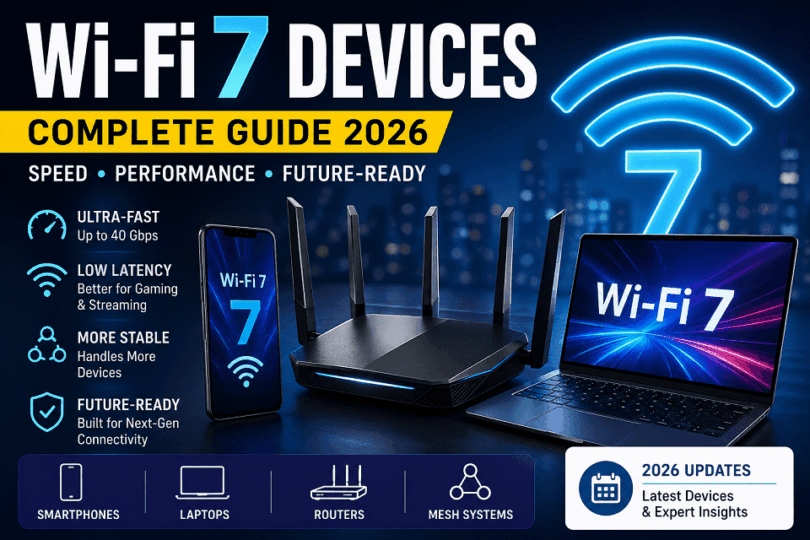

As of 2026, Wi-Fi 7 supported devices list in 2026 include flagship smartphones, next-gen laptops, and high-performance routers from brands like Samsung, Intel, ASUS, and TP-Link. These devices use 802.11be technology to deliver ultra-fast speeds, lower latency, and multi-link operation (MLO).
Wi-Fi 7 Supported Devices at a Glance
| Category | Best For | Example Devices |
| Smartphones | Mobility + speed | Galaxy S24 Ultra, OnePlus 12 |
| Laptops | Work + gaming | Dell XPS, ASUS ROG |
| Routers | Full network upgrade | TP-Link BE900, ASUS GT-BE98 |
Who Should Read This Guide?
This guide is useful if you want to understand Wi-Fi 7 and make a clear upgrade decision.
It focuses on practical use, not only technical details.
Users Planning to Upgrade to Wi-Fi 7
If you are thinking about upgrading your network, this guide will help.
You will learn:
- Which devices support Wi-Fi 7
- Whether upgrading makes sense for your usage
- What to check before buying
It helps you avoid unnecessary upgrades.
Buyers Comparing Devices
If you are comparing phones, laptops, or routers, this guide gives clarity.
You can:
- See supported devices across categories
- Understand chipset differences
- Make better buying decisions
It saves time when choosing between options.
Gamers and Power Users
If you need high performance, Wi-Fi 7 can make a difference.
This guide explains:
- How Wi-Fi 7 reduces latency
- Which devices offer better performance
- What setup works best for heavy usage
Useful for gaming, streaming, and demanding tasks.
Home Network Users with Many Devices
If your home has many connected devices, network stability matters.
This guide helps you:
- Understand how Wi-Fi 7 handles multiple devices
- Improve overall network performance
- Choose the right router and set up
Ideal for smart homes and shared networks.
Summary
This guide is designed for users who want clear answers and practical advice.
- Upgrade planners
- Device buyers
- Performance-focused users
- Multi-device households
If you fall into any of these groups, this guide will help you make better decisions.
What Is Wi-Fi 7 (802.11be)?
Wi-Fi 7, also called 802.11be, is the latest wireless standard for faster and more stable internet.
It improves speed, reduces delay, and handles more devices at the same time.
It builds on Wi-Fi 6 and Wi-Fi 6E but pushes performance much further.
In simple terms:
Wi-Fi 7 delivers higher speeds and lower latency for demanding tasks like gaming and 8K streaming.
If you want a deeper breakdown, check your detailed Wi-Fi 7 guide (internal link).
Key Features of Wi-Fi 7
Multi-Link Operation (MLO)
Wi-Fi 7 can use multiple frequency bands at the same time.
Older Wi-Fi connects to one band at a time.
Wi-Fi 7 connects to two or more bands together.
This improves:
- Speed
- Stability
- Connection reliability
Result: smoother gaming and fewer connection drops.
4096-QAM (Higher Data Density)
Wi-Fi 7 uses 4096-QAM, which packs more data into each signal.
Wi-Fi 6 uses 1024-QAM.
Wi-Fi 7 increases this by four times.
This means:
- Faster data transfer
- Better use of available bandwidth
Result: higher speeds without needing more spectrum.
320 MHz Channels
Wi-Fi 7 supports a 320 MHz channel width, which is double Wi-Fi 6E.
Wider channels allow more data to pass at once.
This helps:
- High-speed downloads
- Low-latency applications
- Heavy network usage
Result: significantly higher throughput for modern devices.
Quick Summary
Wi-Fi 7 (802.11be) is built for speed, low latency, and multi-device environments.
- MLO improves stability and performance
- 4096-QAM increases data efficiency
- 320 MHz channels boost raw speed
If you use high-speed internet or many connected devices, Wi-Fi 7 offers clear benefits.
Wi-Fi 7 Supported Devices List (2026 Overview)
Quick answer:
As of 2026, Wi-Fi 7 devices include flagship phones, premium laptops, and high-end routers.
Most use chipsets from Qualcomm, Intel, MediaTek, or Broadcom.
Below is a clean, scannable list of confirmed Wi-Fi 7 devices across categories.
Wi-Fi 7 Devices (Phones, Laptops & Routers)
| Device Name | Category | Wi-Fi Chipset | Release Year |
| Samsung Galaxy S24 Ultra | Smartphone | Qualcomm FastConnect 7800 | 2024 |
| Samsung Galaxy S25 Series | Smartphone | Qualcomm FastConnect 7900 | 2025 |
| Xiaomi 14 Pro | Smartphone | Qualcomm FastConnect 7800 | 2024 |
| OnePlus 12 | Smartphone | Qualcomm FastConnect 7800 | 2024 |
| ASUS ROG Phone 8 | Smartphone | Qualcomm FastConnect 7800 | 2024 |
| Google Pixel 9 Pro | Smartphone | Broadcom Wi-Fi 7 solution | 2025 |
| Dell XPS 13 (2025) | Laptop | Intel BE200 | 2025 |
| HP Spectre x360 (2025) | Laptop | Intel BE200 | 2025 |
| Lenovo Legion Pro 7 | Laptop | Intel BE200 | 2025 |
| ASUS ROG Zephyrus G16 | Laptop | Intel BE200 | 2025 |
| Acer Predator Helios 16 | Laptop | Intel BE200 | 2025 |
| ASUS ROG Rapture GT-BE98 | Router | Broadcom Wi-Fi 7 SoC | 2023 |
| TP-Link Archer BE900 | Router | Broadcom Wi-Fi 7 SoC | 2023 |
| Netgear Nighthawk RS700 | Router | Broadcom Wi-Fi 7 SoC | 2023 |
| TP-Link Deco BE85 | Router (Mesh) | Broadcom Wi-Fi 7 SoC | 2024 |
Key Takeaways
- Smartphones mostly use Qualcomm FastConnect chips
- Laptops rely on Intel BE200 / BE202 modules
- Routers are powered by Broadcom Wi-Fi 7 platforms
The ecosystem is still growing, but flagship devices now widely support Wi-Fi 7.
This table helps you quickly check:
- Which devices support Wi-Fi 7
- What chipsets do they use
- When they were released
For the latest additions, check the “Newly Released Devices (2026)” section below.
Wi-Fi 7 Supported Smartphones (Complete List 2026)
Quick answer:
Wi-Fi 7 smartphones are now available across flagship and some upper mid-range models.
Most use Qualcomm FastConnect or similar next-gen wireless chips.
Below is a structured, brand-wise list for easy scanning.
Samsung
Samsung leads early adoption with the flagship Galaxy S series.
| Device Name | Category | Wi-Fi Chipset | Release Year |
| Samsung Galaxy S24 Ultra | Smartphone | Qualcomm FastConnect 7800 | 2024 |
| Samsung Galaxy S24+ | Smartphone | Qualcomm FastConnect 7800 | 2024 |
| Samsung Galaxy S25 Ultra | Smartphone | Qualcomm FastConnect 7900 | 2025 |
| Samsung Galaxy S26 Series | Smartphone | Next-gen Qualcomm Wi-Fi 7 | 2026 |
Samsung focuses on flagship devices for Wi-Fi 7 support.
Xiaomi
Xiaomi brings Wi-Fi 7 to both flagship and value-premium phones.
| Device Name | Category | Wi-Fi Chipset | Release Year |
| Xiaomi 14 Pro | Smartphone | Qualcomm FastConnect 7800 | 2024 |
| Xiaomi 15 / 15 Pro | Smartphone | Snapdragon platform (Wi-Fi 7) | 2025 |
| Xiaomi Redmi Turbo Series | Smartphone | MediaTek / Snapdragon (Wi-Fi 7) | 2026 |
Xiaomi offers wider price coverage than most brands.
OnePlus
OnePlus focuses on performance and fast connectivity.
| Device Name | Category | Wi-Fi Chipset | Release Year |
| OnePlus 12 | Smartphone | Qualcomm FastConnect 7800 | 2024 |
| OnePlus 13 | Smartphone | Snapdragon platform (Wi-Fi 7) | 2025 |
| OnePlus Nord 6 | Smartphone | Wi-Fi 7 supported chipset | 2026 |
Strong choice for speed-focused users.
Google Pixel
Google integrates Wi-Fi 7 with its Tensor platform.
| Device Name | Category | Wi-Fi Chipset | Release Year |
| Google Pixel 8 Pro | Smartphone | Broadcom Wi-Fi 7 solution | 2023 |
| Google Pixel 9 Series | Smartphone | Updated Wi-Fi 7 chipset | 2025 |
Pixel focuses on stability and long-term updates.
ASUS / Gaming Phones
Gaming phones benefit most from Wi-Fi 7’s low latency.
| Device Name | Category | Wi-Fi Chipset | Release Year |
| ASUS ROG Phone 8 | Smartphone | Qualcomm FastConnect 7800 | 2024 |
| ASUS ROG Phone 8 Pro | Smartphone | Qualcomm FastConnect 7800 | 2024 |
| ASUS Zenfone 11 Ultra | Smartphone | Wi-Fi 7-capable chipset | 2025 |
Best suited for gaming and heavy network use.
Other Brands (iQOO, Realme, Oppo, Vivo, etc.)
Wi-Fi 7 is expanding quickly across brands.
| Device Name | Category | Wi-Fi Chipset | Release Year |
| Vivo X200 / X300 Series | Smartphone | MediaTek Dimensity (Wi-Fi 7) | 2025–2026 |
| iQOO 15 Series | Smartphone | Snapdragon platform (Wi-Fi 7) | 2026 |
| Realme GT Series (latest) | Smartphone | Snapdragon (Wi-Fi 7) | 2025–2026 |
| Oppo Find X9 Series | Smartphone | Snapdragon (Wi-Fi 7) | 2025–2026 |
| Huawei Mate / Pura Series | Smartphone | Kirin Wi-Fi 7 platform | 2026 |
Many newer models now include Wi-Fi 7 as standard.
Key Takeaway
- Samsung and Xiaomi lead in flagship adoption
- OnePlus and ASUS focus on performance for users
- Other brands are rapidly adding support
Trend: Wi-Fi 7 is moving from flagship phones to wider device categories in 2026.
Wi-Fi 7 Supported Laptops (Complete List 2026)
Quick answer:
Wi-Fi 7 laptops are now available in premium, business, and gaming segments.
Most use Intel BE200 / BE202 / BE201 or MediaTek Wi-Fi 7 chips.
Below is a structured list based on platform and chipset.
Intel Wi-Fi 7 Laptops (BE200 / BE202)
Intel dominates the Wi-Fi 7 laptop ecosystem.
These laptops use Intel BE200, BE201, or BE202 modules, which support:
- 320 MHz channels
- 4096-QAM
- Multi-Link Operation
| Device Name | Category | Wi-Fi Chipset | Release Year |
| Lenovo Legion Pro 7i (2025) | Gaming Laptop | Intel BE200 | 2025 |
| ASUS ROG Zephyrus G16 (2025) | Premium / Gaming | Intel BE201 | 2025 |
| HP Omen Max 16 | Gaming Laptop | Intel BE200 | 2025 |
| Dell XPS 13 (2025) | Ultrabook | Intel BE200 | 2025 |
| Acer Swift 16 AI | Premium Laptop | Intel BE201 | 2026 |
| Microsoft Surface Laptop (latest) | Productivity Laptop | Integrated Wi-Fi 7 | 2025 |
These laptops deliver the best overall Wi-Fi 7 performance and stability.
AMD Platform Laptops
AMD laptops also support Wi-Fi 7, but the chipset varies.
They often use:
- MediaTek MT7925 (Wi-Fi 7)
- Intel modules (in some configurations)
These systems focus on efficiency and battery life.
| Device Name | Category | Wi-Fi Chipset | Release Year |
| ASUS Zephyrus G14 (2025) | Premium Laptop | MediaTek MT7925 | 2025 |
| Lenovo Legion 5i (2025) | Gaming Laptop | MediaTek MT7925 | 2025 |
| ASUS ProArt PX13 | Creator Laptop | AMD + Wi-Fi 7 module | 2025 |
| Lenovo Yoga AI Series | Productivity Laptop | AMD AI + Wi-Fi 7 | 2025 |
AMD systems are improving, but Intel-based Wi-Fi 7 remains more widely supported.
Gaming Laptops with Wi-Fi 7
Gaming laptops benefit the most from Wi-Fi 7.
They use:
- Intel BE200 / BE202
- Killer Wi-Fi 7 (based on Intel tech)
These provide:
- Low latency
- Stable high-speed connections
| Device Name | Category | Wi-Fi Chipset | Release Year |
| MSI Titan 18 HX | Gaming Laptop | Killer BE1750X (Wi-Fi 7) | 2025 |
| Alienware m18 / m16 (latest) | Gaming Laptop | Killer Wi-Fi 7 | 2025 |
| Acer Predator Helios 16 / 18 | Gaming Laptop | Killer Wi-Fi 7 | 2025 |
| ASUS ROG Strix Scar 16 / 18 | Gaming Laptop | Intel BE200 | 2025 |
| Gigabyte Aorus Master Series | Gaming Laptop | Intel BE200 | 2025 |
These models deliver top-tier wireless performance for gaming and streaming
Key Takeaways
- Intel BE200 / BE201 / BE202 power most Wi-Fi 7 laptops
- Gaming laptops lead adoption due to performance needs
- AMD laptops rely more on MediaTek Wi-Fi 7 chips
- Newer laptops in 2026 will increasingly include Wi-Fi 7 by default
If you want the best experience, choose a laptop with an Intel BE200 or newer chipset.
Wi-Fi 7 Supported Routers (Complete List 2026)
Quick answer:
Wi-Fi 7 routers are now available across premium and mid-range segments.
Most use Broadcom or Qualcomm networking platforms for high throughput and stability.
These routers deliver multi-gig speeds, low latency, and better coverage for modern homes.
ASUS Routers
ASUS focuses on high-performance and gaming routers with advanced features.
| Device Name | Category | Wi-Fi Chipset | Release Year |
| ASUS ROG Rapture GT-BE98 Pro | Gaming Router | Broadcom Wi-Fi 7 SoC | 2023 |
| ASUS RT-BE96U | Premium Router | Broadcom Wi-Fi 7 SoC | 2024 |
| ASUS RT-BE92U | Tri-Band Router | Broadcom Wi-Fi 7 SoC | 2024 |
| ASUS ZenWiFi BQ16 Pro | Mesh Router | Broadcom Wi-Fi 7 SoC | 2025 |
ASUS routers offer strong control features and no subscription requirements.
TP-Link Routers
TP-Link offers wide price coverage and strong value.
| Device Name | Category | Wi-Fi Chipset | Release Year |
| TP-Link Archer BE900 | Premium Router | Broadcom Wi-Fi 7 SoC | 2023 |
| TP-Link Archer BE800 | High-End Router | Broadcom Wi-Fi 7 SoC | 2024 |
| TP-Link Archer BE550 | Mid-Range Router | Broadcom Wi-Fi 7 SoC | 2024 |
| TP-Link Deco BE85 | Mesh Router | Broadcom Wi-Fi 7 SoC | 2024 |
| TP-Link Deco BE95 | Mesh Router | Broadcom Wi-Fi 7 SoC | 2025 |
Many TP-Link routers provide excellent performance at a lower cost.
Netgear Routers
Netgear focuses on premium mesh systems and high-end performance.
| Device Name | Category | Wi-Fi Chipset | Release Year |
| Netgear Nighthawk RS700 | Standalone Router | Broadcom Wi-Fi 7 SoC | 2023 |
| Netgear Orbi 970 Series | Mesh Router | Broadcom Wi-Fi 7 SoC | 2024 |
| Netgear Orbi 870 Series | Mesh Router | Broadcom Wi-Fi 7 SoC | 2025 |
| Netgear Orbi 370 | Budget Mesh Router | Broadcom Wi-Fi 7 SoC | 2026 |
Netgear leads in range and mesh performance.
Other Brands
Wi-Fi 7 is expanding across more brands and ecosystems.
| Device Name | Category | Wi-Fi Chipset | Release Year |
| Amazon eero Max 7 | Mesh Router | Qualcomm Networking Pro | 2024 |
| Linksys Velop Pro 7 | Mesh Router | Qualcomm Wi-Fi 7 | 2024 |
| Xiaomi BE7000 / BE3600 | Router | Qualcomm / MediaTek | 2024–2025 |
| Acer Predator Connect T7 | Gaming Router | Qualcomm Wi-Fi 7 | 2025 |
These brands focus on simplicity, smart homes, and affordability.
Recommended Wi-Fi 7 Routers (Best Picks)
ASUS ROG Rapture GT‑BE98 Pro
TP‑Link Archer BE800
Netgear Nighthawk Wi‑Fi 7 Router
TP‑Link Deco BE25 Mesh System
These routers cover different needs:
- ASUS → best for gaming and control
- TP-Link → best value and performance balance
- Netgear → strong coverage and premium features
- Mesh systems → best for large homes
Key Takeaways
- Broadcom chipsets dominate most Wi-Fi 7 routers
- Mesh systems are popular for full-home coverage
- Prices vary widely based on speed and features
- Early models target high-performance users
If you want the best experience, choose a tri-band or quad-band Wi-Fi 7 router.
Summary
Wi-Fi 7 routers are now widely available in 2026.
ASUS, TP-Link, and Netgear lead the market with strong options.
- Choose ASUS for control and gaming
- Choose TP-Link for value
- Choose Netgear for coverage
Your choice depends on home size, internet speed, and usage type.
Wi-Fi 7 Chipsets Powering Modern Devices (2026)
Quick answer:
Wi-Fi 7 devices use chipsets from Qualcomm, Intel, MediaTek, and Broadcom.
These chips enable multi-gig speeds, low latency, and stable connections.
They support key features like Multi-Link Operation, 4096-QAM, and 320 MHz channels.
Qualcomm FastConnect 7800 / 7900
Qualcomm leads in smartphones and mobile devices.
The FastConnect 7800 is widely used in flagship phones.
- Supports 2.4GHz, 5GHz, and 6GHz bands
- Delivers up to 5.8 Gbps speed
- Uses Multi-Link Operation (MLO) for stability
- Optimized for gaming and low latency
Newer chips like FastConnect 7900 improve efficiency and AI-based networking.
Best for:
- Android flagship phones
- Gaming phones
Intel BE200 / BE202 / BE211
Intel dominates laptops and PCs.
These chips come as compact M.2 modules for easy integration.
- BE200 / BE201 / BE211 → up to ~5.8 Gbps
- BE202 → lower tier, reduced bandwidth
- Supports 320 MHz channels and 4096-QAM
- Works across all three bands
Best for:
- Laptops
- Desktop upgrades
- Gaming PCs
Practical insight:
Intel BE200 and BE211 offer the most stable Wi-Fi 7 experience today.
MediaTek Filogic Series
MediaTek focuses on efficiency and integration.
Popular platforms include:
- Filogic 360 / 380 (devices)
- Filogic 880 (routers)
Key strengths:
- Integrated Wi-Fi + Bluetooth combo chips
- Supports full Wi-Fi 7 features, including MLO and 320 MHz
- Can reach very high throughput (up to ~36 Gbps in routers)
- Designed for low power consumption
Best for:
- Mid-range smartphones
- Smart TVs
- Routers and IoT devices
Broadcom Wi-Fi 7 Chips
Broadcom powers most high-end routers and networking gear.
These chips focus on throughput and scalability.
- Supports 320 MHz channels and 4096-QAM
- Enables Multi-Link Operation (MLO)
- Can deliver 10+ Gbps throughput in routers
- Used in mesh systems and enterprise hardware
Best for:
- Wi-Fi 7 routers
- Mesh systems
- Enterprise networks
Key Takeaway
- Qualcomm → best for smartphones
- Intel → best for laptops and PCs
- MediaTek → best for efficiency and wider adoption
- Broadcom → best for routers and high-performance networking
Final insight:
The chipset matters as much as the device.
Two Wi-Fi 7 devices can perform very differently based on the chip inside.
Best Wi-Fi 7 Chipsets Compared
Quick answer:
The best Wi-Fi 7 chipset depends on your device type.
Qualcomm leads in phones, Intel leads in laptops, and Broadcom leads in routers.
Below is a clear comparison table to help you decide.
Wi-Fi 7 Chipset Comparison Table
| Feature | Qualcomm FastConnect 7800 | Intel BE200 / BE202 | MediaTek Filogic Series | Broadcom Wi-Fi 7 Chips |
| Best For | Smartphones | Laptops / PCs | Mid-range devices & routers | Routers & mesh systems |
| Max Speed | ~5.8 Gbps | ~5.8 Gbps | Up to multi-gig speeds | 10+ Gbps (router level) |
| Bands Supported | 2.4 / 5 / 6 GHz | 2.4 / 5 / 6 GHz | 2.4 / 5 / 6 GHz | 2.4 / 5 / 6 GHz |
| Key Feature | Multi-Link + low latency | Stable PC connectivity | Power efficiency | High throughput |
| Device Type | Mobile SoC | M.2 module | Integrated platforms | Network SoC |
| Performance Focus | Speed + gaming | Stability + compatibility | Efficiency + cost | Coverage + capacity |
Key Insights (Decision-Focused)
- Choose Qualcomm FastConnect if you want the best performance on smartphones
- Choose Intel BE200/BE202 for laptops and stable everyday use
- Choose MediaTek Filogic for balanced performance and efficiency
- Choose Broadcom if you want top router performance and coverage
Practical Takeaway
Two devices may both support Wi-Fi 7, but performance can differ a lot.
The chipset decides real-world speed, latency, and stability, not the Wi-Fi version alone.
Summary
- Smartphones → Qualcomm is the best choice
- Laptops → Intel is the most reliable
- Routers → Broadcom delivers the highest performance
If you want the best experience, match the chipset to your usage.
Why Wi-Fi 7 Chipsets Matter
Quick answer:
The chipset is the core of your Wi-Fi 7 experience.
It decides how fast, stable, and efficient your connection feels in daily use.
Many devices now support Wi-Fi 7. But performance still varies widely.
That difference comes from the chipset, not the Wi-Fi label alone.
Performance Differences
On paper, two devices may both support Wi-Fi 7.
In real use, their performance can be very different.
High-end chipsets handle more data at once.
They manage signal quality better in crowded networks.
This leads to:
- Faster downloads and uploads
- Stronger signal across rooms
- Better handling of multiple connected devices
Lower-end chipsets may still support Wi-Fi 7.
But they often deliver lower real-world speeds.
So, the chipset defines how much of Wi-Fi 7 you actually experience.
Latency & Efficiency
Latency is the delay between action and response.
It matters most in gaming, video calls, and cloud applications.
Advanced chipsets reduce this delay.
They also improve how data moves across different bands.
This results in:
- Faster response in online games
- Smoother video calls without lag
- More stable streaming sessions
Efficiency is equally important.
A well-designed chipset uses less power while maintaining performance.
This helps laptops and phones run longer without sacrificing speed.
Real-World Impact
Specifications often look impressive on paper.
But real-world performance depends on the chipset’s quality.
A strong chipset can:
- Maintain consistent speeds across rooms
- Reduce connection drops in busy environments
- Support many devices without slowdown
A weaker chipset may struggle when the network gets busy.
You may notice slower speeds, lag, or unstable connections.
This is why two Wi-Fi 7 devices can feel completely different in use.
Summary
Wi-Fi 7 is a powerful standard, but the chipset unlocks its real value.
- It controls speed, stability, and responsiveness
- It affects battery life and efficiency
- It defines your actual user experience
If you want reliable performance, always check the chipset, not only the Wi-Fi version.
How to Check if Your Device Supports Wi-Fi 7
Quick answer:
To check Wi-Fi 7 support, look for 802.11be, confirm the chipset, check official specs, and ensure router compatibility.
Check for 802.11be
Start with the device specifications.
Look for terms like:
- Wi-Fi 7
- 802.11be
If you only see Wi-Fi 6 or 6E, the device does not support Wi-Fi 7.
This is the fastest way to confirm basic support.
Verify the Chipset
Next, check the wireless chipset used in the device.
Common Wi-Fi 7 chipsets include:
- Qualcomm FastConnect 7800 / 7900
- Intel BE200 / BE202
- MediaTek Filogic series
You can find this in:
- Product specifications page
- Technical reviews
- Manufacturer listings
The chipset confirms real capability, not just marketing labels.
Check Official Specs
Always verify details from the official brand website.
Go to:
- Product page
- Full specifications section
Look for:
- Wi-Fi version (must show 802.11be)
- Supported frequency bands (2.4GHz, 5GHz, 6GHz)
Avoid relying only on third-party listings.
Router Compatibility
Even if your device supports Wi-Fi 7, you also need a compatible router.
Without a Wi-Fi 7 router:
- Your device will fall back to Wi-Fi 6 or older
- You won’t get full speed or features
Both device and router must support Wi-Fi 7 for full performance.
Summary
- Check for 802.11be in specs
- Confirm the Wi-Fi chipset
- Verify details on the official website
- Use a Wi-Fi 7 router for full benefits
If all four match, your device truly supports Wi-Fi 7.
Should You Upgrade to Wi-Fi 7 in 2026?
Quick answer:
Upgrade to Wi-Fi 7 in 2026 if you need higher speed, lower latency, and better performance across many devices.
But if your current Wi-Fi 6 or 6E setup works well, you can wait without losing much.
Wi-Fi 7 is a real upgrade. It improves speed, reduces delay, and handles heavy networks better.
But the benefit depends on how you use the internet every day.
Upgrade if
Upgrade makes sense when your usage pushes your current network.
If you notice slowdowns or unstable connections, Wi-Fi 7 can fix many of those issues.
- You use 1 Gbps or faster internet and want to use the full bandwidth
- You play online multiplayer games and want lower latency
- You stream 4K or 8K videos across multiple devices
- You use cloud gaming or remote desktops
- You have a smart home with many connected devices
- You work with large files, backups, or content creation
- You want a setup that stays relevant for the next 3–5 years
Wi-Fi 7 improves performance in busy environments.
It keeps speeds stable even when many devices connect at the same time.
In these cases, the upgrade brings clear and noticeable improvements.
Don’t upgrade if
You can delay the upgrade if your current setup already meets your needs.
Wi-Fi 7 is still evolving, and not all devices support it yet.
- You use basic tasks like browsing, email, and streaming
- Your internet plan is below 300–500 Mbps
- You recently upgraded to Wi-Fi 6 or Wi-Fi 6E
- You mostly use one or two devices at a time
- You don’t own any Wi-Fi 7 compatible devices
- You want to wait for lower prices and wider adoption
In these situations, you may not notice a big difference.
Your current network will still handle everyday tasks smoothly.
Practical Decision Guide
Ask yourself these simple questions:
- Do I feel network slowdowns during heavy usage?
- Do I have multiple devices competing for bandwidth?
- Do I plan to upgrade my devices soon?
If the answer is “yes” to most, upgrading makes sense.
If not, waiting is a practical choice.
Summary
Wi-Fi 7 offers real improvements, but timing matters.
- Upgrade if you need high speed, low latency, and future-ready performance
- Wait, if your current network is stable and meets your needs
The best decision depends on your usage, not the latest standard alone.
Limitations of Wi-Fi 7 Devices
Quick answer:
Wi-Fi 7 offers clear performance gains, but it still has practical limits in 2026.
Cost, ecosystem maturity, and real-world performance can affect your experience.
High Cost
Wi-Fi 7 devices are still in the early adoption stage.
Routers, laptops, and smartphones with Wi-Fi 7 cost more than older models.
Premium routers and mesh systems are especially expensive.
Even mid-range devices with Wi-Fi 7 are priced higher than Wi-Fi 6 options.
You pay more for features you may not fully use yet.
Limited Ecosystem
The ecosystem is growing, but it is not fully mature.
Not all devices support Wi-Fi 7 today.
Many homes still use Wi-Fi 5 or Wi-Fi 6 networks.
This creates a mixed environment where:
- Some devices use Wi-Fi 7
- Others fall back on older standards
You may not see full benefits until more devices support Wi-Fi 7.
Compatibility Requirements
Wi-Fi 7 works best when both the device and router support it.
If your router is older:
- Your Wi-Fi 7 device will downgrade to Wi-Fi 6 or lower
If your device is older:
- A Wi-Fi 7 router will not improve its performance
You often need to upgrade multiple devices, not just one.
Real-World vs Theoretical Speeds
Wi-Fi 7 promises very high speeds on paper.
In real-world use, speeds are usually lower.
Factors that affect performance:
- Distance from the router
- Walls and obstacles
- Network congestion
- Internet plan speed
Even with Wi-Fi 7, you may not reach maximum advertised speeds.
Real performance depends on your environment, not only the technology.
Summary
Wi-Fi 7 is powerful, but it comes with trade-offs.
- High cost limits early adoption
- The ecosystem is still developing
- Full performance needs compatible devices
- Real-world speeds are lower than theoretical values
Consider these limits before upgrading, especially if your current setup works well.
Why Wi-Fi 7 Chipsets Matter
Why here:
- This section already talks about performance differences
- The expert line reinforces your point with authority
- It feels natural, not forced
Future of Wi-Fi 7 Devices (2026–2028)
Quick answer:
Wi-Fi 7 will move from early adoption to mainstream use between 2026 and 2028.
More devices will support it, prices will drop, and real-world usage will expand.
Adoption Trends
Wi-Fi 7 adoption is accelerating faster than previous standards.
2026 is expected to be a turning point, with strong demand from both consumers and businesses.
Shipments of Wi-Fi 7 access points are projected to reach over 117 million units in 2026.
Enterprise networks are already adopting it quickly.
Wi-Fi 7 accounted for nearly 40% of enterprise access point revenue in 2025.
This shows a clear shift:
- Businesses upgrade first
- Consumers follow as devices become common
By 2027–2028, Wi-Fi 7 will become a standard feature, not a premium one.
Expansion to Mid-Range Devices
Right now, Wi-Fi 7 is mostly in flagship devices.
This will change quickly.
Manufacturers are already adding Wi-Fi 7 to:
- Mid-range smartphones
- Affordable laptops
- Entry-level routers
New certification programs are also enabling smaller and simpler devices to use Wi-Fi 7 features
This means:
- Lower prices
- Wider availability
- Faster adoption across markets
By 2028, Wi-Fi 7 will likely be standard in most new devices.
Role in AR/VR & Smart Homes
Wi-Fi 7 is designed for high-demand applications.
It supports:
- Low latency
- High bandwidth
- Stable multi-device connections
These features are critical for:
AR/VR and immersive tech
- Real-time rendering
- Cloud gaming
- Virtual collaboration
Smart homes and IoT
- Dozens of connected devices
- Real-time automation
- Stable network performance
Wi-Fi 7 also uses cleaner spectrum and smarter data handling.
This improves reliability in crowded environments.
It becomes the backbone for next-generation digital environments.
Summary
Wi-Fi 7 is moving from early adoption to mainstream between 2026 and 2028.
- Adoption is accelerating across enterprise and consumer markets
- Devices will become more affordable and widely available
- New use cases like AR/VR and smart homes will drive demand
If you plan long-term upgrades, Wi-Fi 7 is a future-ready choice.
Newly Released Wi-Fi 7 Devices (2026 Updates)
Last Updated: April 2026
Quick answer:
New Wi-Fi 7 devices are launching regularly in 2026, especially in flagship phones, premium laptops, and next-gen routers.
Most new releases focus on better chipsets, improved stability, and wider adoption.
Latest Wi-Fi 7 Device Updates (2026)
Wi-Fi 7 is still in a growth phase.
New devices continue to appear across categories every few months.
Smartphones (Recent Launches & Updates)
- New flagship Android phones continue to adopt Wi-Fi 7
- Devices like the Samsung Galaxy S24 Ultra and the Google Pixel 9 Pro already support it
- Upcoming 2026 models are expected to include wider support across brands
Trend: Wi-Fi 7 is expanding beyond flagship phones.
Laptops (2026 Models)
- New laptops with Intel Core Ultra chips now include Wi-Fi 7 support
- Premium models from HP, ASUS, Lenovo, and Samsung are adding built-in Wi-Fi 7
Trend: Wi-Fi 7 is becoming standard in high-end laptops.
Routers (New Releases in 2026)
- New routers focus on higher speeds, better coverage, and mesh networking
- Models like ASUS RT-BE96U and TP-Link Deco BE85 show strong real-world performance
- The market is growing rapidly with strong demand and innovation
Trend: More affordable and mid-range Wi-Fi 7 routers are entering the market.
What’s Changing in 2026
- More devices now ship with Wi-Fi 7 by default
- Certification programs are expanding support to smaller devices
- The ecosystem is moving from early adoption to wider availability
Wi-Fi 7 is no longer limited to premium devices.
Why This Section Matters
This section should be updated monthly.
New devices launch frequently, and fresh updates help:
- Improve search rankings
- Capture trending keywords
- Keep content relevant
Even small updates can boost visibility in Google Discover.
Summary
- New Wi-Fi 7 devices are launching across phones, laptops, and routers
- 2026 shows strong growth in adoption and availability
- More mid-range devices are starting to support Wi-Fi 7
Keep this section updated to stay competitive and rank higher.
Common Mistakes When Choosing Wi-Fi 7 Devices
Quick answer:
Most users lose Wi-Fi 7 benefits because of setup mistakes, not the technology itself.
Avoid these common issues to get real performance.
Buying a Wi-Fi 7 Phone Without a Wi-Fi 7 Router
A Wi-Fi 7 phone alone does not guarantee better speeds.
If your router is Wi-Fi 6 or older:
- Your phone will fall back to lower standards
You need both a Wi-Fi 7 device and router for full benefits.
Ignoring Chipset Differences
Not all Wi-Fi 7 devices perform the same.
Two phones or laptops may both support Wi-Fi 7.
But different chipsets can lead to different speeds and stability.
Always check the Wi-Fi chipset, not only the feature list.
Expecting Full Speed on Slow Internet Plans
Wi-Fi speed does not exceed your internet plan.
If your plan is 100–300 Mbps:
- You will not see multi-gig speeds
Upgrade your internet plan if you want to use Wi-Fi 7 fully.
Upgrading Too Early Without Real Need
Wi-Fi 7 is still growing in 2026.
If your current network works well:
- You may not notice a major improvement
Upgrade when your usage actually demands it.
Summary
- Match your device and router
- Check the chipset for real performance
- Align with your internet speed
- Upgrade only when needed
Avoiding these mistakes helps you get real value from Wi-Fi 7.
Real-World Wi-Fi 7 Speeds
Quick answer:
Wi-Fi 7 can reach up to 40 Gbps in theory, but real-world speeds are much lower.
Most home users will see speeds between 1 and 5 Gbps under normal conditions.
Theoretical vs Real Speeds
Wi-Fi 7 is designed for very high throughput.
- Theoretical speed: up to 40 Gbps
- Real-world speed: usually much lower
This gap exists because real networks face physical and technical limits.
What Affects Real-World Performance
Several factors impact actual Wi-Fi speed:
- Router quality
- High-end routers deliver better speed and stability
- Distance from the router
- Speed drops as you move farther away
- Walls and obstacles
- Physical barriers reduce signal strength
- Network congestion
- More devices can slow down performance
- Internet plan speed
- Your ISP limits your maximum speed
Practical Insight
Even with ideal conditions, most users will not reach maximum speeds.
But Wi-Fi 7 still delivers:
- Faster speeds than Wi-Fi 6
- Lower latency
- Better performance with many devices
The real benefit is consistency and stability, not only peak speed.
Summary
- Theoretical speed is much higher than real-world performance
- Typical home speeds range from 1–5 Gbps
- Performance depends on the environment and setup
Focus on overall network quality, not only maximum speed claims.
Network engineers note that real-world performance depends more on chipset quality than advertised Wi-Fi version.
FAQs on Wi-Fi 7 Supported Devices List Wi-Fi 7 Supported Devices List in 2026
Which devices support Wi-Fi 7 in 2026?
In 2026, Wi-Fi 7 is available on flagship smartphones, premium laptops, and high-end routers.
These include:
- Flagship Android phones (Samsung, Xiaomi, OnePlus, Pixel)
- Premium laptops with Intel BE200 / BE202
- Gaming laptops and creator devices
- Wi-Fi 7 routers and mesh systems
Support is expanding, but most devices are still in the premium segment.
Do I need a Wi-Fi 7 router?
Yes, you need a Wi-Fi 7 router to use the full Wi-Fi 7 features.
If you use a Wi-Fi 7 device with an older router:
- It will connect, but only at Wi-Fi 6 or lower speeds
Both the device and router must support Wi-Fi 7 for full performance.
Is Wi-Fi 7 available in India?
Yes, Wi-Fi 7 is available in India, but adoption is still growing.
You can find:
- Wi-Fi 7 routers from major brands
- Smartphones and laptops with Wi-Fi 7 support
However:
- Availability is still limited in mid-range devices
- Prices are higher compared to older Wi-Fi standards
Adoption will increase over the next few years.
Is Wi-Fi 7 worth upgrading?
Wi-Fi 7 is worth upgrading if you need high speed, low latency, and future-ready performance.
It is a good choice if you:
- Use fast internet (1 Gbps or higher)
- Play online games or stream high-quality content
- Use many connected devices
If your current Wi-Fi works well, you can wait.
People Also Ask on Wi-Fi 7 Supported Devices List in 2026
What devices support Wi-Fi 7?
Wi-Fi 7 is supported by:
- Modern flagship smartphones
- New laptops with Intel or MediaTek Wi-Fi 7 chips
- High-end routers and mesh systems
Support is growing quickly across categories.
How fast is Wi-Fi 7?
Wi-Fi 7 can reach theoretical speeds up to 40 Gbps.
In real-world use:
- Speeds are lower due to network conditions
- You can still expect a major improvement over Wi-Fi 6
It is one of the fastest wireless standards available today.
Is Wi-Fi 7 better than Wi-Fi 6E?
Yes, Wi-Fi 7 is better than Wi-Fi 6E in several ways.
Key improvements:
- Higher speeds
- Lower latency
- Better multi-device performance
- Multi-Link Operation support
Wi-Fi 6E is still strong, but Wi-Fi 7 is more future-ready.
Summary
- Wi-Fi 7 devices are growing across phones, laptops, and routers
- You need a compatible router for full benefits
- It is available in India, but is still expanding
- It offers clear improvements over Wi-Fi 6E
Upgrade based on your usage and device ecosystem.
Conclusion
Wi-Fi 7 is a clear step forward in wireless technology.
It brings higher speeds, lower latency, and better performance for modern usage.
But the real benefit depends on your setup.
Your device, router, and chipset all play a role.
Summary
- Wi-Fi 7 devices are now available across phones, laptops, and routers
- Performance depends heavily on the chipset, not only the Wi-Fi version
- The ecosystem is growing, but still evolving in 2026
- Real-world performance varies based on environment and network setup
Wi-Fi 7 is powerful, but it works best in a fully compatible setup.
Upgrade Recommendation
Upgrade if:
- You use high-speed internet (1 Gbps or more)
- You have many connected devices
- You need low latency for gaming or streaming
- You want a future-ready network
Wait if:
- Your current Wi-Fi 6 / 6E setup works well
- Your internet speed is moderate
- You do not have Wi-Fi 7 devices yet
Upgrade based on your needs, not trends.
What to Read Next
To go deeper, explore these related guides:
- Wi-Fi 7 Explained (Complete Guide)
- → Understand features, speed, and real-world performance
- Best Wi-Fi 7 Routers (2026 Guide)
- → Compare top routers for speed, range, and value
- Wi-Fi 7 vs Wi-Fi 6 / 6E
- → See which standard fits your usage
These guides will help you choose the right setup with clarity.
Final Takeaway
Wi-Fi 7 is not only faster, but also more efficient and future-ready.
But upgrading makes sense only when your usage demands it.
Focus on your needs, check device compatibility, and upgrade when it adds real value.
Last Updated: April 28, 2026